



Picture this: you’ve just wrapped up a marathon gaming session, nailing headshots with precision timing, only to realize you need to pivot to a Monday morning filled with spreadsheets, emails, and video calls. You reach for your keyboard and feel the disconnect immediately. That clunky, full-sized gaming board with its loud clicks and rainbow lighting feels wildly out of place in a professional setting. Meanwhile, the slim office keyboard you keep at your desk couldn’t register a rapid combo if your rank depended on it. For hybrid workers who split their lives between competitive gaming and demanding professional tasks, this mismatch creates daily friction. The good news is that the market has finally caught up with this reality. Portable mechanical keyboards now exist that deliver the responsiveness gamers crave alongside the quiet efficiency professionals need, all packed into a compact form factor that travels effortlessly between setups. This article explores how these versatile keyboards solve the hybrid worker’s dilemma, covering everything from ideal layouts and switch types to practical steps for choosing and integrating the right board into your dual-purpose lifestyle.
Understanding the Hybrid Worker’s Keyboard Dilemma
Hybrid workers occupy a unique space where professional demands and personal passions collide daily. These individuals might spend their mornings on client calls and data entry, then transition to ranked competitive matches or creative streaming sessions by evening. Their workspace often doubles as a battlestation, sometimes shifting between a home office, a corporate desk, and a gaming setup within the same day. This lifestyle demands tools that adapt just as fluidly. A keyboard sitting at the center of both worlds needs to deliver precise, rapid inputs during intense gameplay while remaining quiet and comfortable enough for eight hours of typing. The pain points are real and persistent. A full-sized gaming keyboard with towering keycaps and aggressive aesthetics draws unwanted attention in shared office spaces. Its mechanical clatter bleeds into conference calls, and its footprint devours desk real estate needed for documents and notebooks. Conversely, a membrane office keyboard with mushy keys and delayed response creates a competitive disadvantage, turning fast-paced games into exercises in frustration. Carrying two separate keyboards between locations is impractical and unnecessary. What hybrid workers truly need is a single, specialized solution—a compact, portable mechanical keyboard engineered to excel in both arenas without compromise.
The Evolution of the Compact Performance Keyboard
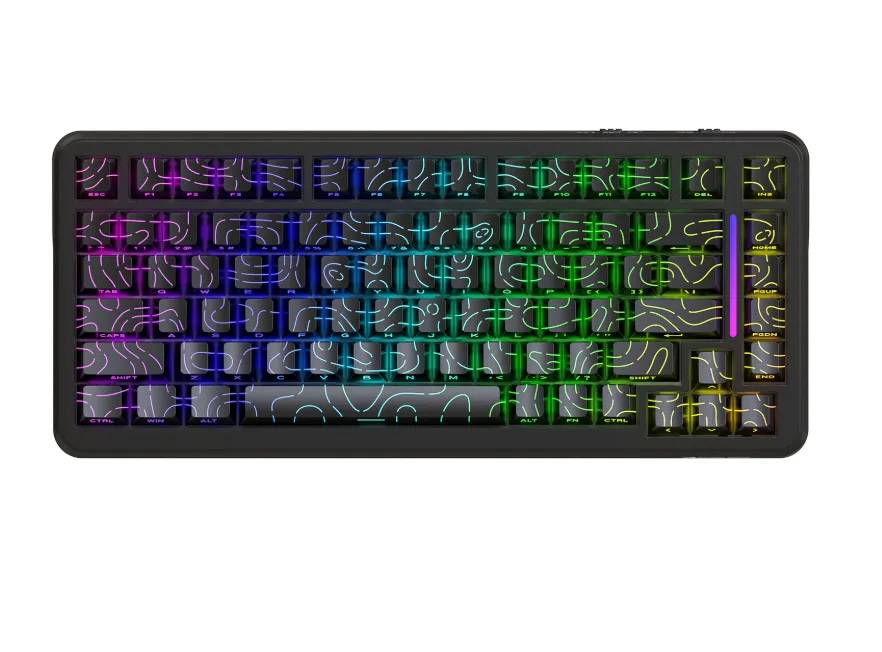
The keyboard landscape has undergone a dramatic transformation over the past decade. For years, the standard was clear-cut: gamers used full-sized 104-key boards loaded with macro keys and media controls, while office workers typed on whatever flat membrane slab came bundled with their computer. The full-sized mechanical keyboard reigned supreme in gaming circles, but its massive footprint and weight made it a permanent fixture rather than a portable tool. As esports grew and remote work exploded, users began questioning whether all those keys were truly necessary. The tenkeyless format emerged first, stripping away the number pad to reclaim desk space and improve mouse ergonomics. Then came 65% and 60% layouts,
compressing functionality even further through layered key mappings. Manufacturers noticed that professionals were buying mechanical keyboards for their superior typing feel, while gamers wanted quieter options for streaming and shared living spaces. These converging demands sparked a new category: the compact performance keyboard designed to serve multiple contexts without specializing in just one. Brands like MAMBASNAKE began engineering boards with dual-mode wireless connectivity, programmable layers, and sound-dampened switches that could transition from a Friday night tournament to a Monday morning standup meeting. This evolution didn’t happen by accident—it reflected a growing population of users who refused to accept that power and portability were mutually exclusive qualities in a keyboard.
Why a 75% Keyboard is the Ideal Choice for Hybrid Workers
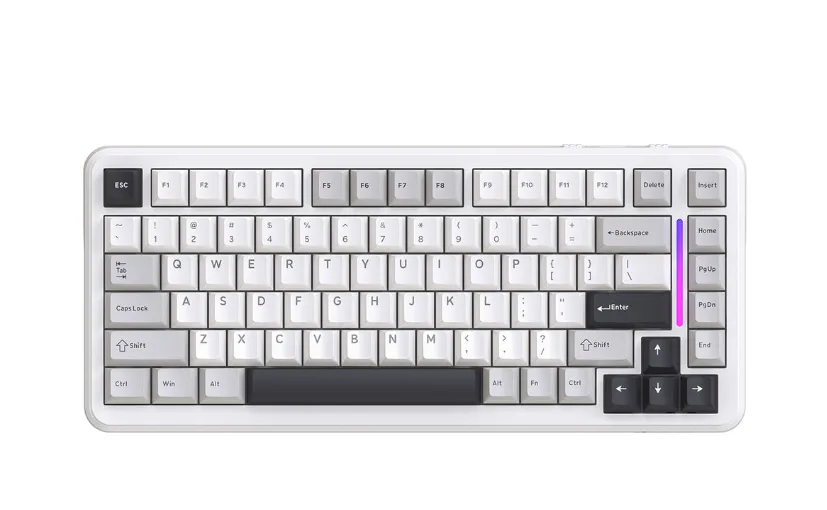
Among the various compact layouts available, the 75% keyboard hits a sweet spot that makes it particularly well-suited for hybrid workers straddling gaming and professional tasks. This layout typically packs around 82 to 84 keys into a frame roughly 30% smaller than a full-sized board, retaining the function row, arrow keys, and a condensed navigation cluster while eliminating the number pad and excess spacing. For office work, that function row proves indispensable—quick access to F2 for renaming files, F5 for refreshing browsers, and Alt+F4 for closing applications stays intuitive without requiring layer toggles or memorized key combinations. The dedicated arrow keys and Page Up/Down cluster streamline document navigation, spreadsheet editing, and code review in ways that smaller 60% layouts simply cannot match without forcing users into awkward finger gymnastics.
From a gaming perspective, the 75% layout preserves every key that matters. The full QWERTY row, Escape key, and function keys remain instantly accessible for binding abilities, opening menus, or triggering push-to-talk in voice chat. Compared to a tenkeyless board, the 75% format shaves off additional width by tightening the gaps between key clusters, granting more mouse room for low-sensitivity aiming—a tangible competitive advantage in first-person shooters. Unlike the 60% layout, which buries critical keys behind function layers and creates split-second delays during heated moments, the 75% keeps essential controls on the surface. This balance between compactness and completeness means hybrid workers carry one board that handles a ten-hour workday and a late-night ranked session with equal competence, fitting neatly into a backpack or laptop sleeve without the bulk of larger alternatives.
Key Features of a Portable Mechanical Keyboard for Dual Use
A portable mechanical keyboard built for dual use needs to check several boxes simultaneously. Connectivity sits at the top of that list—the best options offer both USB-C wired mode for zero-latency gaming and Bluetooth or 2.4GHz wireless for clean desk setups during work hours. Switching between a gaming PC and a work laptop should happen with a single toggle or key combination, not a cumbersome re-pairing process. Build quality matters equally; a keyboard traveling between locations daily faces drops, bag compression, and general wear that flimsy plastic housings won’t survive. The compact performance keyboard worth investing in pairs a rigid frame with a weight that stays manageable for commuters. Beyond hardware, software customization separates a true dual-use board from a one-trick device. Programmable layers let you store separate key mappings for gaming macros and office shortcuts, activating the right profile instantly based on context. Backlighting should offer subdued single-color modes for professional environments alongside vibrant effects for evening sessions, controlled through onboard memory so configurations persist without software running.
Switch Selection: Balancing Actuation and Acoustics
The switch beneath each keycap defines the entire typing and gaming experience. Linear switches provide smooth, uninterrupted travel ideal for rapid key presses in games, while tactile switches offer a subtle bump that helps typists confirm keystrokes without bottoming out. For hybrid workers, silent linear or silent tactile variants deliver the best of both worlds—dampened sound that won’t bleed into microphones during meetings, paired with actuation characteristics that remain competitive in fast-paced titles. Hot-swappable PCBs have become a game-changer here, allowing you to physically swap switches without soldering. This means you can install silent switches before heading to the office and pop in responsive linears for a weekend tournament, tailoring the board’s feel to each scenario in minutes rather than owning multiple keyboards.
Portability and Durability: Built for On-the-Go Use
True portability extends beyond a small footprint. Detachable USB-C cables prevent snagging and port damage during transit, while a carrying case or sleeve shields keycaps from scratches inside a backpack. Aluminum top plates or CNC-machined cases add structural rigidity without excessive weight, keeping most 75% boards under 900 grams. For wireless models, battery life needs to sustain a full workweek on a single charge—look for boards rated above 40 hours with lighting disabled. Low-profile designs reduce overall height and eliminate the need for a wrist rest, making them easier to use on cramped airplane tray tables or shared coworking desks. These design choices collectively ensure that your portable mechanical keyboard arrives at every destination ready to perform, whether that destination is a tournament venue or a client’s conference room.
How to Choose the Right Versatile Keyboard: A Step-by-Step Guide
Finding the right versatile keyboard requires a structured approach rather than impulse buying based on aesthetics or brand loyalty. Start by assessing your specific needs across both domains. Consider which games you play most frequently—fast-paced shooters demand lighter linear switches, while strategy games pair well with tactile feedback. Simultaneously, evaluate your office workload: heavy typists benefit from pronounced actuation bumps, while frequent call participants need near-silent operation. Write down your non-negotiables, whether that’s wireless connectivity, hot-swappable switches, or a specific layout size.
Next, compare models that match your criteria by examining connectivity options, battery life for wireless boards, frame materials, and programmability. Narrow your list to three or four candidates, then dig into community reviews from users who share your hybrid lifestyle—gaming forums and remote work communities often provide more honest assessments than promotional content. Pay attention to comments about long-term durability and software stability, since these factors only surface after months of use. If possible, visit a local electronics retailer or attend a keyboard meetup to physically test switches and layouts before committing. Press each key deliberately, listen for sound levels, and assess whether the board’s weight and dimensions fit comfortably in your daily carry bag. Choosing an office keyboard that doubles as a gaming weapon means prioritizing feel and function over flashy features you’ll disable within a week.
Implementing Your Portable Keyboard Solution
Once you’ve selected your ideal board, integrating it into your dual-purpose lifestyle requires deliberate setup across both environments. Start by creating two distinct profiles using onboard memory or the keyboard’s companion software. Your office profile should map function keys to workflow shortcuts—assign F1 through F4 to launch your email client, calendar, project management tool, and video conferencing app. Set the backlighting to a warm white at low brightness, or disable it entirely for battery conservation during long workdays. Your gaming profile can then unlock rapid-fire macros, reassign modifier keys for comfortable ability bindings, and activate your preferred RGB lighting pattern without affecting your professional configuration.
At your workplace, position the keyboard at a slight negative tilt if your desk allows it, reducing wrist strain during extended typing sessions. Keep the detachable cable stored in your bag’s accessory pocket and rely on Bluetooth for a clutter-free desk. When you return home and switch to gaming mode, connect via USB-C or the 2.4GHz dongle for the lowest possible input delay, and toggle your gaming layer with a dedicated key combination. Maintain your board by removing keycaps monthly for cleaning, storing it in its carrying case during commutes, and updating firmware when manufacturers release polling rate improvements or connectivity patches. This routine transforms a single versatile keyboard into a seamless bridge between your professional output and competitive edge, eliminating the need to compromise in either domain.
One Keyboard for Every Arena: Work Hard, Game Harder
The days of choosing between gaming performance and office efficiency are over. Portable mechanical keyboards, particularly those built around the 75% layout, deliver exactly what hybrid workers need—a single tool that handles rapid-fire gaming inputs with the same confidence it brings to a full day of professional typing. The compact design fits into backpacks and laptop sleeves without complaint, while features like dual-mode wireless connectivity, silent switch options, and programmable profiles ensure the board adapts to your context rather than forcing you to adapt to it. By selecting a versatile keyboard that prioritizes both actuation speed and acoustic restraint, you eliminate the compromise that once defined the hybrid lifestyle. No more swapping boards between sessions, no more apologizing for mechanical clatter on conference calls, and no more losing competitive edge to mushy membrane keys. As manufacturers continue responding to this growing segment of users who work hard and game harder, expect even more refined options blending premium materials, intelligent software, and travel-ready engineering. The keyboard market is evolving alongside the modern professional—embrace that evolution now, and both your productivity and your rank will thank you.
