



Working from home for long hours can expose setup problems quickly. A good chair helps, but it cannot fix a desk that is too high, a low monitor, or a keyboard that makes you reach. A practical ergonomic home office works best when the desk, chair, monitor, and movement habits support each other.
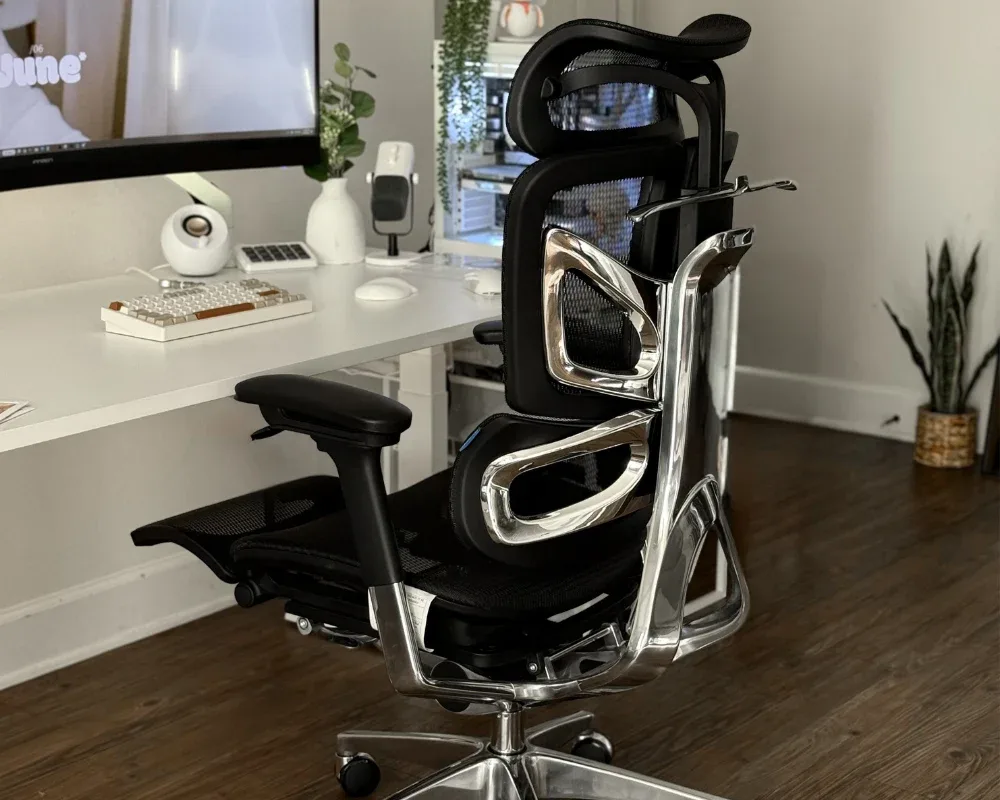
Start With the Right Desk and Chair Combination
The desk and chair form the foundation of the workstation, so adjust them as a pair.
Choose a Desk That Fits Your Sitting Position
Your desk should let your forearms rest comfortably while you type without raising your shoulders or making you lean forward. An adjustable desk makes height changes for sitting and standing easier.
The desktop should also leave enough room for the monitor, keyboard, mouse, and other frequently used items without forcing repeated reaching.
Pair It With an Ergonomic Chair
Once the desk height is suitable, adjust the chair around it. Seat height, seat depth, lumbar support, and armrests all affect how your body lines up with the desk.
A well-planned ergonomic desk with chair setup should keep your feet supported and your elbows close to desk height. The chair should match the desk without creating shoulder or arm tension. OdinLake’s ergonomic desk and chair options can also serve as a reference for different spaces and work habits.
Adjust Your Chair Before Adjusting Your Posture
Set the chair to your body first, then check whether your posture feels natural rather than forcing yourself to sit correctly in a poor setup.
Set Seat Height and Depth First
Adjust the seat so your feet rest securely on the floor and your knees stay comfortable. A chair that is too high can leave your feet unsupported, while one that is too low can crowd your hips and knees.
Seat depth matters too. Your thighs should feel supported without the front edge pressing behind your knees.
Pay Attention to Pelvic Position
Pelvic position can affect the lower back. Seat depth, lumbar support, and backrest angle should still allow small posture changes.
People reviewing an ergonomic chair for anterior pelvic tilt may want to focus on these adjustment options. The goal is not to treat a medical condition, but to avoid a setup that keeps the pelvis or lower back fixed for hours. An ergonomic chair for anterior pelvic tilt should still be judged by fit, adjustability, support, and comfort.
Set Up Your Monitor and Keyboard for a Neutral Position
After adjusting the desk and chair, check the screen, keyboard, and mouse. Even a good ergonomic desk with chair combination can feel uncomfortable if these items are poorly positioned.
Keep the Monitor at a Comfortable Height
Place the monitor where you can view it without repeatedly lowering or lifting your head. For long laptop sessions, use a stand with an external keyboard and mouse to keep the screen and hands in a more comfortable position.
Keep Your Arms Close to Your Body
Keep the keyboard and mouse within easy reach so your elbows stay close to your sides. Armrests can help if they support the arms without lifting the shoulders or preventing you from moving close to the desk.
Make Movement Part of Your Workday
Even a well-adjusted workspace should not keep you in one position all day. Movement is part of an ergonomic routine.
Alternate Between Sitting and Standing
If you use a sit-stand desk, change positions occasionally instead of treating standing as a replacement for sitting. The goal is to avoid staying in one posture for too long.
Take Short Movement Breaks
Use breaks between meetings, tasks, or calls to stand, walk briefly, stretch, or change position. Short breaks are easier to maintain throughout the day.
Check Your Setup From Head to Toe
Before assuming you need new equipment, review the workstation:
- Head: Is the monitor comfortable to view?
- Shoulders: Can they remain relaxed?
- Arms: Are your elbows close to your body?
- Back: Does the chair provide enough support?
- Hips: Are you sitting comfortably in the seat?
- Feet: Are they securely supported?
- Desk: Are the keyboard and mouse easy to reach?
If one area feels wrong, start with basic adjustments such as chair height, desk height, monitor position, or device placement before replacing the entire setup.
Conclusion
A home office that works for long hours depends less on one perfect ergonomic product than on making the workstation work as a whole. Desk height, chair adjustment, monitor placement, and regular movement should support one another. Start with the desk and chair, then refine the workspace around how you actually work.
