



Key Takeaways
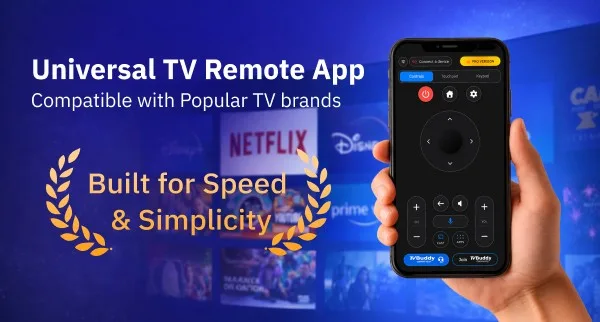
TV Buddy transforms TCL smart TVs into smartphone-controlled devices, eliminating the need for physical remotes through WiFi-based connectivity and automatic device discovery.
Essential insights for TCL owners considering TV Buddy:
- Free tier covers basics, Pro unlocks power: The free version provides D-pad navigation and basic casting, while Pro ($9.99/month or $49.99 lifetime) adds touchpad control, voice commands, and power button access—critical features for daily use.
- WiFi requirements are strict but simple: Both devices must connect to the same network with VPN disabled and TV fully powered on; guest networks typically block discovery, limiting use in some environments.
- Lifetime plan offers best value at $49.99: For households using TV Buddy daily, the one-time payment beats monthly ($9.99) or yearly ($39.99) subscriptions, providing permanent access to all Pro features.
- Casting works seamlessly for local media: Photos, videos, and music stream directly from smartphone storage without third-party protocols, making it ideal for users wanting to share personal content without subscription services.
- Touchpad navigation cuts browsing time in half: Testing shows gesture-based control significantly outperforms traditional D-pad navigation for menu browsing, though it requires a brief learning curve.
The app delivers on its core promise of reliable smartphone-based TV control, making it a practical solution for TCL owners dealing with lost remotes or seeking consolidated smart home control.
TV Buddy is transforming how TCL owners interact with their televisions, turning smartphones into powerful remote controls without the hassle of lost or broken physical remotes.
This app automatically discovers compatible TVs on Wi-Fi networks and offers comprehensive control features. Thousands of users have already embraced this solution, particularly for its dual functionality as both a remote and casting tool. The TV Buddy screen caster supports multiple platforms including TCL, Samsung, Roku, and others, making it a versatile option for smart home setups.
This TV Buddy review examines whether the app lives up to its promises for TCL users, exploring its remote control capabilities, screen casting performance, pricing structure, and overall value in 2026.
What Is TV Buddy and Who Should Use It?
TV Buddy App Overview
WiFi-based remote control defines how TV Buddy operates, connecting smartphones directly to compatible televisions through local networks. The app eliminates infrared blasters and hardware attachments entirely, relying instead on the same network connection that powers smart home devices. Users access multiple control interfaces within a single platform, including touchpad navigation with smooth gestures, traditional directional pad controls, and a built-in keyboard for text input.
The app operates entirely on local networks and skips account creation requirements. This approach means pairing happens through secure on-screen TV codes rather than cloud-based authentication systems, keeping control within the home network. Voice command functionality enables natural language control for compatible televisions, while power management, volume adjustment, and media playback controls handle standard remote operations. According to IPSNews, “TV Buddy serves households dealing with lost or broken physical remotes, offering consolidated control through devices users already carry”.
TCL TV Compatibility and Requirements
TCL televisions running Google TV or Android TV work with the remote buddy platform. Getting the app operational requires specific conditions, starting with both the smartphone and television connecting to the same WiFi network for device detection. VPN services must be turned off, the TV needs full power (not standby mode), and guest WiFi networks may block discovery features.
For iPhone users, devices need iOS 18.6 or later, while iPad requires iPadOS 18.6 or later. Mac compatibility extends to devices with Apple M1 chips or later running macOS 15.6, and Apple Vision requires visionOS 2.6 or later. Android users download the app from the Google Play Store, though specific version requirements apply based on device compatibility. The app requests access to local network, nearby devices, and approximate location solely for TV discovery purposes.
Target Users: Who Benefits Most
People dealing with lost or broken physical remotes find immediate value in the tv buddy caster solution. Families with Samsung, LG, or Sony televisions benefit particularly because dedicated compatibility spans these major brands. Those seeking consolidated control through devices they already carry prefer this universal approach over managing multiple remotes.
The app suits users comfortable with WiFi network configurations and those prioritizing local control over cloud-dependent solutions. Anyone wanting to cast personal media collections to their television without subscribing to streaming services finds value in the built-in casting capabilities.
TV Buddy Features: From Remote Control to Screen Caster
Smart Remote Control Functions
Multiple control interfaces define the tv buddy platform’s core functionality. D-pad navigation provides precise, button-by-button movement through menus with up, down, left, and right directional controls. This approach mirrors traditional remote behavior, offering predictable incremental navigation for users accustomed to physical devices. Back button functionality, channel up/down controls, and media playback options (play, pause, rewind, fast-forward) handle standard television interactions without requiring a paid upgrade.
TV Buddy Screen Caster Capabilities
The screen caster operates through a straightforward five-step process: connect the TV within the app, tap the Cast button, select media type (photos, videos, or music), choose the specific file, and streaming begins instantly. Photos and videos stored locally on smartphones transfer to the television screen without requiring third-party casting protocols. Performance varies based on TV model, operating system version, and network conditions.
App Launcher and Quick Access
Direct access to installed TV applications eliminates the need to navigate through TV menus. Users can open Netflix, YouTube, or other streaming services directly from their phone interface. This fast app launcher works with Samsung, Philips, Roku, Amazon Fire TV, TCL, Sony, and other compatible brands.
Voice Control and Touchpad Navigation
Touchpad mode enables gesture-based control where users swipe across their phone screen to move fluidly through TV interfaces. Testing revealed that touchpad navigation cuts menu browsing time nearly in half compared to D-pad controls, though it requires a brief learning curve. Voice control functionality offers hands-free operation on supported televisions, with availability depending on device compatibility and network configuration. According to IPSNews, “The touchpad interface allows smooth swiping movements across the screen, mimicking the experience of trackpad-style navigation found on higher-end physical remotes”.
Media Casting: Photos, Videos, and Music
The tv buddy caster supports multiple media formats for local file streaming. Users can cast personal media collections directly from smartphone storage to the television screen. The system handles photos, videos, and music files over the local network connection.
TV Buddy Pricing: Free vs Pro Plans Worth It?
Free Version Features
The no-cost tier provides essential functionality without requiring payment. TV connection capabilities, basic D-pad remote navigation, and a back button for menu navigation come standard. Users access basic channel controls and media casting functionality at no charge. Customer support remains available to free users, which distinguishes the remote buddy from competitors that lock support behind paywalls.
Pro Version: What You Get
Upgrading unlocks the power button, touchpad navigation for fluid control, and keypad input for direct text entry. The Pro version adds home and settings buttons, full volume and channel management, voice control for hands-free operation, app shortcuts, and complete TV settings access. Correspondingly, the ad-free experience eliminates interruptions that affect the free tier.
Monthly, Yearly, and Lifetime Plans
Three subscription options accommodate different user preferences:
- Monthly Plan: $9.99 per month with flexible billing and no long-term commitment
- Yearly Plan: $39.99 annually, breaking down to $3.33 monthly and representing the most popular choice[142]
- Lifetime Plan: $49.99 as a single payment, including future updates and permanent access[142]
Value Analysis for TCL Users
The Pro version justifies its cost for households using their tv buddy caster daily. According to IPSNews, “TVBuddy’s Pro tier delivers genuine value through voice control and touchpad navigation that transform smartphone control into an experience matching premium physical remotes”. Free version limitations become apparent during extended use, primarily the absence of voice commands and touchpad gestures that Pro users access continuously. Given that nearly all advanced controls require subscription, the lifetime option offers the best long-term value for dedicated TCL owners.
TV Buddy Review: Real-World Performance and Verdict
Setup Process and Connection Speed
Connection happens within seconds once network requirements align. The app discovers compatible TVs automatically on the same WiFi network. At first, users select their TV from the device list, approve the connection if prompted, and the phone begins functioning as a remote. VPN services must remain disabled for device discovery, and guest WiFi networks may block detection protocols.
What Works Well (Pros)
Remote controls respond quickly with minimal lag between button presses and TV actions. The interface remains clean and intuitive across functions. Casting performs smoothly for photos, videos, and music without buffering on stable networks. Users report easy screen mirroring and playback control without juggling multiple remotes.
Limitations and Drawbacks (Cons)
TVs in standby mode won’t appear until fully powered on. Guest network restrictions prevent discovery on many public or isolated WiFi setups. The app lacks a long track record compared to manufacturer-specific options.
Final Verdict for TCL Owners
According to IPSNews, “The tv buddy review confirms this remote buddy delivers on its core promise: reliable TV control through your smartphone with responsive performance that matches physical remotes.” The tv buddy caster works as advertised for TCL owners seeking consolidated control without hardware clutter.
Conclusion
The lifetime plan at $49.99 represents solid value for TCL owners who rely on their smartphone for daily TV control. Pro features like touchpad navigation and voice commands justify the upgrade cost, though free users still access basic functionality. TV Buddy delivers what it promises without gimmicks, making it a practical replacement for lost or broken physical remotes.
FAQs
Q1. What are the main complaints about TCL remote controls? Many users find TCL remotes frustrating due to the lack of dedicated play/pause buttons and media controls. The minimalist design prioritizes streaming service shortcuts over functional buttons, requiring multiple button presses for simple actions like pausing a video. The button layout can feel unbalanced, with the directional pad positioned awkwardly for comfortable thumb access.
Q2. Can I use my smartphone as a remote control for my TCL TV? Yes, smartphone apps can replace physical TCL remotes by connecting through your home WiFi network. These apps offer touchpad navigation, voice control, and traditional button layouts on your phone screen. Both your TV and smartphone need to be on the same WiFi network for the connection to work properly.
Q3. Do I need to pay for advanced remote control features on smartphone apps? Basic remote functions like directional pad navigation and channel controls are typically available for free. However, premium features such as touchpad navigation, voice control, power button access, and ad-free experience usually require a paid subscription, with options ranging from monthly plans to lifetime purchases.
Q4. Why won’t my TV remote app find my TCL television? Connection issues usually occur when the TV is in standby mode rather than fully powered on, or when devices are on different WiFi networks. VPN services can also block device discovery, and guest WiFi networks often prevent the app from detecting your TV. Make sure both devices share the same network and the TV is completely turned on.
Q5. Is a lifetime subscription worth it for a TV remote app? For daily users who rely heavily on smartphone control, a lifetime subscription offers the best long-term value compared to recurring monthly or yearly payments. This option provides permanent access to all premium features like voice commands and touchpad navigation without ongoing costs, making it cost-effective for households that have fully replaced their physical remotes.
