



Introduction
AI image generators have come a long way—and in 2025, they’re not just impressive; they’re downright game-changing. Whether you’re a designer, content creator, or just curious about how AI can turn your selfies into animated masterpieces, you’re probably wondering the same thing: What’s the best AI image generator right now?
In this in-depth review, I’ll walk you through the top AI image generators I tested—highlighting their strengths, weaknesses, and best use cases. Plus, I’ll tell you why HitPaw FotorPea stood out as my top pick, especially for AI cartoons and avatars.
Why AI-generated images are trending
AI-generated images are everywhere—from social media avatars to professional marketing materials. The reason is simple: they save time, cost far less than hiring an artist or designer, and open up a world of creative possibilities for people who might not have traditional design skills.
In 2025, AI image tools will be more accurate, faster, and capable of producing stunning visuals in seconds. The buzz isn’t just hype anymore—it’s backed by how practical and powerful these tools have become.
Who is using AI image generators?
It’s not just tech geeks or artists anymore.
- Small business owners use AI to create social media content and product mockups.
- YouTubers and influencers use it for thumbnails, profile pictures, and video intros.
- Students and educators use it for school projects, visual storytelling, and presentations.
- Casual users just want to imagine themselves as cartoon or anime characters—for fun, for dating profiles, or just because they can.
These tools are accessible and easy to use, so anyone with a phone or laptop can create professional-looking visuals in minutes.
Part 1: Best AI Image Generators in 2025 — My Top Picks
After testing several of the most popular platforms, I have made my honest recommendations based on performance, style variety, ease of use, and price.
DALL·E 3 – Best for Photorealism
DALL·E 3, developed by OpenAI, is incredibly good at generating hyper-realistic images. Whether you need a picture of a historical scene or a surreal concept like a cat astronaut, this tool handles prompts with surprising nuance and realism.
Why it’s great:
- Delivers lifelike results with rich textures and lighting
- Excellent for professional, commercial-quality outputs
- Seamless integration with ChatGPT for prompt creation
Limitations:
- The free version is limited; credits run out quickly
- Rendering can take longer on complex scenes
Adobe Firefly – Best for Graphic Designers
Firefly is a natural extension if you’re already in the Adobe ecosystem. It’s deeply integrated with Photoshop and Illustrator, so you can generate AI visuals and refine them within your creative workflow.
Why it’s great:
- Professional-level outputs tailored for branding and design
- Real-time editing of AI-generated layers
- High compatibility with Adobe’s design suite
Limitations:
- No free version
- Not beginner-friendly—steep learning curve if you’re new to Adobe tools
Midjourney – Best for Artistic and Abstract Imagery
Midjourney creates visually stunning, otherworldly images. Mid-journey shines if you’re looking for mood boards, fantasy illustrations, or something unique for a book cover or music album.
Why it’s great:
- Strong in stylized, creative, and cinematic compositions
- Generates highly detailed, artistic scenes
- Ideal for visual storytelling and concept art
Limitations:
- It uses Discord as its main interface, which may confuse new users
- No dedicated app or web platform
Canva – Best for Beginners
Canva is already a favorite among marketers and social media managers, and now, with AI image generation baked in, it’s more potent than ever. You can generate and drop an image into a pre-made template within seconds.
Why it’s great:
- Incredibly user-friendly and intuitive
- It comes with thousands of templates and editing options
- Great for casual users and DIY marketers
Limitations:
- Less control over fine image details
- Mostly limited to basic or semi-cartoon styles
HitPaw FotorPea – Best AI Cartoon Generator
Of all the tools I tested, HitPaw FotorPea stands out for one reason—it’s the best at turning photos into fun, polished cartoon-style images. This tool is perfect whenever you want to make an avatar, anime portrait, or caricature.
Why it’s great:
- Free, quick, and very easy to use
- High-quality cartoon and avatar transformations
- No login or design skills are required
Limitations:
- Focused mainly on cartoons; not built for realism
- Limited to single-image output at a time
A Quick Comparison of Top AI Image Generators
| Tool | Best Use Case | Free Plan | Speed | Notable Feature |
| DALL·E 3 | Realistic photography | Limited | Medium | High detail, realism |
| Adobe Firefly | Branding, Pro design | No | Fast | Photoshop integration |
| Midjourney | Artistic visuals | No | Fast | Abstract art and storytelling |
| Canva | Social posts, flyers | Yes | Very fast | Templates + AI generation |
| HitPaw FotorPea | Avatars, cartoons | Yes | Very fast | Best cartoon transformations |
Part 2: Selecting the Most Suitable AI Image Generator for Your Requirements
Style: Realistic, Cartoon, or Abstract?
First, decide what kind of visual you’re after.
- Do you need a lifelike headshot or product mockup? Go with DALL·E or Firefly.
- Want a cartoon version of yourself? HitPaw FotorPea is the one.
- Want something artistic or surreal? Midjourney will amaze you.
Budget: Free vs. Paid Tools
Free tools like Canva and HitPaw offer solid results, but premium versions of tools like Adobe Firefly or Midjourney are worth considering for commercial use or more advanced features.
Experience Level
Beginners will do well with Canva and HitPaw FotorPea, where everything is drag-and-drop or click-to-generate. If you’re a pro designer, Firefly or Midjourney gives you more creative control.
Output Format
Are you using this image for a website banner, a YouTube thumbnail, or a printed t-shirt? Not all tools export high-resolution or transparent background images, so check.
Part 3: Why I Picked HitPaw FotorPea as My Favorite
After trying all of the above tools, I kept coming back to HitPaw FotorPea—especially when I needed a cartoon-style image quickly. It’s not trying to do everything; it’s focused on one niche and does it well.
It’s Simple and Focused
There’s no overwhelming dashboard or learning curve. Upload a photo, pick your style, and click generate. That’s it.
Great for Creatives and Content Creators
Whether you need a quirky cartoon for your TikTok profile or a fun image for your YouTube banner, this tool delivers quick, professional-looking results.
Built-In Enhancer and Editor
What makes it even more powerful is that it’s not just a generator—it also comes with editing tools. So, if you want to tweak brightness, remove a background, or enhance image quality, you can do it in the same session.
Part 4: Creating My Own AI Cartoon Avatar – A Real Test
After testing several AI image generators, I decided to give HitPaw FotorPea a proper test run to see how well it could turn a regular photo into a cartoon-style avatar. Here’s exactly what happened, step by step.
Step-by-Step: How I Used HitPaw FotorPea
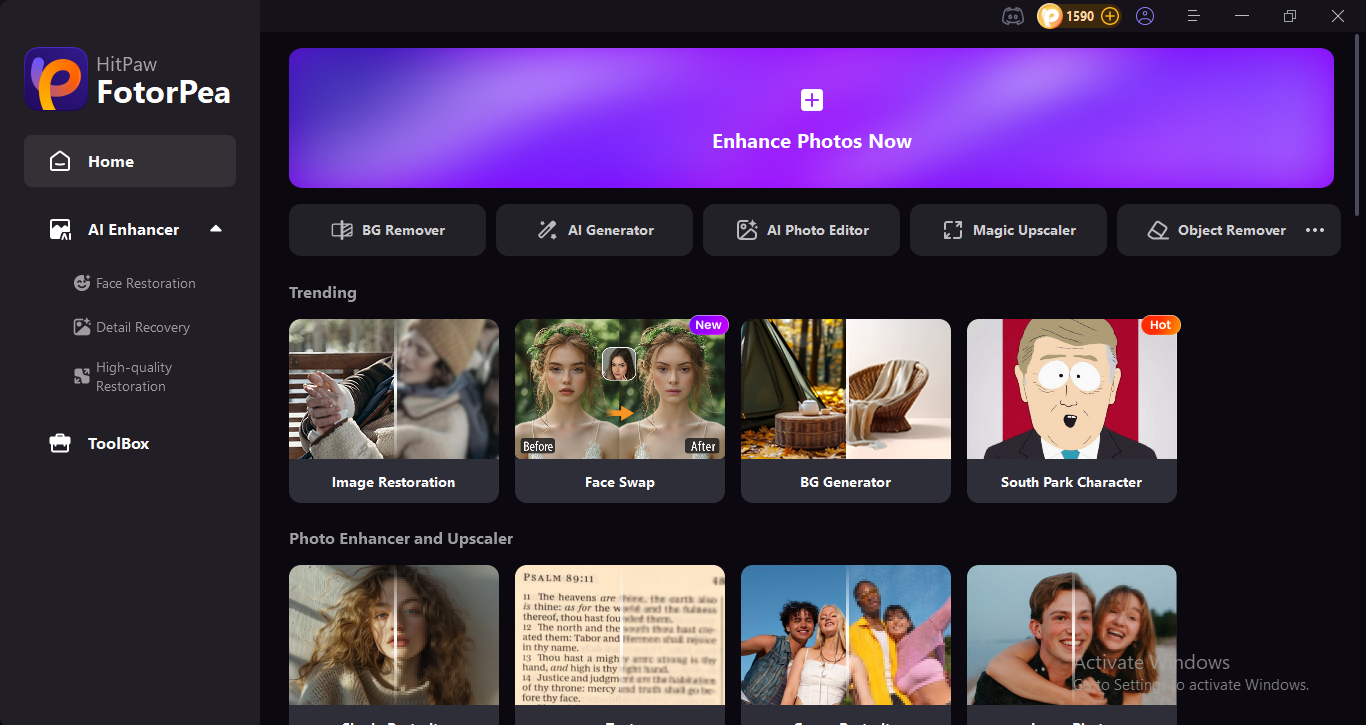
Open the HitPaw FotorPea
I opened the HitPaw FotorPea on my laptop—the interface is very user friendly. That alone made things feel accessible.
Upload My Photo
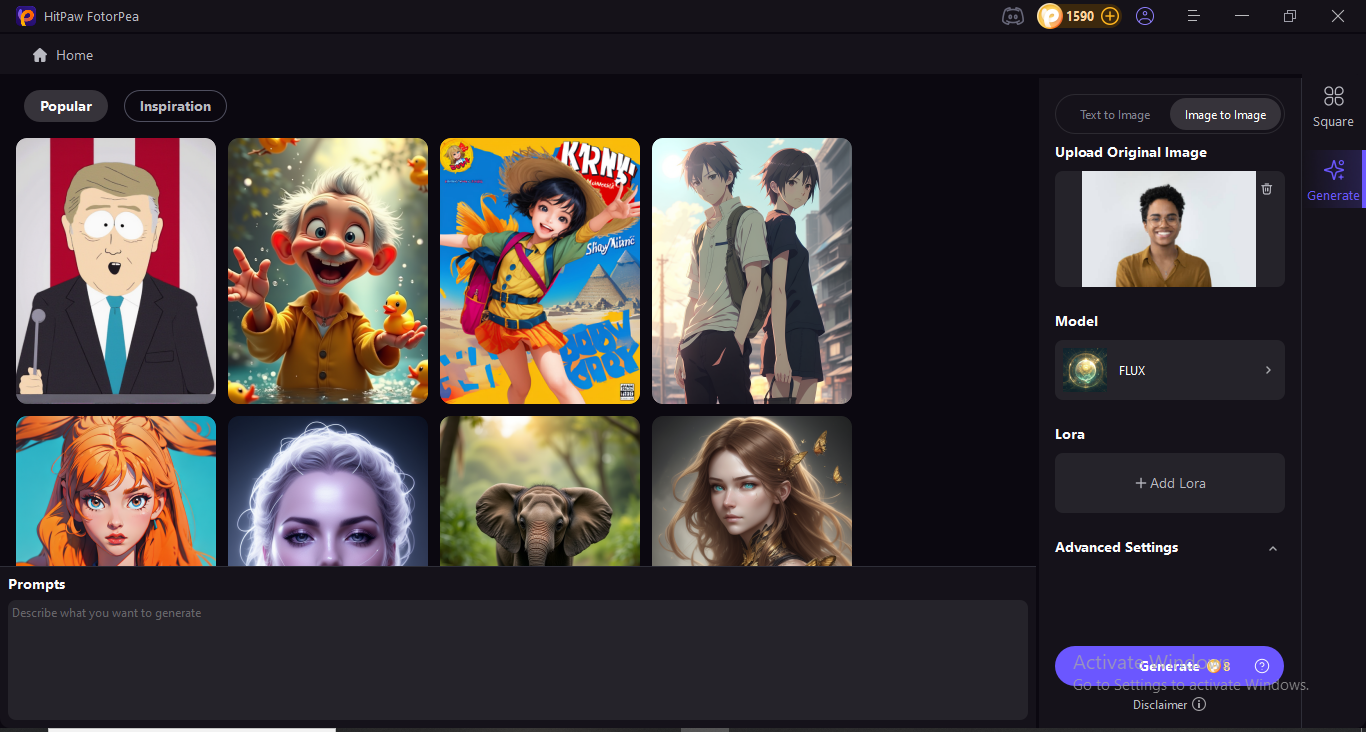
I chose a clear selfie with good lighting—nothing fancy, just a picture I’d normally use on social media. I uploaded the photo by clicking the “Upload” button on the main screen. It accepted JPG and PNG files, and the upload process took less than 5 seconds.
Choose a Style
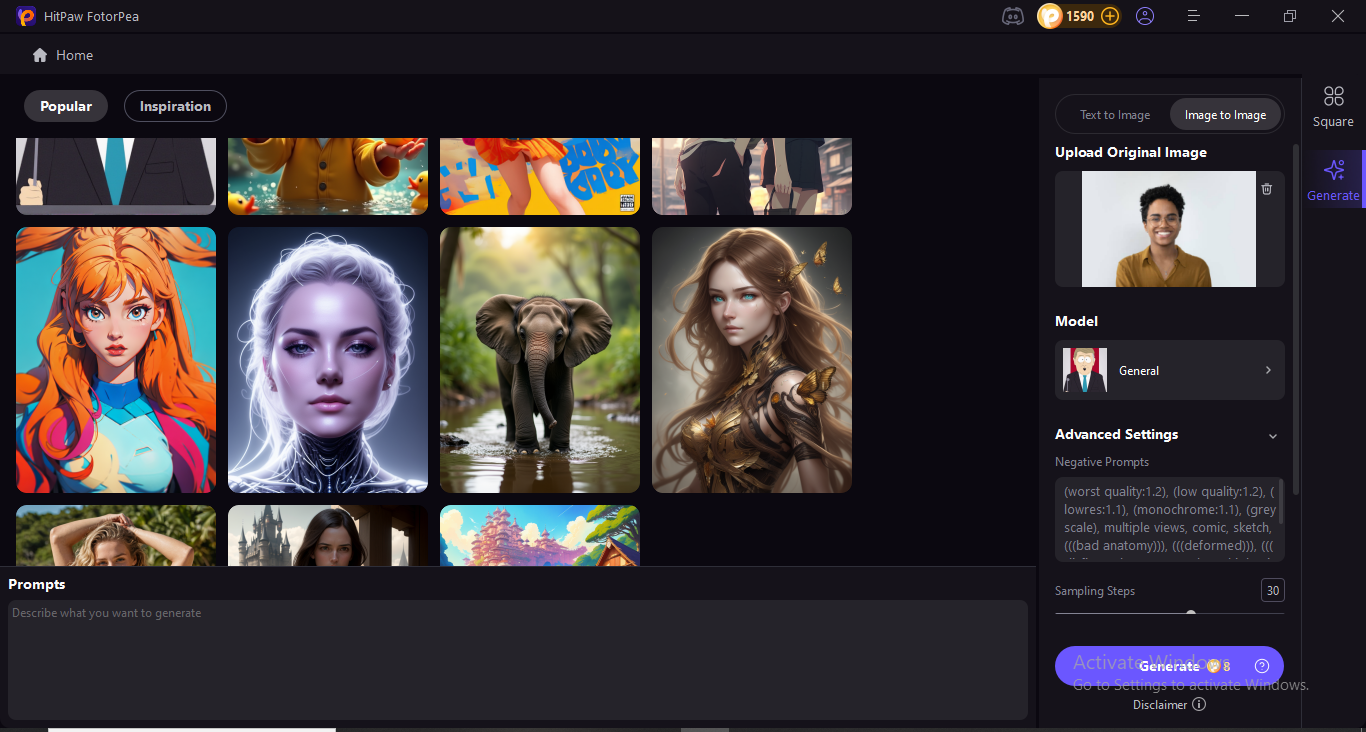
After uploading, I was prompted to select the style I wanted. HitPaw FotorPea offers a few cartoon options, including classic 2D cartoons, anime, sketch art, and 3D comic-style avatars. I went with the 2D cartoon for my first test since it looked clean and expressive in the examples.
Click Generate
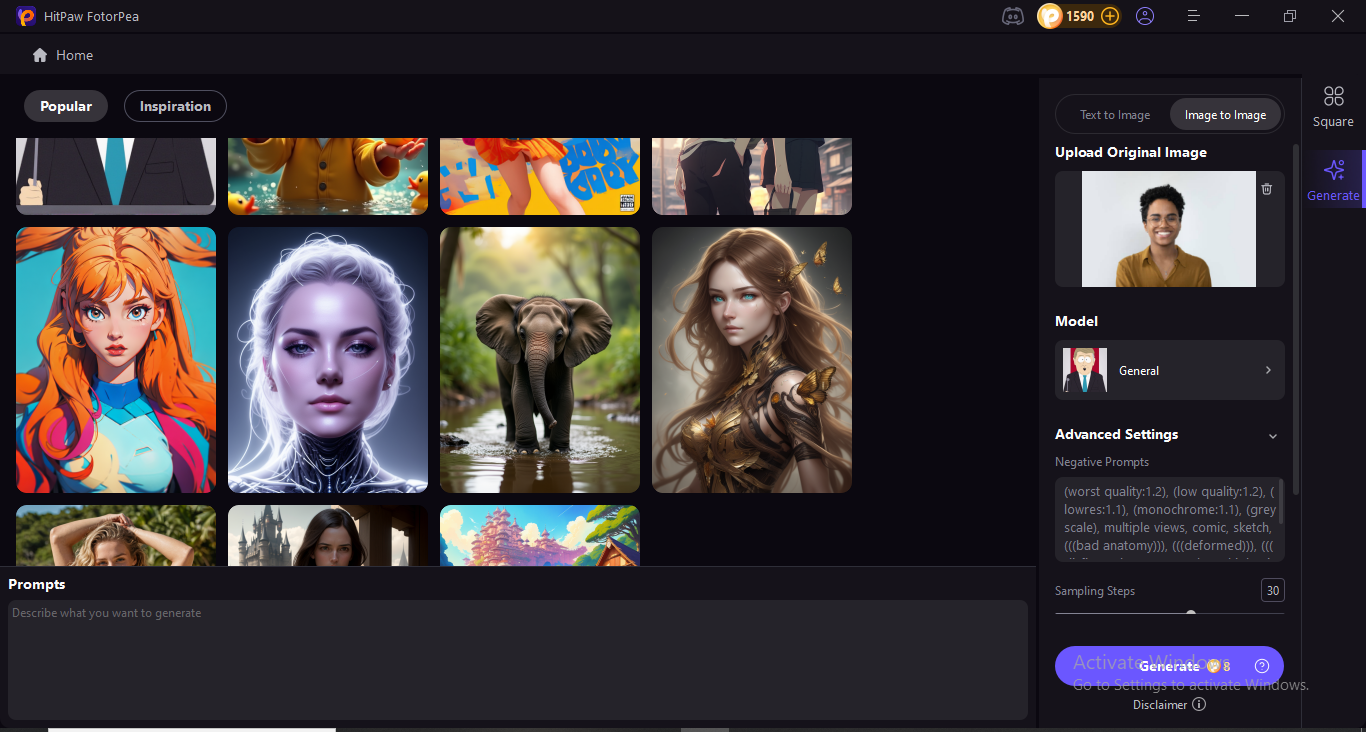
Once the style was selected, I clicked “Generate” and waited. The tool processed everything on its own—no need to adjust filters, tweak sliders, or enter any prompts.
How Long Did It Take?
From upload to the final result, it took about 20 to 30 seconds in total. The speed really surprised me. I’ve used other cartoon generators that made me wait minutes or even ask for an email just to access the results. HitPaw FotorPea gave me the image instantly—no strings attached.
The Final Result: Image Quality & Customization
When the cartoon avatar appeared on screen, I was genuinely impressed. The image retained all of my key features—hair shape, skin tone, eye color—but in a polished, cartoon style that looked professionally done. It didn’t feel like a cheap filter or auto-traced drawing.
Image quality:
- High-resolution output (no pixelation)
- Clean lines and vibrant colors
- Good facial proportions and expressive features
Customization:
While the generation process itself didn’t include deep customization (like adjusting facial expressions or outfit details), the platform does let you try different styles easily. If you don’t like the first result, you can regenerate or switch styles without having to re-upload your photo.
There’s also a built-in enhancer and background remover, so you can clean up the image, add a transparent background, or tweak brightness and contrast—all in the same tool. That saved me the step of opening another editor.
Final Thoughts on the Avatar Experience
Overall, creating a cartoon avatar with HitPaw FotorPea was fast, smooth, and fun. I appreciated that I didn’t need any design knowledge to get a great-looking result. The image looked sharp enough for social media, a profile picture, or even printing on merch.
If you’re looking to create a unique online persona or just want a fun cartoon version of yourself, this is one of the easiest ways to do it—no technical barriers, no watermarks, and no fuss.
