



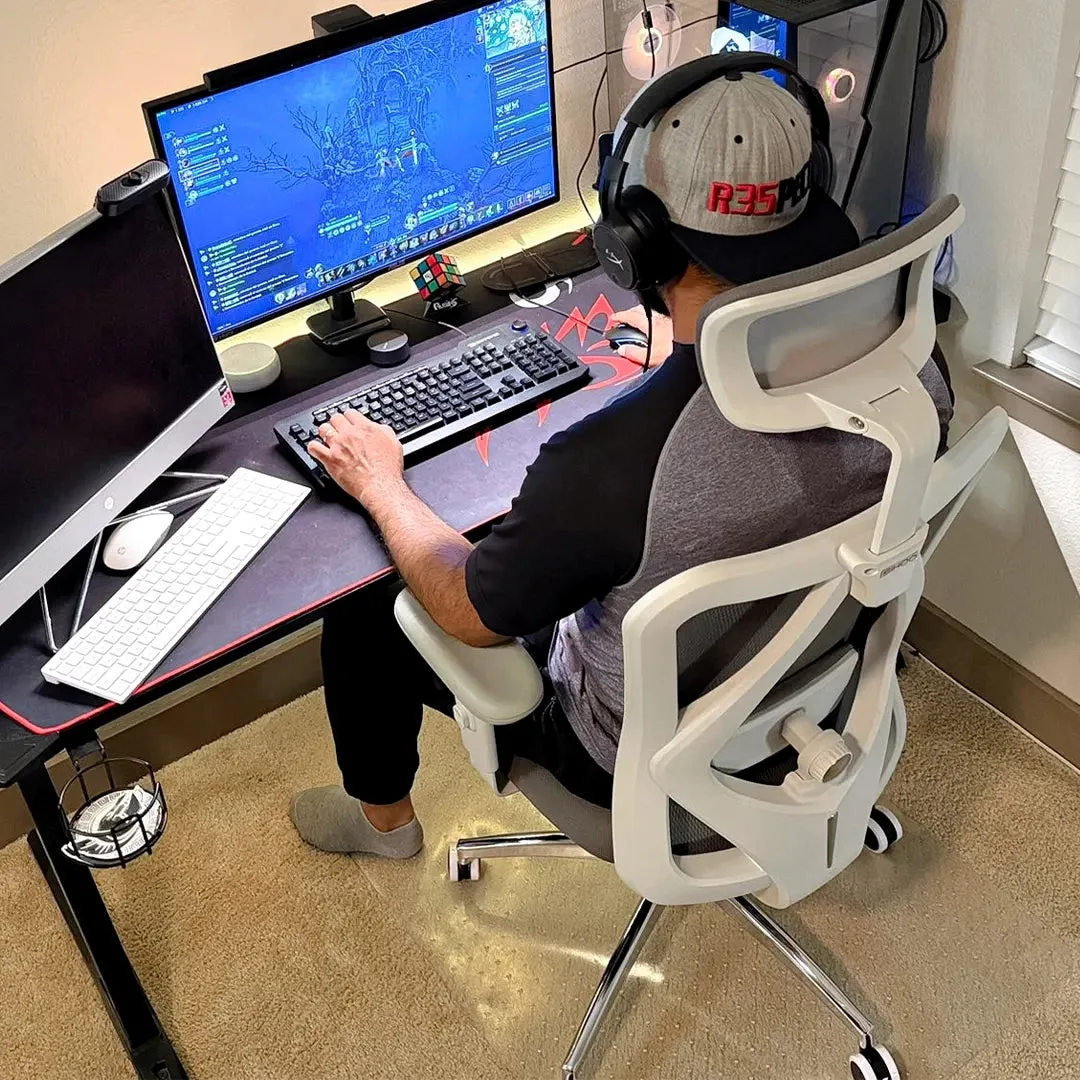
A healthier workplace does not always begin with a major renovation or an expensive wellness program. Sometimes, it starts with something as ordinary as the chair employees use every day.
For millions of people whose jobs involve computers, seated work is part of their daily routine. Yet the quality of their working environment can vary considerably. Some employees have fully equipped offices, while others work from shared spaces, small home offices, or desks assembled with whatever furniture is available.
Ergonomic seating offers one practical way to address these differences. A well-designed chair can provide appropriate back support, accommodate different body proportions, and allow users to adjust their sitting position throughout the day.
But the broader issue is not simply which office chair to purchase. It is how employers and individuals can create working environments that support physical comfort without making good ergonomics a luxury.
Why Physical Comfort Belongs in Workplace Health Discussions
Workplace well-being is often associated with stress management, work-life balance, and mental health. Physical working conditions deserve similar attention.
The World Health Organization (WHO) estimates that approximately 1.71 billion people worldwide live with musculoskeletal conditions, based on Global Burden of Disease 2019 data. These conditions include lower-back pain, neck pain, arthritis, and other disorders affecting movement and physical functioning.
This figure represents a broad global health challenge, not a measure of health problems caused by office work. Nevertheless, it helps explain why physical comfort and musculoskeletal health are relevant to employment discussions.
For computer-based workers, workstation design can influence exposure to awkward postures and other ergonomic risk factors.
A monitor positioned too high may encourage uncomfortable neck positioning. A keyboard placed too far away can lead to excessive reaching. An unsuitable chair may make it difficult to obtain adequate lower-back support.
Over time, these problems can make ordinary tasks less comfortable.
The Occupational Safety and Health Administration (OSHA) recommends selecting chairs that provide appropriate support to the back, legs, and arms while allowing adjustments for different users.
The central principle is simple: a workstation should be adapted to the individual rather than expecting every person to work comfortably with the same fixed arrangement.
The Accessibility Challenge in Ergonomic Office Design
Not everyone has the same resources to create an ergonomic workspace.
Large organizations may have dedicated facilities teams, equipment budgets, and occupational health programs. Smaller businesses, freelancers, and remote workers may have considerably fewer options.
For someone working from a small apartment, replacing an unsuitable chair could be a meaningful improvement. For an employer furnishing dozens of workstations, affordability and adaptability may become equally important.
This creates an important distinction between essential ergonomic features and more advanced seating technology.
A chair does not need an elaborate mechanism to offer useful adjustments.
Seat height, backrest support, armrest positioning, and appropriate seat dimensions are among the basic elements worth considering.
More sophisticated chairs may offer additional ways to accommodate movement, but those features should be evaluated according to actual user needs.
A practical approach to workplace ergonomics begins by identifying what people require to sit comfortably and perform their tasks.
Essential Ergonomic Features: The SIHOO M18 Example
The sihoo m18 office chair provides an example of how essential ergonomic features can be incorporated into a relatively straightforward office chair.
Its design combines a breathable mesh backrest with a W-shaped cushioned seat, giving users a balance of ventilation and padded support.
The chair includes dual-adjustable lumbar support, allowing the lower-back support to be repositioned vertically and horizontally.
Height-adjustable armrests provide another way to accommodate different desk arrangements and sitting preferences.
An adjustable headrest and a reclining mechanism reaching approximately 126 degrees add flexibility for seated activities beyond upright typing.
These features illustrate several practical considerations when selecting office furniture.
First, lumbar support should be positioned to suit the user’s lower back. Second, the seat should provide appropriate support without creating uncomfortable pressure. Third, armrests should allow the shoulders to remain relaxed during desk work.
Such adjustments can be useful for people establishing a dedicated home workstation or replacing a chair with limited ergonomic features.
However, a chair’s published specifications cannot guarantee a suitable fit.
Seat depth, available adjustment ranges, desk height, and individual body proportions all deserve attention before making a purchase.
For employers selecting furniture across different teams, accommodating a range of users may be more important than choosing a model based only on its appearance or advertised features.
Why Modern Ergonomics Is Moving Beyond Fixed Support
Traditional office chairs often focus on supporting the body in a relatively upright position.
That remains important, but real working habits involve considerably more movement.
Employees lean toward their monitors, sit back during meetings, turn to speak with colleagues, and occasionally recline while reading.
These transitions create a challenge for seating design.
A fixed support mechanism may work comfortably in one position but feel different when the user shifts.
More advanced ergonomic chairs attempt to address this by allowing certain components to respond to movement.
Coordinated backrests, adjustable lumbar systems, and weight-responsive reclining mechanisms are examples of this approach.
Their purpose is not to eliminate movement or enforce a single correct posture, but to accommodate different seated activities with less repeated adjustment.
Adaptive Seating: The SIHOO Doro C300 Pro V2 Example
The sihoo doro c300 pro v2 illustrates a more advanced approach to adjustable office seating.
According to SIHOO’s product information, its DynaCore synchronized support system coordinates the headrest, backrest, lumbar support, and armrests as the user changes position.
The chair also incorporates SyncroFlex Back-Glide technology, designed to maintain supportive backrest contact during reclining.
Its Domino 2.0 lumbar and sacral support system offers several adjustment options for the lower back, while the 8D armrests accommodate different arm positions.
Additional features include adjustable seat depth, breathable mesh construction, and a weight-responsive reclining mechanism.
The seat-depth adjustment is particularly relevant because people with different leg lengths may require different amounts of thigh support.
A seat that is too deep can make it difficult for some users to maintain contact with the backrest. A seat that is too shallow may provide inadequate support beneath the thighs.
Greater adjustability offers more opportunities to tailor a chair to the user, although individual comfort remains the deciding factor.
The Doro C300 Pro V2 therefore serves as an example of how contemporary ergonomic design is increasingly focused on coordinated movement and personalized fit.
It does not mean that every worker requires a chair with this level of complexity. Instead, it demonstrates the different approaches available when addressing workstation comfort.
How Should Organizations Choose Office Seating?
Selecting chairs for a workplace requires more than comparing feature lists.
An appropriate decision should consider the people using the furniture, the tasks they perform, and the environment in which they work.
For example, an organization furnishing a shared office may prioritize chairs that are easy to adjust for multiple users.
A remote employee working at one desk every day may prefer a chair that can be carefully configured to their individual body proportions.
An employer purchasing equipment for staff with varied working arrangements may need to offer several suitable options rather than relying on one standard model.
Several questions can guide the selection process:
- Fit: Can the seat height, seat dimensions, and backrest accommodate the intended user?
- Support: Does the chair provide comfortable lower-back and arm support?
- Adjustability: Can users change their seated position without unnecessary difficulty?
- Materials: Are the upholstery and seating surfaces appropriate for the working environment?
- Practicality: Are assembly, maintenance, durability, and replacement parts reasonable considerations for the organization?
These questions apply to both essential and advanced ergonomic chairs.
The most appropriate option is not necessarily the chair with the greatest number of features. It is the one that meets the user’s needs reliably and comfortably.
A Good Chair Cannot Replace Healthy Working Habits
Office furniture is only one component of a comfortable workplace.
Even an adjustable chair cannot fully compensate for a poorly positioned monitor, an unsuitable desk, or long periods without movement.
OSHA’s computer workstation guidance emphasizes the importance of appropriate equipment placement and varying working positions.
For desk workers, this can involve practical changes such as positioning the monitor at a comfortable viewing height, keeping the keyboard within easy reach, and allowing the feet to rest on the floor or a footrest.
Movement also matters.
Standing during a telephone conversation, taking a short walk between tasks, or stepping away from the computer periodically can help interrupt prolonged periods of sitting.
These activities need not require specialized equipment or extensive workplace programs.
Organizations can support healthier routines by allowing appropriate breaks, encouraging employees to report workstation difficulties, and providing practical guidance on equipment adjustment.
The emphasis should be on creating working conditions that accommodate people rather than expecting workers to compensate continuously for unsuitable environments.
Remote and Hybrid Work Add Another Dimension
The growing use of remote and hybrid working arrangements has expanded responsibility for ergonomic comfort beyond traditional office buildings.
At home, people may work at dining tables, compact desks, or multipurpose spaces.
Some employees have access to employer-provided equipment, while others make their own purchasing decisions.
These differences raise questions about how organizations can support appropriate working conditions across different locations.
An effective response does not necessarily require identical equipment for everyone.
Instead, employers can provide guidance on workstation setup, consider reasonable equipment support, and encourage conversations about individual needs.
For workers purchasing furniture independently, understanding the differences between basic ergonomic adjustments and more advanced support systems can help them make informed decisions.
The goal should be practical, accessible improvement rather than creating pressure to purchase the most expensive available products.
The Bigger Picture: Workplace Well-Being Begins With Everyday Conditions
A healthier workplace requires attention to both organizational practices and the physical environment.
Mental well-being, appropriate workloads, safe working conditions, and opportunities for movement all contribute to a broader understanding of employee welfare.
Ergonomic seating fits within this framework because it addresses a basic question: can people perform their work in a position that is comfortable and appropriate for their bodies?
The SIHOO M18 and Doro C300 Pro V2 illustrate different ways manufacturers approach that challenge, from fundamental adjustments to more coordinated adaptive support.
Neither replaces the need for appropriate workstation arrangements or healthy working habits.
For employers, the lesson is to evaluate equipment in relation to real employee needs. For individuals, it is to prioritize fit, comfort, and practical adjustments over appearances or marketing claims.
As working arrangements continue to change, ergonomic design should be viewed not merely as a furniture feature, but as one practical element of creating more supportive working environments.
Better workplaces begin by recognizing that the people using them have different needs—and designing everyday conditions accordingly.
