



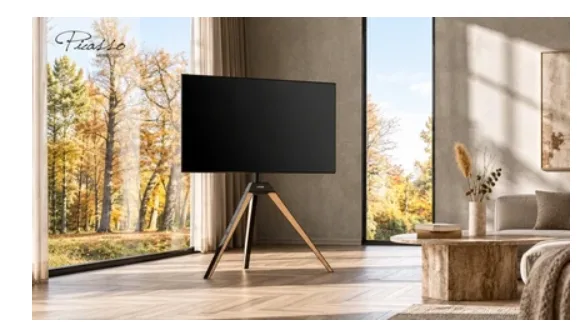
You can reuse your existing TV stand when it remains in good condition, supports the new television’s weight, size, and mounting pattern, and provides enough space for the updated screen. In many cases, upgrading the television only requires adjusting the mounting position and connections rather than replacing the entire stand.
The easiest way to make that decision is to check the stand’s condition first, confirm compatibility with the new TV, and then review the changes needed for installation. This helps determine whether the current setup can accommodate the upgrade safely and comfortably.
Check the Condition of Your Existing TV Stand
Before comparing specifications, inspect the stand that has been supporting your current television.
Start with the base and main support structure. Look for visible bending, cracks, corrosion, or damage around the connections between components. The base should sit evenly on the floor, and the upright support should remain securely attached.
Next, examine the mounting bracket and its fasteners. Check for loose or missing parts, damaged mounting holes, and signs of wear around adjustable connections.
If the stand includes swivel, tilt, or height-adjustment mechanisms, check that they operate properly and can be secured in their intended positions.
Pay particular attention to parts that have been adjusted frequently or have remained under load for several years. Structural damage, unreliable locking mechanisms, or missing essential components should be resolved according to the manufacturer’s guidance before the stand is reused.
Once the stand is confirmed to be in suitable condition, locate its model number and original specifications. The product manual or manufacturer’s documentation will provide the information needed for the next compatibility checks.
Confirm Compatibility With the New TV
A TV stand in good condition can continue supporting a replacement television when the new model falls within its specified mounting and load limits.
A universal tv stand typically offers mounting positions designed to accommodate different television models. The exact compatibility range depends on the stand’s structure and mounting bracket.
Three specifications determine whether the new screen is suitable.
VESA mounting pattern
VESA describes the horizontal and vertical spacing between the mounting holes on the back of a television.
For example, a TV with a 200 × 200 mm VESA pattern needs a bracket that supports that hole spacing. A new television may use a different mounting pattern even when its diagonal screen size is similar to the previous model.
Check the new TV’s specified pattern against the stand’s supported VESA range. If the mounting bracket uses adjustable arms or multiple mounting positions, identify the configuration required for the replacement screen.
Television weight
Compare the new television’s weight, excluding its original tabletop feet, with the stand’s maximum supported TV weight.
Two televisions of similar size can have different weights because of their construction and display technology. The manufacturer’s published weight specifications provide the appropriate values for comparison.
Include any additional equipment attached to the mounting assembly when checking the applicable load limits.
Supported screen size
Finally, confirm that the new television falls within the stand’s stated screen-size range.
This matters particularly when upgrading to a substantially larger screen. The stand’s rated range accounts for its intended mounting configuration and the physical dimensions of compatible televisions.
Once all three specifications match, the next step is to check how the new screen will fit into the existing room arrangement.
Adjust the Setup for the New Screen
A larger television may use the same mounting bracket while occupying considerably more space around it.
Start by comparing the overall height and width of the new screen with the previous television.
If the replacement is taller, maintaining the original mounting position may change the height of the screen’s center. Adjust the bracket position where the stand allows, aiming for a comfortable viewing angle from the main seating area.
Next, check the space beneath the television.
A larger screen may extend closer to a soundbar, equipment shelf, or gaming console. Measure the distance between the screen’s lower edge and the equipment to determine whether the mounting height needs adjustment.
The wider screen may also affect clearance beside nearby furniture.
For stands positioned in corners or between cabinets, check the new TV’s full width against the available space. If the stand supports swivel adjustment, allow enough clearance for the television to turn through the range used in the room.
Connection locations may change as well. HDMI ports, power inputs, and other connections can sit in different positions on the new television.
Review the available cable lengths and identify a route that accommodates the new connections while preserving the stand’s intended adjustments.
These checks help establish the final mounting position before the replacement television is installed.
Install the New TV and Test the Setup
With the stand inspected, compatibility confirmed, and mounting position planned, the existing setup is ready for the television replacement.
Begin by disconnecting the old television’s power and external devices. Remove the screen using the stand manufacturer’s disassembly instructions, with appropriate assistance for lifting and handling.
Once the old television is removed, examine the mounting bracket and prepare the hardware required for the new screen.
The replacement TV may require different mounting screws or spacers. Use the hardware specified for the new television and compatible mounting bracket, following the required screw dimensions and installation instructions.
Adjust the bracket arms or mounting positions to match the new VESA pattern, then secure the new television according to the manufacturer’s installation sequence.
After installation, complete several practical checks:
- Mounting security: Verify that the bracket is properly engaged and the required fasteners and locking components are secure.
- Stand stability: Confirm that the base rests firmly on the floor and the assembled setup meets the manufacturer’s requirements.
- Viewing position: Check the screen height and angle from the main sofa.
- Adjustment clearance: Test the intended swivel or tilt range while checking clearance around nearby furniture.
- Cable connections: Reconnect external devices and route the cables with enough slack for the available adjustments.
Install or retain any manufacturer-specified safety and anti-tip accessories.
Once these checks are complete, the television can be tested in its normal viewing position, including any connected audio or gaming equipment.
Make the Upgrade Work With Your Space
Reusing a TV stand can make a television upgrade more straightforward when the existing support remains in good condition and meets the replacement screen’s requirements.
The stand’s structural condition establishes whether it is suitable for continued use, while VESA compatibility, weight capacity, and supported screen size determine whether it can accommodate the new television. Adjusting the mounting position and surrounding equipment then helps the upgraded screen fit the room.
For upgrades that require a different mounting range or support configuration, FITUEYES offers freestanding TV stands with various weight capacities, height adjustment options, and swivel or tilt features on select models. These options help accommodate different television sizes while allowing the screen to be positioned at a comfortable height and viewing angle within the existing room layout.
A successful upgrade brings the new screen, its supporting structure, and the viewing area together. When each part of the setup is checked in the right order, the television can be updated while retaining the practical arrangement of the living room.
