



Video Transcript Tools Tested: Features, Differences, and Real-World Use Cases
Video content has become one of the main ways people learn, work, and share information. From online courses and podcasts to business meetings and social media videos, people are creating more video content than ever before. However, valuable information often remains locked inside audio files.
A reliable Video Transcript solution can transform spoken words into searchable text, making videos easier to analyze, repurpose, and understand. During my own testing of several transcription platforms, I found that each tool approaches the same challenge differently. Some focus on speed, some prioritize accuracy, while others combine transcription with AI summarization features.
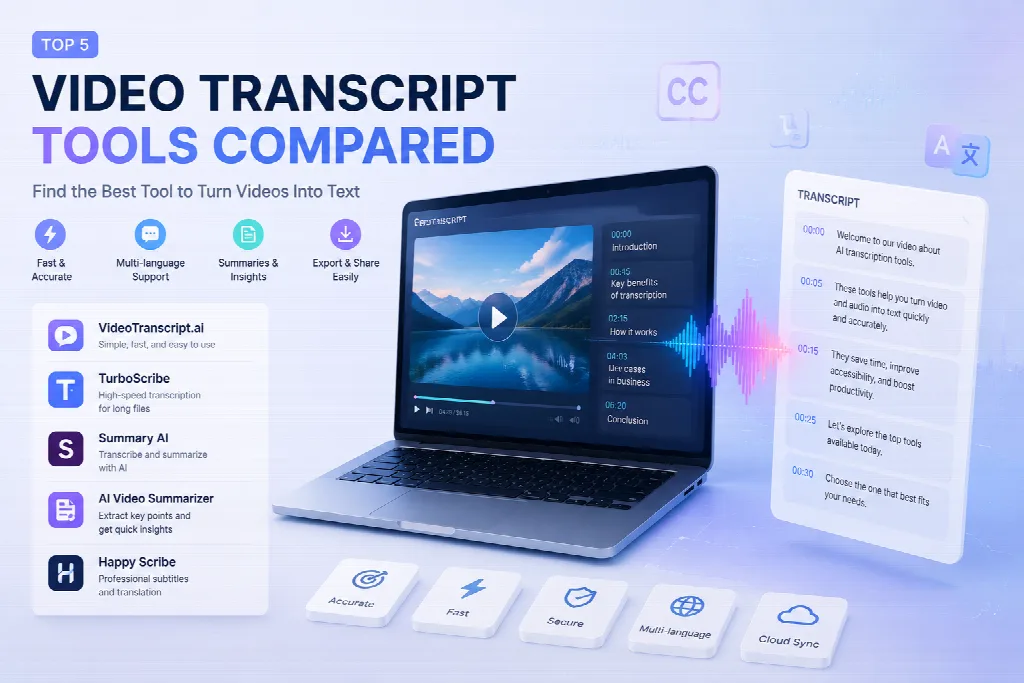
This comparison explores several popular tools, including VideoTranscript.ai, TurboScribe, Summary AI, AI Video Summarizer, and Happy Scribe, highlighting their features, strengths, limitations, and ideal use cases.
Why Video Transcription Matters in the Modern Content Era
From Watching Videos to Searching Information
A 60-minute video may contain hundreds of valuable ideas, but finding one specific sentence can be frustrating. A transcript changes this experience by converting spoken content into a searchable document.
According to industry reports, video continues to dominate online content consumption, with platforms such as YouTube receiving billions of viewing hours every day. As video libraries expand, transcription has become an important workflow for creators, researchers, marketers, and businesses.
During my testing, I noticed that transcription tools are especially useful for long interviews and educational videos. Instead of replaying sections repeatedly, I could quickly scan the generated text and locate important points.
Different Users Need Different Solutions
Not every user needs the same type of transcription software.
A journalist may care about timestamp accuracy. A content creator may want quick subtitle generation. A business team may need multilingual support for meetings.
Therefore, choosing the right Video Transcript tool depends on workflow, content type, and expected output.
1. VideoTranscript.ai: A Simple Approach for Fast Video-to-Text Conversion
Overview
VideoTranscript focuses on converting video content into readable transcripts with an easy workflow. The platform is designed for users who want to extract spoken information without complicated settings.
When I tested the tool with online video content, the process felt straightforward. Uploading the file and receiving the transcript required minimal configuration, which makes it suitable for beginners.
Main Features
VideoTranscript.ai provides several practical functions:
- Automatic speech recognition
- Video-to-text conversion
- Timestamp-based transcripts
- Support for different video formats
- Text export options
One noticeable advantage is simplicity. Users do not need professional editing knowledge to turn a video into written content.
Best Use Cases
The tool can be useful for:
- YouTubers creating article versions of videos
- Students reviewing lectures
- Researchers analyzing interviews
- Businesses documenting video meetings
For creators who publish across multiple platforms, a transcript can become the foundation for blog posts, newsletters, and social media content.
Strengths and Limitations
Strengths:
- Easy learning curve
- Clean workflow
- Suitable for everyday transcription tasks
Limitations:
- Users needing advanced editing or professional caption workflows may require specialized platforms
2. TurboScribe: High-Speed Transcription for Large Video Files
Overview
TurboScribe is known for focusing on fast transcription and handling longer recordings. It uses AI speech recognition technology to process audio and video content.
During my experiment, I uploaded longer recordings to compare how different platforms handled extended content. TurboScribe performed well when dealing with large files and maintained a simple user experience.
Key Capabilities
TurboScribe offers:
- Automatic transcription
- Support for many languages
- Speaker identification features
- Export formats for different workflows
Its multilingual ability makes it attractive for international creators and teams working with global audiences.
Practical Example
Imagine a company conducting a one-hour customer interview. Instead of manually reviewing the entire recording, the team can create a transcript, search important feedback, and extract customer insights faster.
This type of workflow shows why AI transcription is becoming part of modern research and content operations.
Advantages and Drawbacks
Advantages:
- Suitable for long recordings
- Fast processing
- Useful language support
Drawbacks:
- Users who want built-in content summaries or advanced editing may prefer more integrated platforms
3. Summary AI: Combining Transcription With AI Understanding
Overview
Summary AI approaches transcription from a slightly different direction. Instead of only converting speech into text, it emphasizes understanding and summarizing video information.
The platform is designed for users who want shorter insights from longer content.
Features
Summary AI provides:
- Video transcription
- AI-generated summaries
- Key information extraction
- Content organization features
When testing this type of workflow, I found that summarization can save time after transcription. A transcript tells you everything that was said, while a summary helps identify what matters most.
Who Might Benefit?
This approach works well for:
- Students reviewing educational videos
- Professionals researching industry content
- Managers analyzing recorded meetings
However, users who need word-for-word accuracy may still prefer traditional transcription-focused tools.
4. AI Video Summarizer: Turning Video Content Into Quick Insights
Overview
AI Video Summarizer focuses on helping users understand video content faster. It combines transcription technology with AI analysis to create concise summaries.
This type of tool reflects a growing trend: people are not only looking for transcripts but also ways to process information efficiently.
Main Functions
The platform provides:
- Video transcript generation
- AI-powered summaries
- Important point extraction
For example, a content researcher watching multiple industry videos can use summaries to quickly compare ideas before creating a final report.
Pros and Cons
Pros:
- Saves time when reviewing long videos
- Helps identify important information quickly
Cons:
- AI summaries may simplify complex discussions, so users should check the original transcript when accuracy matters
5. Happy Scribe: A Professional Option for Media Workflows
Overview
Happy Scribe is a transcription and subtitle platform designed for creators, companies, and media professionals.
Unlike simpler transcription tools, it focuses more on professional workflows involving subtitles, captions, and multilingual content.
Features
Happy Scribe offers:
- Automatic transcription
- Subtitle creation
- Translation options
- Collaboration features
During comparison testing, I noticed that professional subtitle workflows require more than just text generation. Timing, formatting, and editing flexibility become important factors.
Ideal Users
Happy Scribe may fit:
- Video production teams
- Media companies
- International content creators
For casual users who only need basic transcripts, the additional professional features may feel unnecessary.
Comparing These Video Transcript Platforms
| Tool | Main Focus | Suitable For |
| VideoTranscript.ai | Simple transcription | Beginners and creators |
| TurboScribe | Fast processing | Long recordings |
| Summary AI | Transcription + summaries | Research and learning |
| AI Video Summarizer | Quick content understanding | Information discovery |
| Happy Scribe | Professional captions | Media teams |
Although all platforms share a similar goal, their priorities are different. Some users need speed, while others need accuracy, summaries, or professional subtitle management.
How to Choose the Right Transcription Tool
Before selecting a Video Transcript platform, consider these questions:
1. What Type of Content Do You Process?
A podcast, classroom lecture, business meeting, and social media clip all have different requirements.
2. Do You Need Summaries or Only Text?
If you only need written records, basic transcription may be enough. If you analyze large amounts of content, AI summaries can save more time.
3. How Important Are Subtitles?
Creators publishing videos internationally may need subtitle editing and translation features.
Final Thoughts: Transcription Is Becoming a Content Strategy Tool
Video transcription is no longer only a productivity feature. It has become part of content creation, research, education, and business communication.
After testing different platforms, my conclusion is that there is no single perfect solution. The best choice depends on whether you value simplicity, speed, AI analysis, or professional editing capabilities.
A good Video Transcript tool does more than convert speech into words. It helps people unlock information hidden inside videos and turn passive watching into active knowledge management. As video continues to grow across industries, transcription technology will likely become an essential part of how we organize digital information.
