



Generated video can help a newsroom or civil-society publisher illustrate a process, create a promotional teaser, or visualize a concept that cannot be filmed. It can also produce scenes that audiences mistake for evidence. An AI Video Generator reduces the technical distance between an idea and a plausible clip. Editorial accountability must close the distance between plausibility and truth.
The most important control is not a label added at the last minute. It is a disclosure trail: a record of why synthetic media was used, which inputs shaped it, what the clip is intended to represent, who reviewed it, and how the audience is told. This trail supports corrections, protects sources, and helps editors apply consistent standards across desks and distribution channels.
Generated Footage Is Illustration Until Proven Otherwise
A realistic scene is not documentary evidence simply because it resembles a camera recording. It may combine invented people, locations, lighting, objects, and events. Editorial teams should classify generated material as illustration by default and keep it separate from verified photographs, field video, satellite imagery, and authenticated user submissions. The distinction should remain visible in the asset system and to the audience.
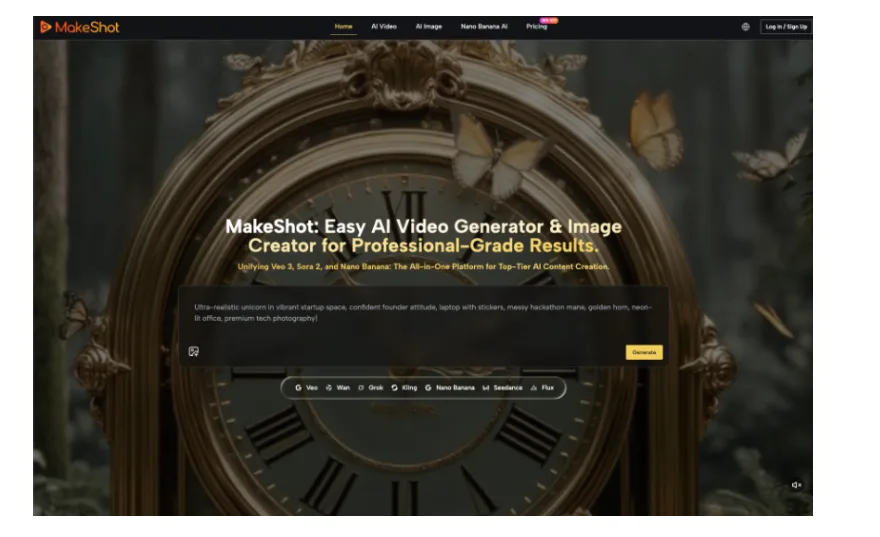
MakeShot can produce polished outputs from short instructions, which makes this classification especially important during fast news cycles. A clip may arrive in the edit before everyone understands its origin. Use an obvious working watermark or slate on unapproved generated material, and remove it only when the asset has passed review and received its final public disclosure.
Define the Editorial Job Before Production
Acceptable jobs may include explaining an abstract mechanism, promoting a published report, or creating a clearly stylized transition. Reconstructing a disputed event, depicting an identifiable victim, or simulating evidence requires a much higher threshold and may be inappropriate. The commissioning editor should state the job and explain why a non-synthetic alternative is unavailable or less truthful.
Protect Sources and Bystanders in Inputs
Do not upload confidential source material merely because the final output will be fictionalized. Remove identifying details, confirm rights, and minimize personal data. MakeShot says prompts, uploads, and generated videos are private by default and deletable, while its terms still place responsibility for permissions on users. A publisher’s source-protection policy should remain the controlling standard.
| Asset role | Editorial status | Minimum audience signal |
| Concept explanation | Generated illustration | Visible label near the media |
| Story promotion | Synthetic teaser | Caption naming the generated treatment |
| Event reconstruction | High-risk simulation | Prominent disclosure and methodology |
| Verified field recording | Documentary evidence | Normal source and caption standards |
| Mixed real and synthetic edit | Composite | Scene-level or clearly scoped disclosure |
The Disclosure Trail Works as a System
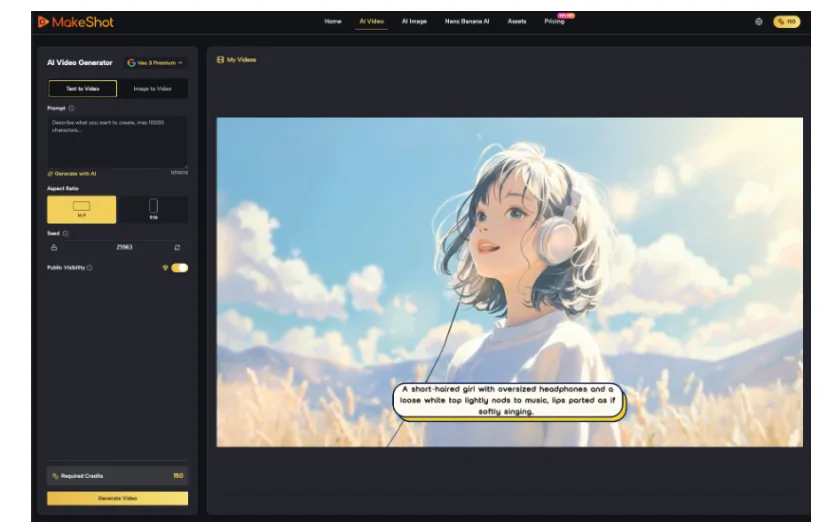
The record should travel with the asset from commission to archive. MakeShot supports prompt- and image-based video creation across multiple models, with reference or frame controls on selected options. Those model choices affect what an editor needs to inspect, but they do not determine the editorial label. The intended meaning and actual output do.
Record Inputs Decisions and Review Ownership
Store the commissioning note, cleared inputs, prompt, selected model, generated output, edits, fact-check notes, disclosure wording, reviewer, and publication date. If the AI Video Generator is used only for one scene in a larger edit, mark that scene’s timecode. A later editor should be able to identify the synthetic portion without reconstructing the project from memory.
Write Clear Disclosures for Ordinary News Readers
“AI assisted” may be too vague. Say what was generated and what it represents: “This video is a generated illustration of the described process; it is not footage of the event.” Place the language next to the media and preserve it when the asset is syndicated, embedded, or cut for social distribution. Internal metadata alone cannot correct a public misunderstanding.
Use terms consistently across the publication. “Generated,” “synthetic,” “simulation,” “reconstruction,” and “illustration” should not be interchangeable if the newsroom assigns them different meanings. Publish a short public policy with examples, and train audience, syndication, and social teams alongside editors. Readers should not need insider knowledge to understand what a label communicates.
- Use a stable asset identifier across the newsroom and public archive.
- Keep verified evidence and generated illustration in separate folders or classes.
- Require a named editor to approve both the output and disclosure.
- Carry the label into thumbnails, captions, reposts, and partner feeds.
- Publish a correction when the original disclosure was missing or misleading.
Review Plausibility as a Potential Error Source
Fact-checking a generated clip includes more than checking the script. Editors should examine landmarks, uniforms, weather, equipment, gestures, text, demographics, and chronology. Even a generic illustration can accidentally resemble a real community or organization. Remove details that create unsupported specificity and avoid styles that imitate a witness recording when no recording exists.
Reverse-search important frames and compare them with available reference reporting when resemblance could cause confusion. Review text and symbols at full resolution, since generated lettering may look plausible at feed size while spelling a real name incorrectly. Listen to audio separately for unintended speech, accents, alarms, or crowd sounds that introduce claims not present in the script.
Plan for Syndication and Context Collapse
A disclosure visible on the article page may disappear when a clip is downloaded and reposted. Build the signal into the asset where appropriate, while retaining a readable caption and metadata. Test how the clip appears in feeds, search previews, messaging apps, and partner systems. The disclosure should survive the most likely path, not only the publisher’s ideal presentation.
Where Disclosure Still Fails to Make Simulation Safe
A label does not cure every harm. Synthetic depictions of vulnerable people, active conflict, alleged crimes, private individuals, or disputed evidence may still mislead, retraumatize, or endanger. Editors should be ready to reject a generated treatment even when it is technically possible and fully disclosed.
MakeShot’s responsible-use guidance and terms provide platform boundaries, but an editorial organization needs stricter rules tied to its mission, sources, and communities. When the likely harm exceeds the explanatory value, use a diagram, map, verified still, or plain text instead. The option not to generate is part of an accountable workflow.
MakeShot can help publishers create controlled visual explanations and promotional assets. The disclosure trail determines whether those assets remain accountable as they move. By classifying synthetic media, minimizing sensitive inputs, preserving production records, and telling readers exactly what they are seeing, a newsroom can use generation without weakening the evidentiary standards on which public trust depends.
Audit a sample of published assets at regular intervals. Check whether labels remain attached, partner copies preserve context, corrections are linked, and archived files still contain production records. Report the findings internally and revise the policy when failures repeat. Accountability becomes credible when the organization tests its own process instead of assuming that written rules are being followed.
Invite audience representatives into that review when coverage concerns communities commonly misrepresented by synthetic imagery. Their interpretation can expose harms that a technically focused audit misses.
