



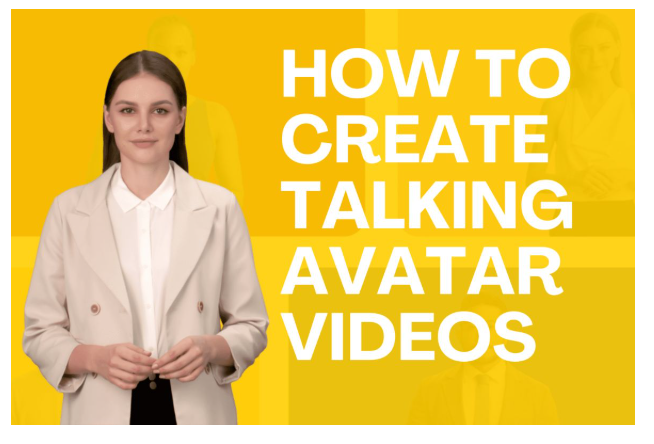
Video content is everywhere—on social media, websites, and even customer service platforms. But creating professional, engaging videos usually takes time, effort, and a hefty budget. What if you could generate high-quality videos with realistic digital presenters in just minutes? That’s where BigMotion’s AI Talking Avatar comes in.
This game-changing tool allows anyone to create human-like AI avatars that speak, move, and deliver messages as if they were real people. Whether you need content for marketing, social media, eCommerce, or customer onboarding, AI avatars can help you produce professional videos quickly and at a fraction of the cost of hiring real actors.
Why Use a Talking Avatar?
Video production often requires a camera, lighting, actors, and hours of editing. But with an AI avatar, you can:
- Save Time – Create a fully produced video in minutes instead of days.
- Cut Costs – No need to hire actors, videographers, or editors.
- Customize Freely – Choose from different AI avatars, voices, outfits, and backgrounds.
- Scale Content Easily – Generate multiple videos effortlessly for different platforms.
With BigMotion, you can create high-quality talking avatar videos that feel authentic, engaging, and lifelike — without ever stepping in front of a camera.
How to Create a Talking Avatar with BigMotion
Creating an AI-generated presenter is as easy as typing a script. Here’s how it works:
Step 1: Pick an AI Actor
BigMotion offers a variety of AI-generated actors, each with different looks, outfits, and backgrounds. You can select the one that best fits your brand or message.
Step 2: Paste Your Script
Type or paste the text you want your avatar to say. This can be anything from a product pitch to an educational tutorial. The AI will transform your words into realistic speech, complete with natural pauses and intonation.
Step 3: Generate the AI Voice
Before finalizing the video, you can preview and adjust the AI voice settings. Choose from different accents, tones, and speaking speeds to match the personality of your avatar.
Step 4: Render & Download Your Video
Once you’re happy with the voice and visuals, click generate, and BigMotion will create your video within minutes. You can download it immediately or edit it further if needed.
Best Ways to Use AI Talking Avatars
AI avatars aren’t just cool—they’re incredibly versatile. Here are some of the best ways to use them:
- Faceless Content for Social Media – Create TikTok, YouTube, or Instagram videos without appearing on camera.
- Marketing & Advertising – Generate UGC-style (User-Generated Content) videos for Facebook and TikTok ads.
- eCommerce Product Demos – Showcase your products in action without hiring a spokesperson.
- Educational & Training Videos – Turn text-based lessons into engaging, easy-to-follow video tutorials.
- Business & Customer Support – Provide AI-powered onboarding and explainer videos for your customers.
No matter your industry, AI avatars can help you create engaging, scalable video content with ease.
AI Avatars vs. Real Actors: What’s the Difference?
While traditional video production has its advantages, AI avatars offer benefits that real actors simply can’t match:
- Cost
- AI Talking Avatar: Low (One-time AI fee)
- Real Human: High (Actors, production team, studio)
- Time to Create
- AI Talking Avatar: Minutes
- Real Human: Days or weeks
- Customizable Looks & Voices
- AI Talking Avatar: Yes
- Real Human: Limited
- Availability
- AI Talking Avatar: 24/7, no reshoots needed
- Real Human: Limited by schedules
- Language Options
- AI Talking Avatar: 35+ languages
- Real Human: May require multiple actors
How AI Avatars Can Help You Earn Money
AI-generated videos aren’t just fun to make—they can also be a great way to generate income. Here’s how:
- Affiliate Marketing – Use AI avatars to create product reviews and earn commissions on sales.
- Selling Video Services – Offer AI-generated videos to businesses, influencers, or content creators.
- YouTube Monetization – Start a faceless YouTube channel and earn from ads.
- Paid Ads & Promotions – Use AI avatars for sponsored content and UGC-style video ads.
The best part? You can scale your efforts easily by generating multiple videos at once—no need for expensive equipment or professional actors.
Getting Started with AI Avatars
BigMotion makes it easy to create high-quality AI videos for any purpose. If you’re ready to start producing content with zero editing experience, follow these steps:
- Choose an AI actor that fits your style.
- Enter a script and adjust the AI voice to match your needs.
- Generate, preview, and download your final video in just minutes.
With BigMotion’s AI Talking Avatar, you can elevate your content, automate video production, and scale your brand—all without hiring a video team.
So why wait? Try BigMotion today and start creating professional AI videos in minutes!
