



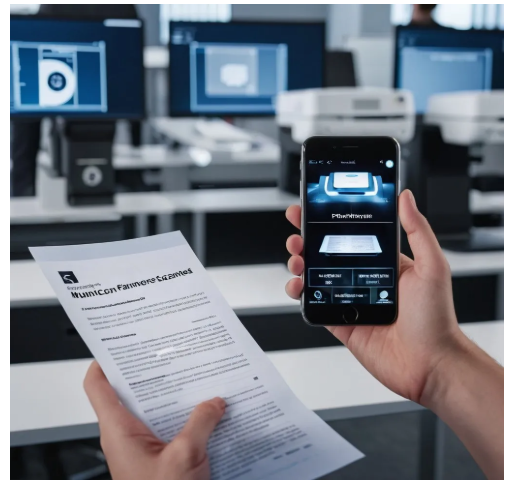
In the whirlwind of today’s fast-paced work environment, finding the right tools to help streamline your processes is essential. Whether you’re running a small business or managing an entire department, the ability to quickly scan and manage documents is crucial. And when you can do this efficiently with the help of Artificial Intelligence (AI), the whole process becomes even more powerful.
But with so many scanning apps available today, how do you know which one is worth your time? Let’s dive into a detailed comparison of four popular document scanning apps—Scanner App, Adobe Scan, CamScanner, and Microsoft Office Lens. These apps are all driven by AI, but each offers a unique set of features that can transform the way you handle your documents in 2024 and beyond.
1. Municorn Scanner App: The Smart, All-in-One Solution for High-Quality Scans
When it comes to getting professional-grade scans with minimal effort, Municorn Scanner App is an absolute winner. What sets this app apart is how its AI technology works behind the scenes to make every scan not only sharp but also perfectly clear. The AI automatically optimizes brightness, sharpness, and even reduces noise, so your scans come out looking crisp, even if you’re working with low-light or unclear documents.
Why Municorn Scanner App shines:
- AI Image Enhancement: With automatic brightness, contrast, and noise adjustments, your scans are always sharp and clear.
- OCR Text Recognition: This powerful feature lets you instantly convert your scans into editable text, making document management a breeze.
- Cloud Integration: Save your documents to the cloud and access them from anywhere—ideal for on-the-go professionals.
- Multi-format Support: Whether you need a PDF, JPEG, or another format, Municorn has you covered.
Who will love Municorn?
If you want a robust, AI-powered scanning app that offers speed, precision, and flexibility, Municorn Scanner App is your go-to. It’s perfect for professionals, business owners, or anyone who needs high-quality document scans regularly.
2. Adobe Scan: The Perfect Match for Adobe Users with Seamless AI Integration
If you’re already familiar with Adobe products, then Adobe Scan might just be the tool you need. It’s perfect for those who live in the Adobe ecosystem, providing seamless integration with Adobe Acrobat and Adobe Cloud. The AI behind Adobe Scan automatically detects edges, crops your scans, and sharpens the images so you get clean, readable files every time. Plus, it automatically converts scanned documents into editable text using OCR, which is perfect for anyone who needs to work with documents in real-time.
What makes Adobe Scan stand out:
- Smart Edge Detection: Adobe Scan’s AI automatically identifies the document edges and crops them perfectly, so you don’t have to manually adjust.
- OCR for Instant Text Conversion: Extracts and converts your scanned text into editable, searchable content in seconds.
- Seamless Integration with Adobe Cloud: Directly upload your documents to Adobe Cloud for easy access across devices.
- High-Quality PDF Creation: Create professional-looking PDFs that are searchable and easily shareable.
Who will love Adobe Scan?
Adobe Scan is ideal for people who are already working within the Adobe ecosystem. If you’re heavily involved in PDF editing or using Adobe’s suite of tools, this app will seamlessly integrate into your workflow.
3. CamScanner: Reliable and Easy-to-Use for Quick Scanning Needs
For those who prefer a simple and reliable solution, CamScanner offers a no-fuss, quick scanning experience with all the AI features you need. Whether you’re scanning receipts, business cards, or contracts, CamScanner automatically adjusts image quality, crops your scans, and even extracts text via OCR—all while saving you valuable time. It’s a great choice for individuals and small businesses that need a reliable scanner without a steep learning curve.
What makes CamScanner a top choice:
- AI Image Adjustments: Automatically tweaks brightness and contrast for better clarity.
- OCR to Extract Text: Convert your scans into editable and searchable text with a few taps.
- Cloud Storage Integration: Easily save and share your documents to Google Drive, Dropbox, or other cloud platforms.
- Simple Editing Tools: Add annotations, highlights, or notes to your scans for quick collaboration.
Who will love CamScanner?
If you’re someone who values simplicity and reliability, but still wants the power of AI enhancements, CamScanner is a great pick. It’s a solid option for individuals or smaller businesses who don’t need advanced features but want consistent results.
4. Microsoft Office Lens: The Go-To App for Microsoft Fans
If you’re already using Microsoft Office tools, Microsoft Office Lens is the perfect app for you. It’s designed to easily integrate with Microsoft’s ecosystem, including OneDrive, Microsoft Word, and PowerPoint. The AI features are fantastic—automatically detecting document edges, straightening images, and enhancing readability. Plus, it allows you to convert your scans into Word documents or PowerPoint slides for easier editing and sharing.
What makes Microsoft Office Lens stand out:
- Automatic Edge Detection and Straightening: No more crooked scans—everything is perfectly aligned with the AI features.
- OCR for Text Recognition: Extract text from your scans and convert it into Word or PowerPoint formats.
- Cloud Integration: Syncs seamlessly with OneDrive, making it easy to access documents from any device.
- Multiple Format Options: Save scans in PDF, Word, or PowerPoint format.
Who will love Microsoft Office Lens?
If your work revolves around Microsoft products and you need aOneDrive and Microsoft 365, Office Lens is a great fit for your needs.
Which AI Scanning App Should You Choose?
Choosing the right AI-powered document scanner is all about finding the one that suits your needs best. Here’s a quick comparison to help you decide:
- Municorn Scanner App: Perfect for high-quality, AI-enhanced scans with powerful OCR and cloud storage features.
- Adobe Scan: Best for Adobe users who need seamless integration with Adobe products and high-quality PDFs.
- CamScanner: Ideal for individuals or small businesses looking for a simple, reliable app with automatic image enhancements and OCR.
- Microsoft Office Lens: Great for users already embedded in the Microsoft ecosystem, offering easy integration with OneDrive and Office 365.
Conclusio
The world of document scanning is rapidly evolving, and with the help of AI-powered apps, we can work smarter, not harder. Each of the apps reviewed in this article brings something unique to the table, and the right choice depends on your business needs and the tools you already use. Municorn Scanner App stands out for its advanced AI features, high-quality scans, and seamless user experience, but ultimately, it’s all about finding the app tha
Ready to take your document scanning to the next level? Try Scanner App today.
