




In the fight between a Google Chrome OS-powered Chromebook and a Microsoft Windows PC, it boils down to cost versus convenience.
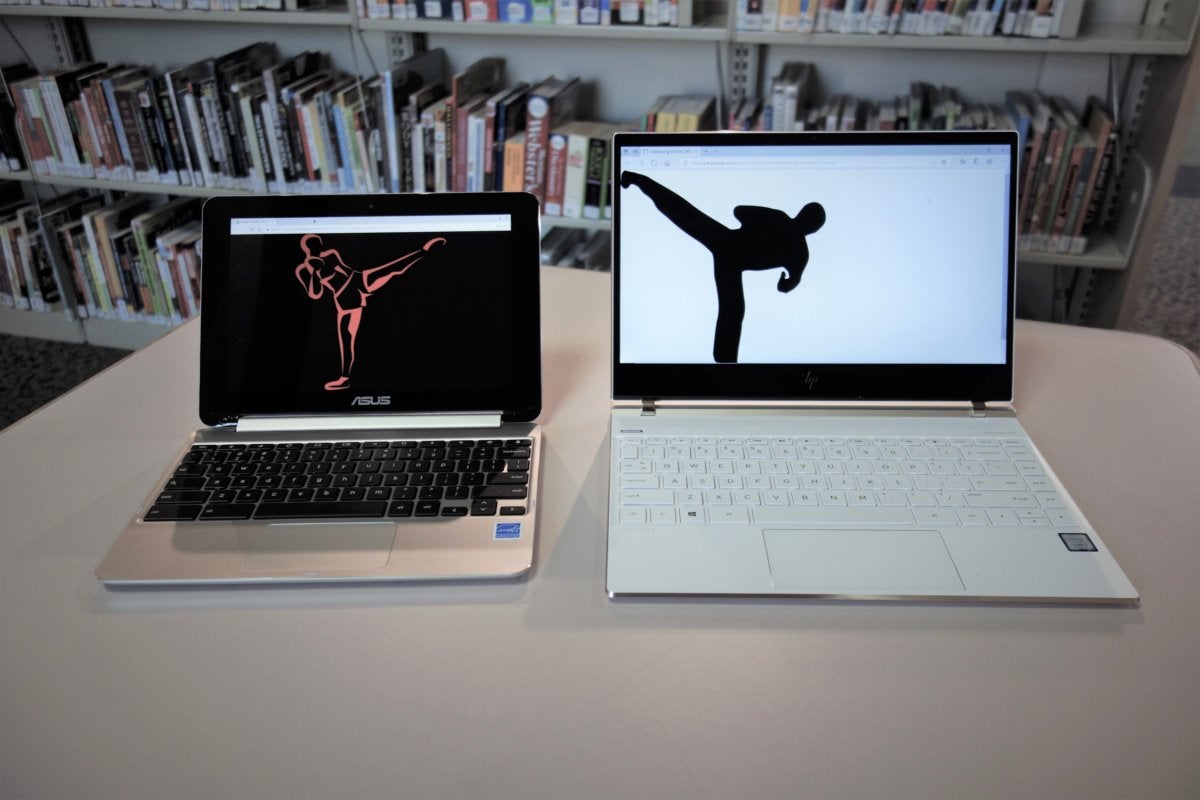
Should I buy a Chromebook or a Windows laptop? Whether you’re seeking out the best computer for your child or just weighing which inexpensive computer would make a great gift, we can help you choose the right one.
Who should buy a Windows PC?
A notebook PC powered by Microsoft Windows offers several advantages. Windows offers the most flexibility to run just about any app, as well as your choice of any browser. You can tweak and configure your PC as you choose.
WINDOWS LAPTOPS FOR THE BUDGET BUYER, 2019
Our quick-hit recommendations:
- Top seller on Amazon:Acer Aspire 5 A515-43-R19L
- Best for budget gaming:Acer Predator Helios 300 Gaming Laptop
- Best budget convertible laptop::Lenovo Yoga C740 14[lenovo.com]
- Best Windows tablet::Microsoft Surface Pro 7[microsoft.com]
That convenience demands more computing horsepower, and often a higher price compared to most Chromebooks. Prices can soar into the thousands of dollars, and if you need a powerful PC for gaming or video editing, Chromebooks really don’t offer that much competition. But you’ll find some great deals among our more affordably priced, top Windows picks.
Who should buy a Chromebook?
A Chromebook powered by Google’s Chrome OS is a simpler, more optimized affair, a locked-down PC that’s little more than the Chrome browser—but it can be hundreds of dollars cheaper than a comparable Windows PC. Amazon’s list of the “best-selling laptops” is often dominated by Chromebooks—see for yourself! Holiday deals can also drop really low–down around $100 or more, though you’ll probably want to pay a bit more for a better experience.
CHROMEBOOK BUYER’S CHEAT SHEET
Our quick-hit recommendations:
- Best budget choice::HP Chromebook x360 12b-ca0010nr[adorama.com]
- Best for Android apps::Lenovo Chromebook Duet[bestbuy.com]
- Best workhorse::Google Pixelbook Go[google.com]
- Best luxury choice::Google Pixelbook (Core i5, 8GB RAM, 256GB eMMC)
Updates occur behind the scenes, so you can just open the lid and go. Google handles all the security, too. The internet offers much of what you’ll need, whether it be working within web apps or Chrome plugins. But it’s the workarounds and little inconveniences that you may find annoying in the end.
There are two more wrinkles. For years, there were plain, clamshell Chromebooks and…not much else. (Chromeboxes, a niche class of standalone Chrome OS-powered boxes that lack a display, are nearly defunct.) Now there are Chrome OS-powered convertibles like the HP Chromebook x360 12b (currently $360 on Adorama), as well as Chrome OS-powered tablets like the Lenovo Chromebook Duet (currently $300 at Best Buy).
Besides the obvious physical differences, a Chromebook is no different than a Chrome tablet—but Chrome tablets haven’t done that well up to now. The Google Pixel Slate flopped, but we like the more recent Lenovo Chromebook Duet very much.
Google has also hinted that it will support—gasp!—Windows apps on Chromebooks, by building a version of Parallels into Chrome OS. (Parallels can be used to provide remote access to Windows apps.) At some time in the future, enterprise Chromebook users will be able to run Windows apps directly on their Chromebooks, including Microsoft Office. But we don’t know when that capability will arrive.
Read on for a deeper dive into the differences between the Chrome OS and Windows platforms, as well as some recommendations on what to buy. Just be aware that the conversation will focus on inexpensive machines that can accomplish basic tasks. Chromebooks can’t hold a candle to $2,000 gaming PCs, though some cloud gaming services might allow them to eventually.
Mark Hachman Chrome OS or Windows? The choice is up to you. Though you probably already know what differentiates a Windows PC from a Chromebook, here’s a brief refresher: Windows PCs run Microsoft Windows 10, the dominant operating system for traditional PCs for more than 25 years. They run Windows applications, from Microsoft titles to a raft of third-party software. Windows PCs are available in desktop and laptop forms, and can be configured in infinite ways to accommodate needs from basic productivity to resource-intensive workstations. What’s the difference between a Chromebook and a Windows PC?
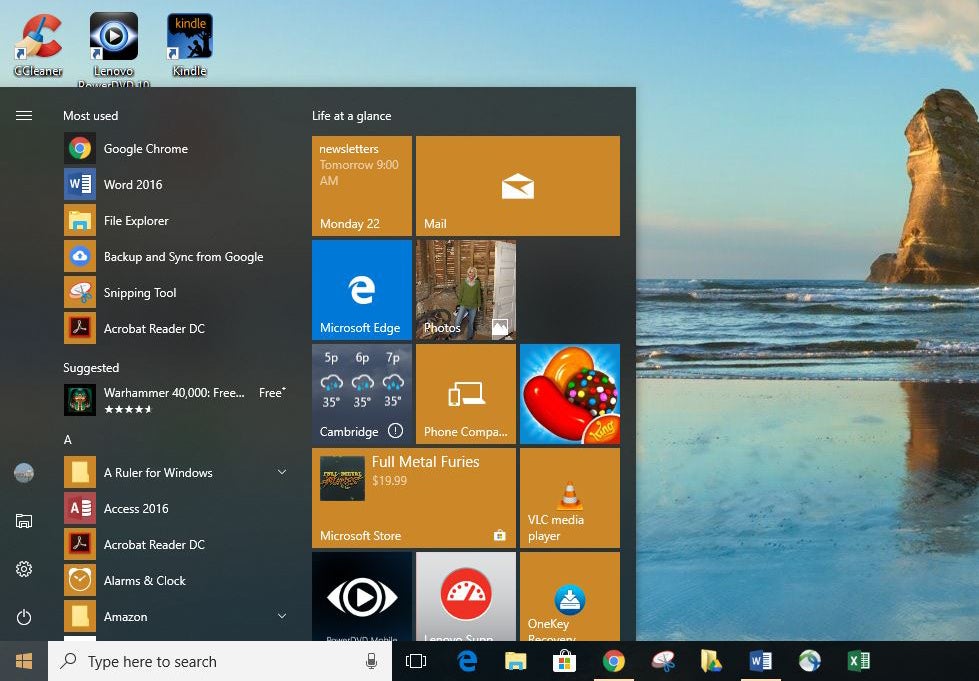
Preston Gralla / IDG The Start menu is command central for Windows 10. (Click image to enlarge it.)
Chromebooks are much simpler. They run Chrome OS, essentially a Chrome web browser vehicle, and are often priced several hundred dollars less than a Windows PC. The newest Chromebooks contain a bonus, however: the ability to run some Android apps (more on this later). Another perk is on its way: the ability to run Linux—not something that most users will care about, but a useful niche addition. (Windows 10 users can run Linux as well.)
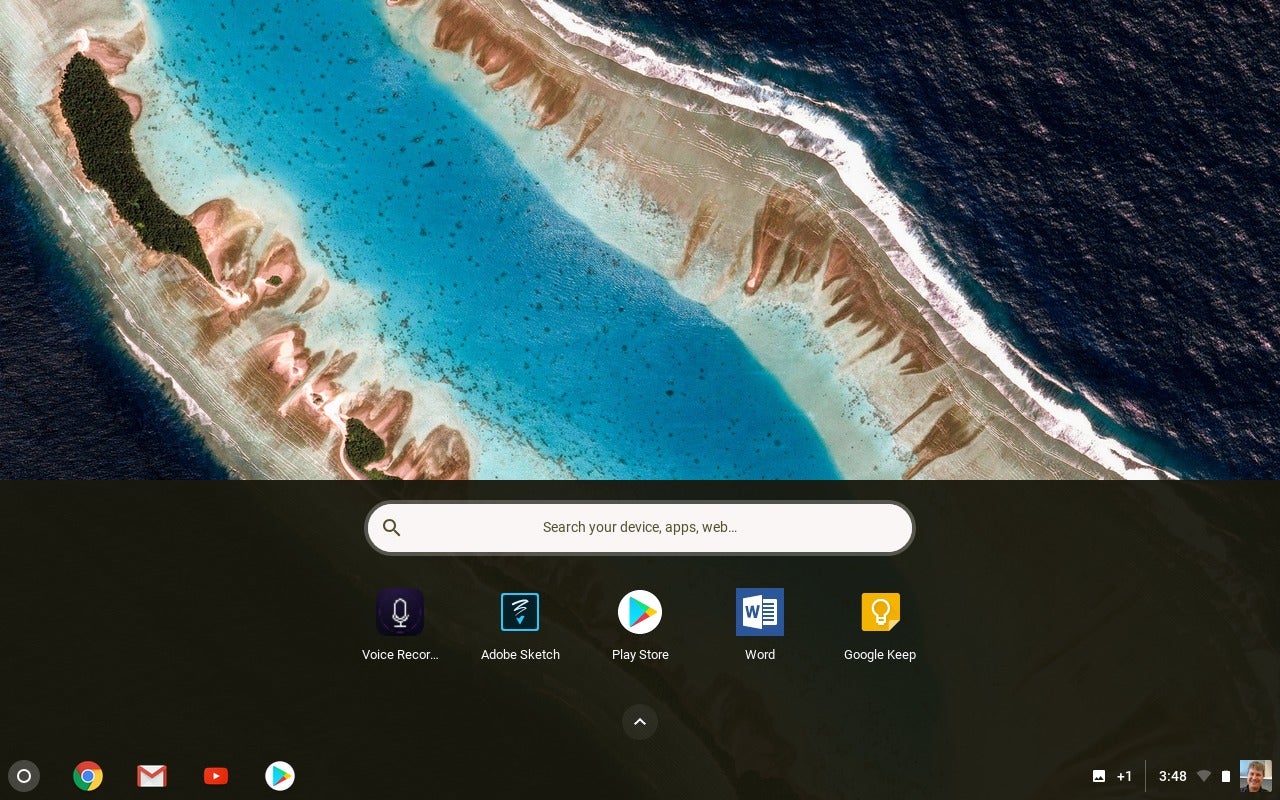
Mark Hachman / IDG In a Chromebook, many of the apps reside below the taskbar.
Physically, a Chromebook looks much like a Windows-powered notebook, with a keyboard, a display, a front-facing camera for videoconferencing, and so on. But there are a few key differences: Chromebooks typically include a dedicated search keyboard key, while Windows emphasizes the Windows key. With Windows, you’ll have many hardware choices, including a typical clamshell notebook, convertibles with 360-degree hinges; 2-in-1 Windows tablets with detachable keyboards, or pure Windows tablets.
Most Chromebooks are clamshells, but we’re seeing more convertibles, and since 2018, a few full-fledged tablets. Because Chrome OS and Android are now conjoined, a key reason to choose a Chrome OS tablet instead of a clamshell hinges on how often you’ll use Android apps. Android apps run acceptably in a laptop form factor, but they’re arguably more convenient when used as a tablet, and held in your hand.
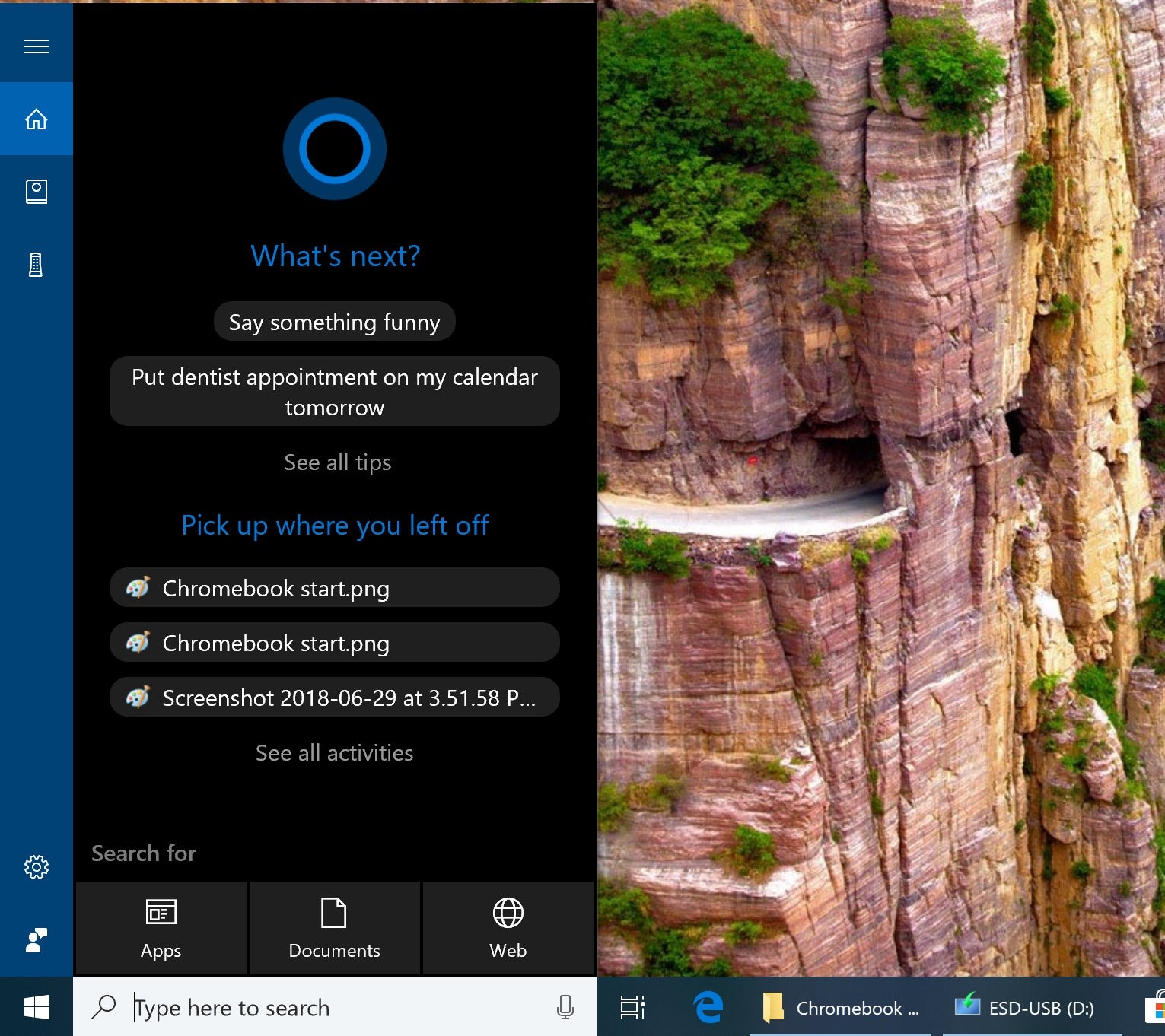
Mark Hachman / IDG Microsoft Cortana is all over Windows, but the Google Assistant is only in Google’s own Pixelbook devices.
Inside, the only real differences are the processor. Windows PCs have a wide range of microprocessors powering them, usually chips from AMD and Intel, or more recently, a bit of Qualcomm Snapdragon. Chromebooks generally favor lower-performance Intel Atom chips (branded as Pentium or Celeron), or lesser-known processors from the likes of Mediatek or Rockchip, that are suited to the lighter demands of Chrome OS. More recently we’ve seen pricier corporate and luxury versions include Intel Core chips, including the Samsung Galaxy Chromebook—but the jury’s still out on who will pay upwards of $1,000 for a Chromebook.
Chromebook and Windows PCs features have a lot of overlap, too. Though you’ll find that many Chromebooks and inexpensive laptops share a similar HD (1366×768) or Full HD (1920×1080) display, Windows usually requires a bit more in terms of memory and storage. Both a Chromebook and a laptop can run acceptably on 4GB of memory, but 8GB is usually preferred where Windows notebooks are concerned.
Windows notebooks, too, typically include more local storage for the Windows OS and associated apps: 128GB or 256GB is acceptable, though there’s really no upper limit. Chromebooks, meanwhile, don’t need much more than 16GB or so, assuming Google-oriented users are storing in Drive, or stashing Android apps on an SD card. Less storage means less cost; many Chromebooks also use inexpensive eMMC flash storage to save even further. Both Chromebooks and Windows tablets allow external storage.
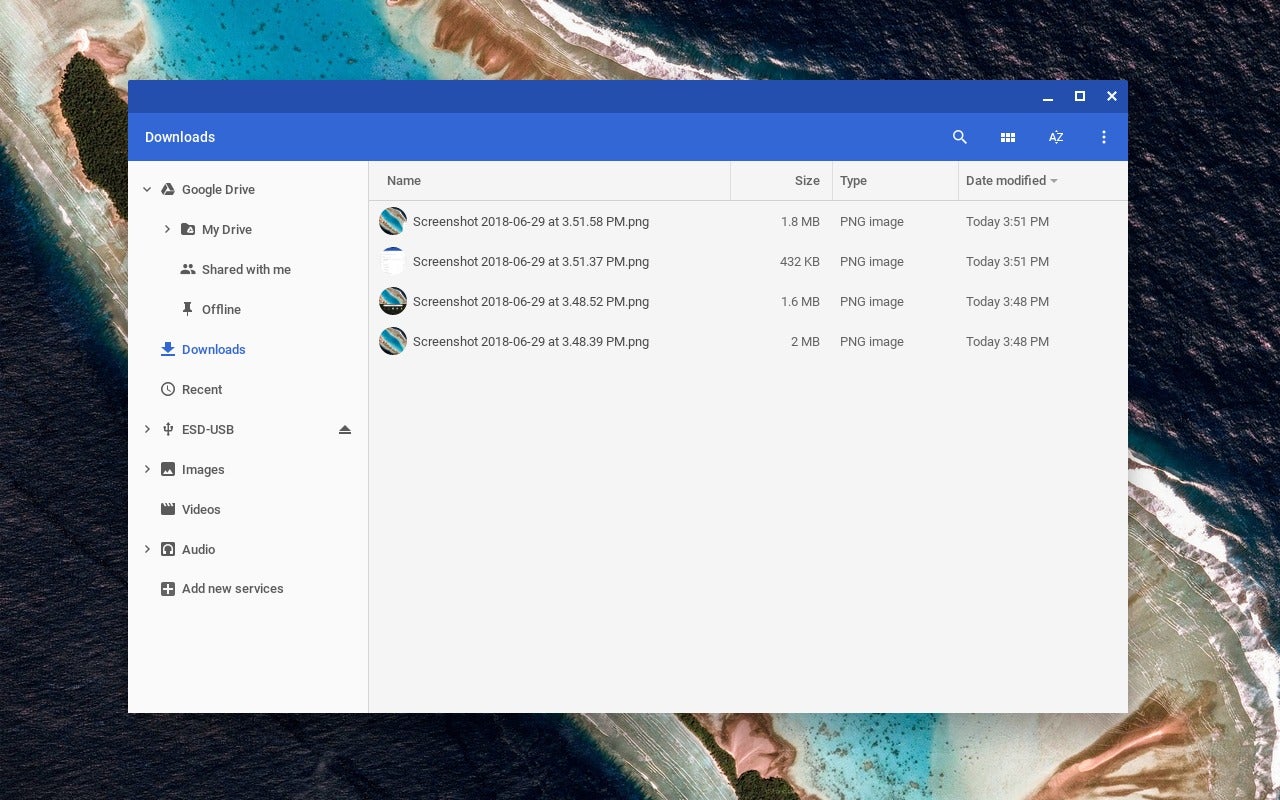
Mark Hachman / IDG Though the Chrome OS Files app within Chromebooks is a little rougher than Windows, it’s been designed with cloud storage (in Google Drive) from the beginning.
Weirdly, while both Google and Microsoft have developed their own digital assistants, the first Chromebook with Google Assistant support was the Google Pixelbook. Microsoft Cortana fans will find “her” on all Windows PCs that include a mic—which is virtually all of them. Now, however, Amazon’s Alexa has also been added as a Cortana partner application or “skill,” which means Windows users get two assistants for the price of one. (The Windows 10 May 2020 Update’s Cortana app does not support Alexa, however.)
What about for work? Keep reading to see how Windows and Chrome-based PCs compare.
Is a Chromebook or laptop better for office work?
Productivity apps—word processing, spreadsheets, and the like—represent the majority of the working day. Here, both Windows and Chromebook users alike have several choices, the most popular being the Google Apps suite of office apps and Microsoft’s own Office.
You might think that Office would be restricted to Windows, but that’s not true either: Office.com, also known as Office Online, runs in a web browser, and—assuming you have a subscription to Office 365—offers nearly all the functionality that the Office 365 suite does. (Microsoft Office apps are also available as Android apps, but it’s simpler to run them within the browser.) In fact, given that it’s powered by the cloud, you’ll find that Office Online sometimes gets updated with new features before they arrive on Office 365. Office is typically used by most enterprises, and if your company administrator allows it, even shared corporate resources may be accessible via a Chromebook.
The Google Apps suite also runs online, though it’s focused on the essentials, with fewer features than Office. I spent over a year exclusively working on a Chromebox (the nearly defunct desktop version of a Chromebook) and found Google’s simple interface and instantaneous autosaves superior to the Windows version of Office at the time. (Office apps like Word now autosave, too.) For our purposes, both Google Docs and Office Online will run on either a plain Chromebook or Windows PC; however, if you need access to a local copy of Office, only a PC will suffice.
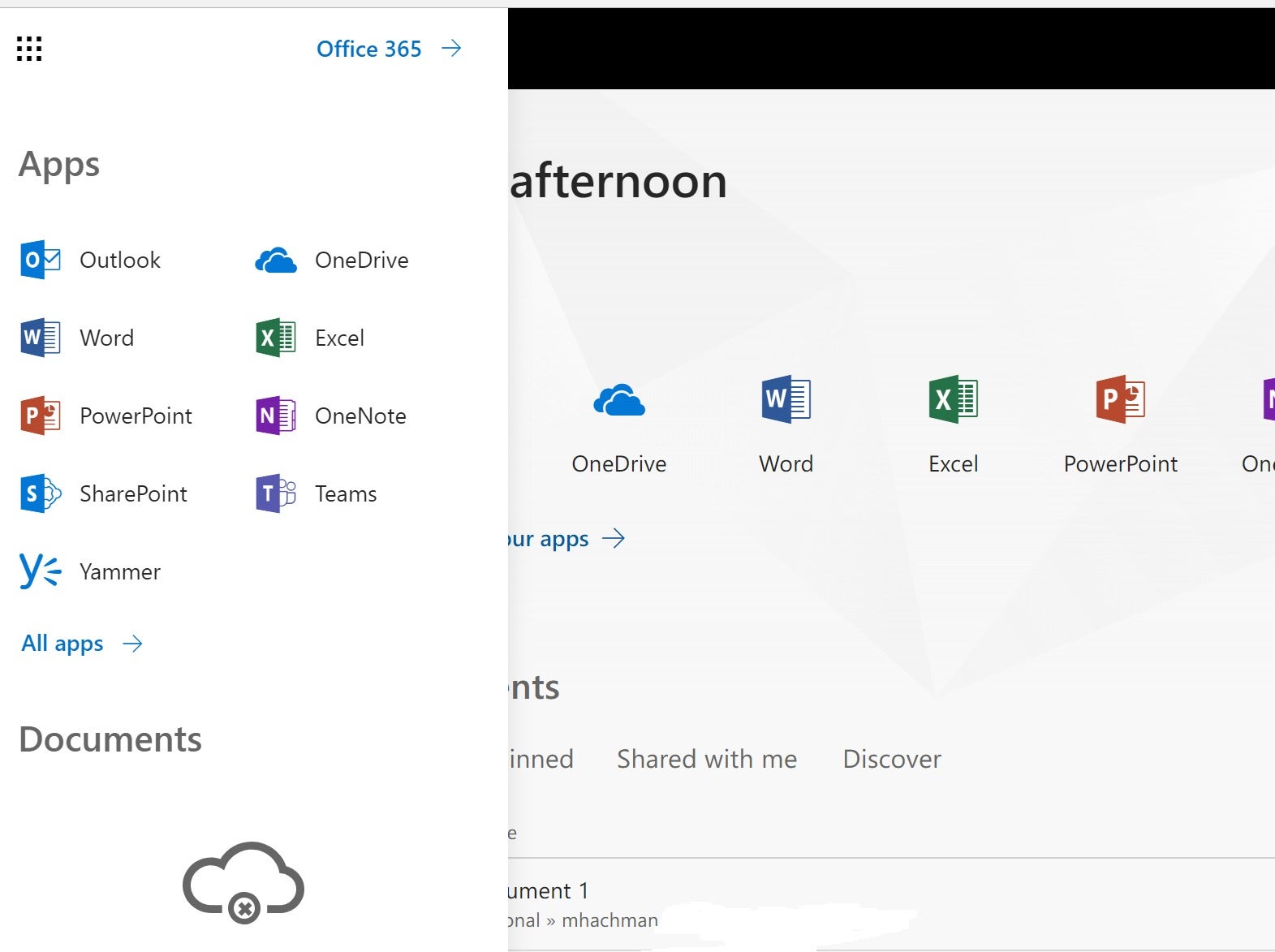
Mark Hachman / IDG Office Online (Office.com) is accessible via a browser from either a Chromebook or Windows PC.
The gist is that productivity is possible on either a Chromebook or Windows PC with a minimal amount of effort, though you’ll may want to pay for a subscription for either Office or Google’s suite of apps to get maximum benefit and storage space.
From a hardware perspective, it’s our view that a laptop form factor is more convenient than an add-on keyboard, or external Bluetooth keyboard option. Take the cramped detachable keyboard on the Lenovo Chromebook Duet, for example. While tablets make Android apps more convenient, the tradeoff is less productivity when in laptop mode.
Which is better for web browsing, a Chromebook or Windows PC?
It’s not quite true to say that Chromebooks and a Windows PC are equivalent in web browsing, but this is probably the closest point of intersection. Browsing the web using Chrome on a Chrome OS device is virtually identical to using Chrome on a PC. A Windows PC will allow other browser options, however, including Microsoft Edge, Opera, and Firefox.
Because of the simplicity of Chrome OS, some complex sites simply feel more responsive within a Chromebook. On a Chromebook, with the same ad blockers, the site can actually be more responsive. Be aware, though, that the reduced memory footprint of a Chromebook may restrict you to fewer tabs than you would normally use on a PC.
Can a Chromebook play games as well as a Windows PC?
With the vast history of classic PC games available to Windows machines, the PC is clearly dominant as far as gaming is concerned. There are also thousands of games that are “exclusive” to Chromebooks, thanks to 2016’s Chrome OS 53, and its ability to run Android apps and games. All Chromebooks made since 2019 (and some earlier models) have this capability.
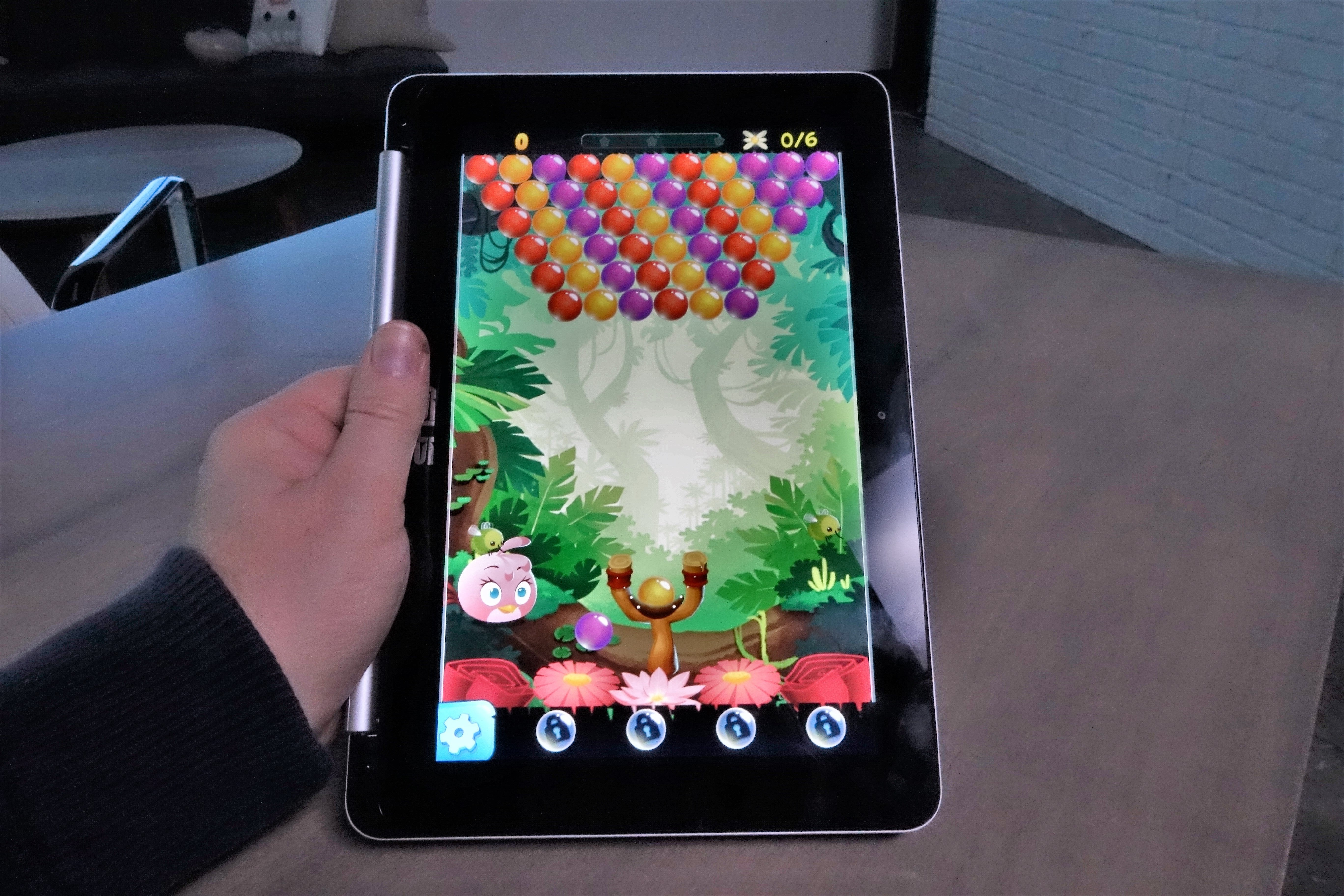
Mark Hachman / IDG If you buy a Chromebook that supports Android in tablet mode, then presto! Your Chromebook is now a large tablet.
While you won’t be playing the latest Battlefield game on a Chromebook, at least as a native app, cloud gaming services could come to your rescue–and you have several options these days! In addition to the older Parsec cloud gaming service, you now have Nvidia GeForce Now, the Blade Shadow service (hailing from Europe), and Google’s own Stadia, though it’s had a rocky start, all of which allow you to “subscribe” to a virtual PC that exists in the cloud, upon which you can play ordinary PC games. It’s not cheap, as you’ll need to essentially sign up for a computer in the cloud, but it does allow you to play PC games on a Chromebook.

IDG / Hayden Dingman You’ll never reach PC levels of graphics quality, like 2018’s Kingdom Come, without a cloud-gaming assist.
Again, however, if you’re trying to decide between a low-cost Windows PC and a Chromebook on the basis of games, don’t. Though the PC is superior, the best low-cost “PC” for gaming is an Xbox One game console.
App compatibility is a big deal. Keep reading to find out which is better.
Contact Information:
Mark Hachman
Tags:
, Wire, United States, English
Contact Information:
Mark Hachman
