



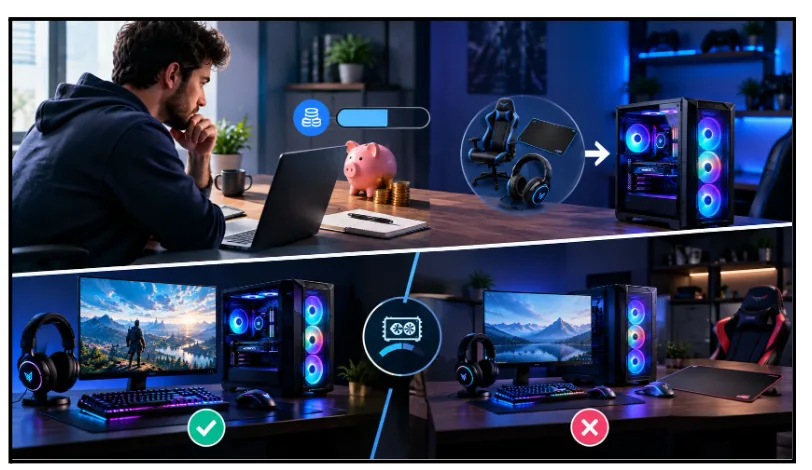
Not everyone shopping for a bundle has a huge budget to play with, and that’s fine. If you’re after the best budget gaming pc setup without overspending on gear you don’t need, a bundle can actually be the smarter route, not the cheaper-looking one that turns out pricier once you add everything up yourself. The trick is knowing which bundles are genuinely good value and which ones are just padded out with filler to look bigger than they are. Here’s how to tell the difference.
Figure out your budget ceiling first
Before you even look at listings, decide what you’re willing to spend and stick close to it. Bundles can pull you in with “extra value” framing, throwing in a chair or a mousepad that bumps the price up without adding much to your actual gaming experience.
Set a rough number in your head. Then work backwards. How much of that should go on the tower itself, since that’s what determines your frame rates and how long the setup lasts you. Peripherals matter, but they shouldn’t eat into the budget meant for the components doing the actual work.
Don’t sacrifice the GPU for extra accessories
This is where budget shoppers get caught out most often. Two bundles at a similar price point might look almost identical on the surface, but one puts more money into the graphics card and the other spreads it across flashier peripherals.
Always check the GPU model first. A slightly older or mid-tier card paired with fewer accessories will usually outperform a newer looking bundle that skimps on the graphics card to afford a bigger monitor or RGB keyboard. If you’re gaming on a budget, the GPU should get priority over everything else in the box.
Look at RAM too. 16GB is a solid minimum for most games right now, and going lower just to keep the price down tends to cause more frustration than it’s worth, especially if you like to keep browser tabs or Discord open while you play.
Check what corners have actually been cut
Budget bundles aren’t automatically bad, but some retailers cut corners in ways that aren’t obvious from the listing photos. A case with poor airflow, a power supply that’s underrated for the components inside, or storage that’s smaller than it looks at first glance.
Read the full spec list, not just the headline numbers. If storage is listed as 500GB and you’re someone who installs a lot of games, that fills up fast. If the case doesn’t mention fan count or cooling setup at all, that’s often a sign it hasn’t been prioritised.
It helps to buy from a proper prebuilt gaming PC store rather than a random marketplace listing, since a dedicated retailer usually tests builds before shipping and can actually answer questions about what’s inside. Marketplace sellers reselling generic stock often can’t tell you much beyond what’s printed on the box.
Think about what you’ll need to add later
Some budget bundles are genuinely complete, and others are missing something you’ll need almost immediately, like a monitor cable or a basic headset for voice chat. Check the full contents list carefully so you’re not caught out needing to spend more right after your order arrives.
It’s also worth thinking ahead a little. If you’re likely to want to upgrade the GPU or add more RAM in a year or two, check whether the case and power supply can actually support that. A tight budget case with a weak PSU can limit what you’re able to add later, even if the initial price looked appealing.
Read reviews, not just star ratings
A high star rating doesn’t tell you much on its own. Read a handful of actual reviews and look for mentions of build quality, whether the PC arrived working properly, and how support handled things if something went wrong. Budget bundles from smaller or less established sellers sometimes have patchier track records, even if the price looks great on paper.
Pay attention to how recent the reviews are too. A seller can have a solid reputation from a couple of years back and still be cutting corners now, especially if they’ve changed suppliers or switched to cheaper components without updating the listing. A cluster of recent, detailed reviews tells you more than a high overall score built up over years.
Before You Buy
A good budget bundle isn’t about finding the cheapest listing you can. It’s about spending your money on the parts that actually affect how the games play, not the extras that just look good in a photo. Ask questions where the listing is vague, and don’t be afraid to walk away from a deal that seems to be hiding weak specs behind a low price tag.
If you’re shopping around, Veno Scorp is worth a look. Veno Scorp is a UK-based prebuilt gaming PC store working with brands like Intel, AMD, Nvidia and ASUS. Our budget builds are put together with the same attention as our higher-end machines, just scaled to fit a tighter price point. Every system is built and tested in-house before it ships, so you’re not gambling on an unopened box. If you’re not sure what fits your budget and the games you play, our team is happy to talk it through and help you spend your money where it actually counts.
Frequently Asked Questions
Q1. Can a budget gaming PC bundle still run modern games well?
Ans. Yes, as long as the core components are chosen properly. You won’t be maxing out settings at 4K, but 1080p gaming at solid frame rates is completely doable on a well put together budget build.
Q2. Is it better to buy a budget bundle or save up for a mid-range one?
Ans. Depends on what you’re playing and how soon you need it. If you’re mainly into competitive titles or older games, a budget bundle can honestly serve you well for years. If you’re chasing the latest AAA releases, saving a bit longer might be worth it.
Q3. Are budget bundles from small retailers worth the risk?
Ans. Sometimes, but check reviews and warranty terms carefully first. A cheaper price isn’t much of a saving if support disappears the moment something goes wrong.
Q4. What should I prioritise if my budget is really tight?
Ans. The GPU, every time. Everything else can be upgraded or replaced later fairly easily. A weak graphics card is the one thing that’ll limit your gaming experience no matter what else is in the box.
Q5. How much should I actually spend on a budget gaming PC before it stops being worth it?
Ans. There’s a minimum price worth paying. Go cheaper than a decent entry-level GPU costs and you’re paying for a PC that can’t really play games. Low-to-mid budget range tends to be the sweet spot.
