



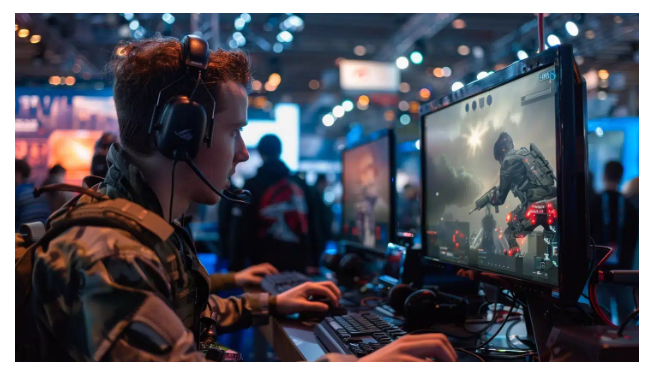
Game lag is a frustrating issue that disrupts the smooth flow of gaming, leading to poor performance and an unsatisfying gaming experience. Lag refers to the delay between a player’s action and the game’s response, which can significantly impact competitive gameplay. Understanding the causes of game lag and how to reduce it is essential for gamers seeking an uninterrupted experience. A lag reducer can play a vital role in minimizing these delays and enhancing overall gameplay.
Common Causes of Game Lag
Slow Internet Connection
One of the most common causes of game lag is a slow or unstable internet connection. Online games rely heavily on stable internet to transmit data between the server and the player’s device. Insufficient bandwidth or network congestion can cause severe delays.
Hardware Limitations
Outdated or low-performance hardware components can lead to game lag. Insufficient RAM, an older graphics card, or a slower processor can prevent a game from running smoothly, causing frame drops and stuttering.
High Network Latency
Network latency refers to the time it takes for data to travel from the player’s device to the game server and back. High latency can lead to noticeable delays, often resulting in characters moving erratically or actions not registering promptly.
Background Applications Consuming Bandwidth
Running multiple applications that use the internet in the background can consume valuable bandwidth. This competition for network resources can lead to slower game data transmission, resulting in lag.
How Game Lag Affects Gaming Performance
Delayed Actions and Poor Responsiveness
Game lag causes delayed reactions to player inputs, making it challenging to execute commands promptly. This issue is especially critical in fast-paced games where quick reflexes are essential.
Game Crashes and Frame Drops
Persistent lag can lead to game crashes or significant frame drops, disrupting the gaming experience. This instability can be detrimental, particularly in competitive gaming environments.
Competitive Disadvantage in Online Gaming
Lag can put players at a significant disadvantage against opponents with smoother gameplay. In multiplayer games, even a slight delay can result in missed opportunities or defeat.
Top Strategies to Reduce Game Lag
Upgrade Internet Connection
Investing in a high-speed internet connection can significantly reduce game lag. Opt for broadband or fiber-optic connections for faster and more stable data transmission.
Optimize Gaming Device Settings
Adjusting device settings can enhance gaming performance. Lowering graphics settings, updating drivers, and enabling game mode can help reduce lag.
Close Unnecessary Background Applications
Before launching a game, close applications running in the background that consume bandwidth or processing power. This ensures that the game has maximum resources available.
Use Wired Connections Over Wi-Fi
A wired Ethernet connection provides more stability and lower latency compared to wireless connections. Using a wired connection can drastically reduce game lag.
Adjust In-Game Graphics Settings
Reducing in-game graphics quality can improve performance. Lowering resolution, disabling shadows, and reducing texture details can prevent the system from overloading.
Understanding Lag Reducer Tools
What is a Lag Reducer?
A lag reducer is a tool or software designed to optimize network performance and reduce latency in online games. It works by streamlining data transmission between the player’s device and game servers.
How Lag Reducer Tools Improve Gaming Performance
Lag reducer tools minimize latency by selecting optimal server routes, reducing packet loss, and stabilizing internet connections. They can provide smoother gameplay and faster response times.
Key Features to Look for in a Lag Reducer Tool
- Server Optimization: Ability to choose the best server route for minimal latency.
- Traffic Prioritization: Prioritizes gaming traffic over other data.
- User-Friendly Interface: Easy setup and customization options.
- Compatibility: Supports a wide range of games and devices.
Manual Lag Reduction Techniques vs. Lag Reducer Tools
Comparison of Manual Optimization and Lag Reducer Tools
Manual optimization involves adjusting system and network settings, whereas Lag reducer tools automate the process for convenience. Both approaches aim to improve performance but differ in ease of use and effectiveness.
Pros and Cons of Each Approach
- Manual Optimization: Cost-effective but requires technical knowledge.
- Lag Reducer Tools: User-friendly and effective but may involve a subscription fee.
Conclusion
Game lag can severely hinder the gaming experience, but understanding its causes and solutions is the first step toward smoother gameplay. From upgrading your internet connection to using effective lag reducer tools, multiple strategies can help minimize lag. Investing in a reliable lag reducer can provide a competitive edge and a more enjoyable gaming experience. Taking proactive steps to reduce game lag ensures seamless and responsive gameplay for all types of gamers.
