Here’s a complaint business owners make all the time: “We had cameras. They didn’t help.” The footage is there, but the picture is too wide to show a face. Or too dark to read a plate. Or it got recorded over last week. Or the one person who could have watched it was asleep.
Usually the camera isn’t to blame. The planning is. If you’re looking at professional security camera installation in Maryland Heights, find a team that starts with your building, the way people move around it, and where the light hits after dark. ArcEye Defense of St. Louis describes its process that way, and it’s the right order of operations, whoever you hire.
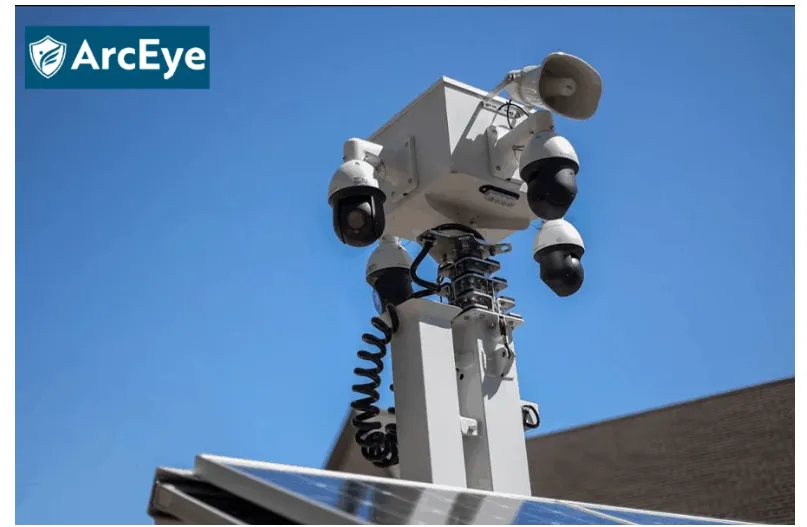

Decide what each camera is for
Before anything gets mounted, ask what job each camera has. Catching a plate at the gate is one job. Watching a back lot is another. They need different angles, and a single wide shot won’t do both. Wide views shrink people to specks, so when you need to recognize someone, go tight.
Let some views overlap. If two cameras share an edge, neither has a blind spot there, and you can follow a person across the property without stitching clips together by hand.
Light beats megapixels
Resolution sells cameras. But aim a very sharp camera into headlights, and you get a white blur, sharp or not. Go out after dark and look at where the light actually lands. Glare and deep shadow ruin more footage than a lower pixel count ever will.
And match the camera to the spot. A dusty warehouse floor is nothing like a bright showroom.
Where the video ends up
If your site runs all night, you probably want continuous recording. An office can often record on motion once everyone’s gone home. Either is fine when it fits your hours.
Pick where the video is stored, on a recorder at the site, on a network backup or in the cloud, and decide how long to keep it. Don’t leave that to the factory setting. Then check the boring part. Can a manager find 2:40 a.m. last Thursday, pull the clip, and export it alone? If not, you have a storage problem, not a camera problem.
Cameras get hacked too
A camera is a small computer on your network, so it needs the same care as everything else there. Password change on the first day. Install firmware updates, because they often patch holes people already know about. If you can, put the cameras and recorder on their own segment of the network, away from your main business systems. Otherwise, one forgotten camera with a factory password can become the way into everything else.
Someone has to look
Recording something doesn’t mean anyone responded to it. You can capture every second of an incident and still hear about it the next day.
Better setups send alerts to a real person, who checks live video, decides whether it’s a threat, and acts. They might speak through a speaker on site, call your manager, or call the police. Having a human check also cuts false alarms, which matters because once alerts get noisy, people stop reading them.
Some businesses go a step further and pair smart cameras with remote operators. The cameras pick out people and vehicles in places where nobody should be, and an operator looks at the live feed before anything else happens. If the threat is real, they can warn the person over a speaker or call for help. This breakdown of AI-powered virtual guarding explains how that process works, and it’s worth a read if your site sits empty after dark.
You may not need that. Plenty of small offices do fine with clear recordings and decent alerts. A yard or a warehouse that sits empty at night is where live review pays off.
Last year’s setup may not work today
Cameras slowly stop doing their job. Lenses pick up dust and moisture. A tree grows into the frame. Somebody stacks pallets where the view used to be. Wind or a maintenance crew bumps a camera a few degrees. A hard drive quits, or an update resets a setting.
You catch most of this with a short routine: wipe the lenses, look at each view, make sure recordings are saving, trigger a test alert, and export a clip to see that it opens. Repeat when the seasons change or you rearrange the floor.
What to look for in security camera installation in Maryland Heights
Maryland Heights has everything from warehouse and distribution space to offices and retail, so a setup that suits one building can be wrong for the next. A decent installer walks the site first, writes up a plan, and maps each camera’s view before drilling a single hole.
Ask about weather-rated housings. Missouri goes from humid summers to cold, wet winters, and cheap casings don’t last through that. Ask how the cabling is protected. Before the crew packs up, you should watch every feed live and confirm that recording and remote viewing work. And ask whether you can add cameras later, and who looks after upkeep.
A quick test of your own system
Imagine something happens on your property tonight. Could you tell who was there? Could you find the clip in a few minutes? Would you have found out in time to do anything about it? A no to any of those points points to planning, storage, upkeep, or response, rather than the camera itself.
Use that as the yardstick for any plan for security camera installation in Maryland Heights. If you’d like another opinion on what you have now, ArcEye Defense of St. Louis can go over the property with you and talk through what would close the gaps.