The newly released Kling 4.0 gives small content teams more ways to shape an AI-generated video, from longer scenes to visual guidance. For businesses, publishers and communications teams, the useful question is how those options can help turn a brief into footage they can use.
Kling 4.0 combines text-led creation with image and video guidance. Its headline capabilities include generation up to thirty seconds, a combined allowance of fifteen reference assets and up to ten keyframe images. Those features address different needs: how long a scene can run, what material guides its appearance, and which visual moments the creator wants to establish.
The launch is therefore worth looking at as more than another opportunity to generate an attractive clip. It gives teams additional ways to explain a brief. Whether that produces usable footage still depends on the task, source material and results, rather than the version number alone.
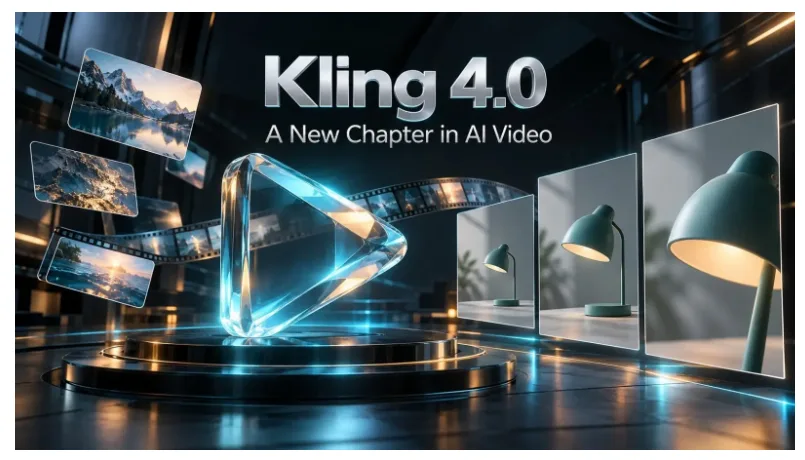

A new release focused on creative direction
Many video briefs are more specific than “make something cinematic”. A business wants its product to remain recognisable. An editor needs a scene that fits the surrounding story. A communications team wants a clear beginning and ending rather than an unexpected change of subject.
Kling 4.0’s launch emphasises more stable motion, complex camera work and control through references and keyframes. These are development priorities, not a substitute for checking the actual output. Their significance for a small team is straightforward: more of the creative brief can be supplied visually instead of being squeezed into a long description.
That changes the first planning question. Instead of asking only what to type, a creator can ask which image, camera example or planned composition would make the request easier to understand.
What thirty-second generation is useful for
A longer single generation gives an action or explanation more room to develop. A product introduction could begin with a wide view and move closer to a detail. A short visual story could establish a place before something changes. The extra duration can serve the idea rather than merely extending a moving background.
This does not mean every social post should run for thirty seconds. If the useful message takes five seconds, a shorter generation may be easier to review and fit into the final edit. More available time is an option, not a requirement to fill it.
Nor does longer generation remove the need for editing. Titles, narration, separate shots and the final publishing format may still be assembled elsewhere. A complete post and a single generated clip are different deliverables.
References help turn an existing brief into pictures
For a team with approved images, reference-based creation can be more relevant than starting from an empty prompt box. One picture can establish a subject’s appearance, while another communicates the setting. A video reference can help explain the camera approach or pacing the creator has in mind.
The practical advice is to give each file a job. A product image should guide the product, not silently become a request to copy its background. A camera reference should explain a movement, not introduce unrelated people or objects. Tell the model which part of each reference matters.
A larger upload allowance is useful when those jobs are genuinely different. It does not make a crowded reference folder better than two well-chosen files. Start with material that resolves a real uncertainty in the brief, and check the result before adding more.
Keyframes help explain where the clip should go
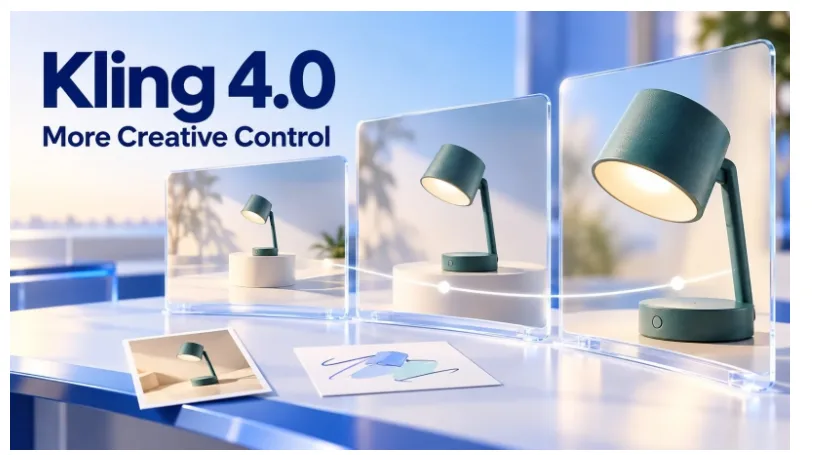
References and keyframes answer different questions. References help describe the material or treatment. Keyframes supply images for important visual moments along the sequence, such as its opening or intended ending.
For a simple product reveal, a team might prepare a wide opening composition and a closer finishing view. The prompt describes the movement between them. This is a planning example, not a promise that a model will reproduce an exact path or preserve every detail.
Kling 4.0 keyframe control is relevant when those visual moments are part of the brief. It is less important for an exploratory clip where the creator is still deciding how the scene should look. Using the maximum number of frames is not the goal; providing useful guidance is.

Match the model announcement to the service you use
A model release describes capabilities across an evolving product ecosystem. A particular creation page may expose a narrower selection of settings. Teams should make their production plans around the controls they can actually use, especially while a new model is rolling out.
The linked workspace has separate References, Text and Frames entry points and currently displays 720p and 1080p generation settings. Choose the appropriate route before preparing the files. Do not assume every advertised model feature can be combined in a single request.
For an initial trial, use a short duration, one clear action and material the team is permitted to upload. Review the estimated credit charge before submitting. There is no need to begin with the most complex scene or the longest available clip.
Look for useful output, not a winning demonstration
For smaller organisations, the cost of adopting a new model includes the time spent preparing inputs, rejecting unsuitable clips and making revisions. A strong selected example does not reveal those costs for a different project.
Judge a first attempt against a few plain questions: does the subject look right, did the requested movement happen, and is there a section that can be used in the planned post? Keep the prompt and settings with each version. If one change improves the result, the team should be able to identify it.
This article does not claim measured savings, generation speed or superior output from a hands-on test. Those conclusions require recorded attempts on the team’s own material. The immediate value of the launch is a broader set of creative options to explore, not a guaranteed result.
Where the launch leaves small teams
Kling 4.0 gives businesses and communicators a reason to revisit briefs that need more than a short, loosely directed visual. Longer generation, reference inputs and keyframe guidance offer different ways to approach that work.
The sensible starting point remains a useful task: one product view, one explanatory scene or one short opening. Try the control that addresses the difficult part of that task, and expand only when the result earns a place in the final video.