Cloud phones and anti-detect browsers are often placed in the same category because both help teams separate account environments. In practice, they operate at different layers.
A cloud phone provides an Android environment for native mobile applications. An anti-detect browser provides isolated browser profiles for websites and web-based dashboards.

Many modern workflows require both. A social commerce team may use a mobile application for content publishing and messaging, then use browser-based tools for advertising, email, analytics, payments, customer support, or seller administration.
This guide explains how the two technologies work together, how responsibilities should be divided, and how MoreLogin combines them in one multi-account workspace.
What a Cloud Phone Does
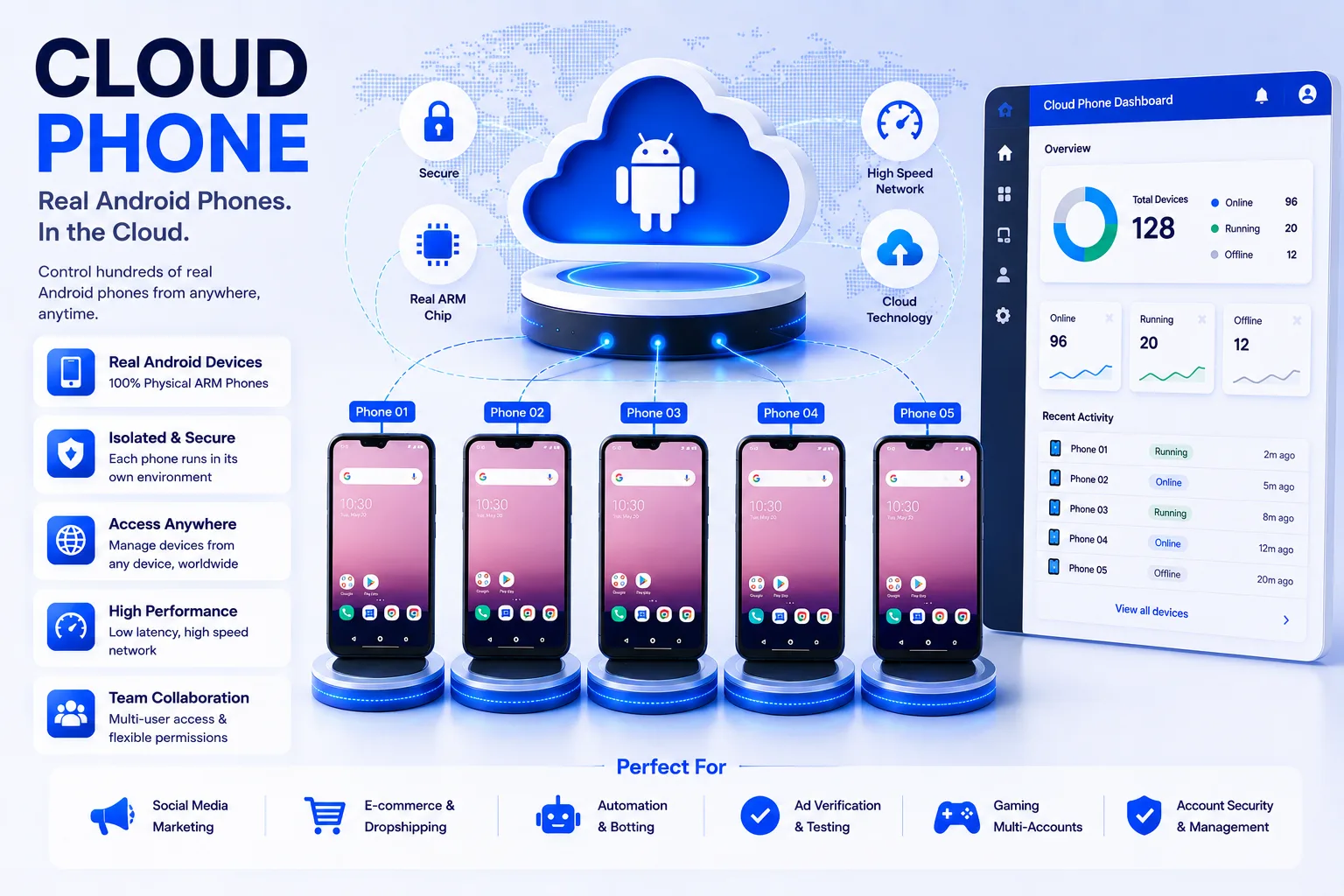
A cloud phone is an Android device environment hosted in the cloud and accessed remotely. It is designed for native applications that expect an Android operating system rather than a desktop browser.
Business-focused cloud phones add tools for application installation, file transfer, proxy configuration, device organization, team access, synchronization, and automation.
MoreLogin Cloud Phone runs on ARM-based cloud infrastructure and supports persistent Android workflows, app and APK installation, groups and labels, team permissions, file management, RPA, scheduled tasks, APIs, and ADB.
What an Anti-Detect Browser Does

An anti-detect browser creates isolated browser profiles. Each profile can maintain its own cookies, local storage, browser settings, fingerprint configuration, and proxy assignment.
These profiles are intended for web-based activity. They are useful when a team needs separate environments for seller dashboards, advertising platforms, email accounts, analytics tools, customer-service systems, affiliate portals, or other websites.
An anti-detect browser is not a replacement for a native Android environment. It cannot fully reproduce every mobile app workflow, notification flow, device permission, or app-only feature.
Why Teams Need Both Layers
The division between mobile and web is rarely clean. Consider a cross-border commerce workflow:
- A content operator prepares and reviews media in an Android app.
- A store operator uses a seller application to monitor orders or messages.
- An advertising specialist works in a browser-based campaign dashboard.
- A finance member accesses payment and reporting tools on the web.
- A manager reviews analytics, email, and customer support systems.
Using only cloud phones can force web tasks into mobile browsers, which may be slower and harder to manage. Using only browser profiles can leave native app tasks unsupported.
A hybrid model allows each task to run in the environment it was designed for.
How MoreLogin Connects Cloud Phones and Browser Profiles
MoreLogin provides both technologies inside the same broader workspace. This matters because the difficult part of multi-account operations is often not launching an app or website. It is keeping environments, proxies, permissions, ownership, and handoffs consistent.
A team can use MoreLogin cloud phones for Android applications and MoreLogin browser profiles for web-based systems. Both can be organized around the same clients, projects, regions, or operator teams.
The result is a clearer operating model than maintaining unrelated phone tools, browser tools, spreadsheets, password lists, and permission systems.
A Practical Environment Mapping Method
Map each account’s mobile tasks
List the actions that require a native Android application: app-specific content publishing, mobile messaging, app-only settings, Android testing, push-notification review, or other device-level tasks.
Map each account’s web tasks
List the browser-based actions: advertising dashboards, email, analytics, support portals, order administration, affiliate systems, payments, reporting, and internal tools.
Create paired environments where necessary
When one account requires both layers, create a clearly named cloud phone and browser profile for the same project. Use a naming format such as “Client-Market-Platform-Mobile” and “Client-Market-Platform-Web.”
Document the approved proxy strategy
The network configuration should match the project’s legitimate operating requirements. Record which proxy belongs to each environment and who is authorized to replace it.
Assign access by responsibility
A mobile content operator may need access to the cloud phone but not the payment dashboard. A manager may need both. Permissions should follow job responsibilities rather than giving every member access to every environment.
Example Workflow: Social Commerce Team
A social commerce agency could organize the process as follows:
- Cloud phone: native social app, content files, notifications, messaging, and app-based account settings.
- Browser profile: advertising dashboard, email, analytics, landing pages, customer support, and reporting.
- Shared project group: both environments labeled by client and market.
- Team access: content staff receive the phone; media buyers receive the browser profile; account managers receive both.
- Automation: scheduled or RPA-based preparation for stable repeated tasks, with human review for publishing, approvals, and customer communication.
This model reduces the need to share one physical phone or one browser session across the whole team.
Example Workflow: E-commerce Operations
An e-commerce team may need a marketplace application for mobile notifications and app-specific features while also using a web seller center for inventory, order processing, advertising, and reporting.
The cloud phone preserves the Android app environment. The browser profile preserves the web session and browser-level identity. Operators can move between the two without merging unrelated client or market data into one local device.
Automation Across Both Environments
MoreLogin offers automation options for both mobile and browser workflows.
On cloud phones, teams can use synchronization, batch input, batch upload, RPA, scheduled tasks, Open API, Local API, and ADB. On browser profiles, technical teams can use API-based profile control and common browser automation frameworks where appropriate.
The goal should not be to automate every action. Automation works best for stable, repetitive preparation or verification steps. Decisions, approvals, sensitive communications, and exception handling should remain under suitable human review.
Common Mistakes to Avoid
Treating the two tools as substitutes
A browser profile is not a full Android phone, and a cloud phone is not always the most efficient place to operate a complex desktop dashboard.
Using inconsistent naming
If the phone and browser profile cannot be matched to the same client, market, or account, the hybrid workflow becomes harder to manage than two separate tools.
Allowing uncontrolled proxy changes
Unplanned network changes create confusion and make troubleshooting difficult. Proxy ownership and replacement procedures should be documented.
Sharing unrestricted team access
The convenience of one workspace should not lead to every member receiving every permission. Use role-based access and review permissions regularly.
Automating before the manual process is stable
An unreliable manual workflow becomes a faster unreliable workflow when automated. Test on a small scale, document failures, and add monitoring.
Security and Compliance Considerations
Environment separation is an operations and privacy tool, not permission to violate platform rules. Teams should follow the terms of the services they use, obtain appropriate authorization for account access, protect personal data, and avoid spam, fake engagement, fraud, or platform manipulation.
Administrators should also protect API credentials, review member access, remove former employees promptly, and document which clients or departments own each environment.
When a Stand-Alone Tool Is Enough
A cloud phone alone may be sufficient when the entire workflow occurs inside Android applications. An anti-detect browser alone may be sufficient when the work is entirely web-based.
The combined model is most valuable when the same team regularly moves between mobile applications and web dashboards and needs consistent organization across both.
Final Verdict
Cloud phones and anti-detect browsers solve different parts of the same operational challenge. Cloud phones provide persistent Android environments for native apps. Anti-detect browsers provide isolated profiles for web platforms.
MoreLogin brings both layers into one workspace, allowing teams to organize mobile and web environments, assign access, configure proxies, transfer files, and automate stable processes without building two unrelated management systems.
For teams whose daily work crosses between Android applications and browser-based dashboards, the combined approach is usually more practical than forcing every task into a single type of environment.