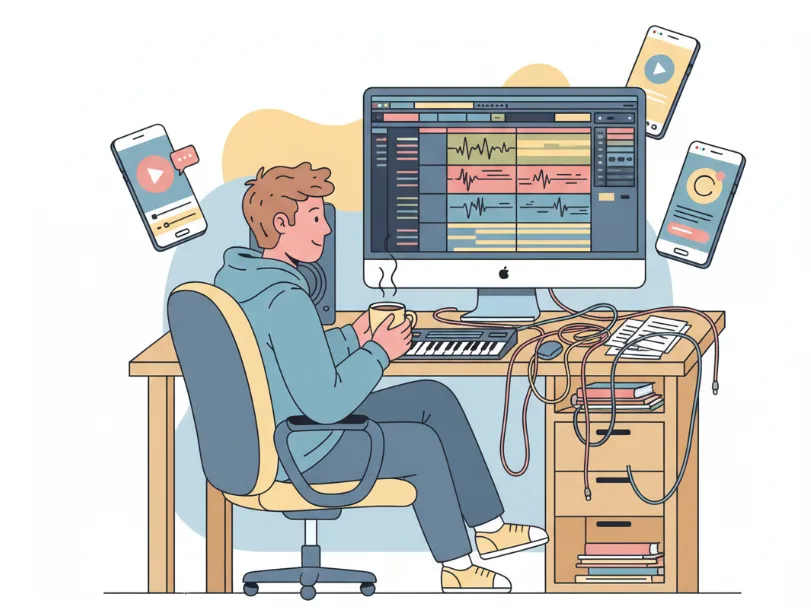

YouTube creators do not need image tools for every task, but when they do, the pressure is usually high. A thumbnail has to work fast. A community post has to feel fresh. A short-form promo needs to look polished without turning the workflow into a design project.
That is why a tool like PhotoGenerator matters. It is not just another AI Photo Generator; it is more useful when you think about specific creator jobs instead of broad features. Bloomberg reported in 2025 that over 50% of surveyed digital teams were already testing generative AI for visual content production, which helps explain why creator workflows are shifting toward faster image systems.
This list focuses on 8 use cases that make sense for YouTube creators, especially if you want realism, variety, and speed in the same workflow. In practice, the best AI photo generator is the one that helps you publish more consistently without forcing every image to look the same.
1. Thumbnail portraits with stronger facial focus
A thumbnail often lives or dies on the face. Viewers read emotion before they read text, so a clear, high-contrast portrait can make a bigger difference than a fancy background. PhotoGenerator is useful here because it can create realistic-looking faces that feel closer to a custom shoot than a stock image.
For a YouTube creator, this is especially helpful when the video topic is personal, reaction-based, or story-driven. A thumbnail for “I tried editing my room with AI” needs a different visual tone than a tutorial about lighting or audio. With an AI realistic photo generator, you can match the expression to the title instead of hunting through old screenshots.
2. Channel banner concepts for seasonal updates
A channel banner has a different job from a thumbnail. It does not need urgency; it needs identity. PhotoGenerator works well when you want to test banner concepts for different seasons, launches, or content series without hiring a designer every time.
One useful example is a creator who shifts from “editing tips” in January to “AI workflows” in spring and “year-end recaps” later in the year. You can generate banner mockups with different moods and compare them before choosing a final direction. That is where an AI Photo Generator becomes a planning tool, not just an image maker.
3. Community post visuals that feel less recycled
Community posts are easy to overlook, but they can keep a channel active between uploads. The problem is that many creators reuse the same screenshot style over and over. PhotoGenerator gives you a way to refresh those visuals quickly.
This use case is strongest when you want something that looks native to the topic but not like a frame grab from the actual video. For example, a creator posting about a behind-the-scenes workflow can use a clean generated image of a desk, laptop, and camera setup instead of another plain text post. That makes the post feel deliberate, which is important if you want more than a quick filler update.
4. Product-demo scenes for affiliate videos
A lot of YouTube creators make affiliate content or tool reviews, but they do not always have the product in front of them. In those cases, visual placeholders matter. PhotoGenerator can help build clean product-demo scenes that support the story even before the actual footage arrives.
Picture a creator reviewing a home office microphone. Instead of using the same generic desk background, you can create a setup that matches the product category more closely. The image does not need to replace the real demo, but it can help frame the topic in a more polished way. This is where an AI photo generator can quietly improve a video’s presentation value.
5. Story thumbnails for documentary-style videos
Documentary-style YouTube videos need a different kind of visual. They usually depend on tension, mystery, or atmosphere. That makes PhotoGenerator especially useful for creating stylized realism that supports narrative topics.
A real example would be a creator making a video about a startup collapse, a creator economy trend, or a behind-the-scenes business story. The thumbnail may need a moody office, a laptop screen, or a lone figure in a dim room. An AI realistic photo generator is helpful because it can deliver the cinematic feel without pushing the image too far into fantasy.
6. Short-form promo images for multi-platform reuse
Creators often cut one long video into multiple shorts, posts, and story updates. The image style has to travel across platforms. PhotoGenerator is a good fit when you need one source image that can be adapted into different formats, from square to vertical to banner-sized assets.
This is one of the most practical uses because it saves time in repackaging content. A single generated scene can support a YouTube Short cover, an Instagram story, and a teaser post for X or LinkedIn. The workflow becomes more efficient when the AI photo generator gives you enough visual consistency to reuse the asset without making it feel copied.
7. Concept art for future video ideas
Not every video idea starts with a script. Sometimes it starts with a visual. That is where PhotoGenerator can be surprisingly helpful for planning, especially if you like building concepts around images before recording.
For example, a creator planning a “day in the life of a remote editor” video can generate a few visual directions first: a desk scene, a travel-work setup, or a more cinematic home office shot. Those mockups can help decide whether the idea feels strong enough to produce. In this role, the tool is less about final output and more about testing whether the visual angle makes sense.
8. Brand identity experiments for faceless channels
Faceless YouTube channels still need personality. They just express it through visuals, pacing, and tone instead of on-camera presence. PhotoGenerator can support this by giving the channel a stronger visual language without requiring the creator to appear in every piece of content.
This works well for channels in tech, finance, or AI commentary where the brand often depends on consistency more than personality footage. You can build recurring image styles for explainers, topic cards, and feature art. If your channel needs a repeatable visual system, an AI realistic photo generator becomes a branding asset rather than a one-off design shortcut.
Closing thought
The real value of PhotoGenerator for YouTube creators is not that it replaces design work. It is that it reduces the number of small decisions that slow a content pipeline down. When thumbnails, banners, community posts, and promo visuals all come from a more flexible system, the channel can move faster without looking repetitive.