The Nintendo Switch 2 has arrived, and with it comes a wave of excitement for gamers eager to dive into next-generation portable and docked experiences. Whether you’re exploring vast open worlds, competing in fast-paced multiplayer battles, or unwinding with indie favorites, one thing remains constant: your controller is the bridge between you and every in-game moment. A great wireless controller transforms how games feel in your hands, turning good sessions into unforgettable ones.
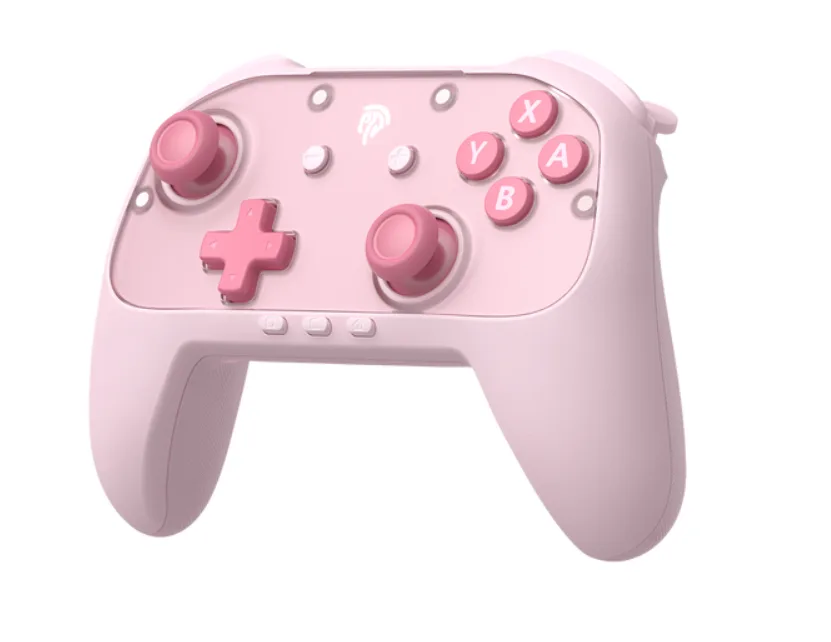

But here’s the challenge. The market is flooded with wireless controllers claiming to be the best fit for your Switch 2, ranging from premium first-party options to dozens of third-party alternatives at every price point. For casual gamers who want an enhanced experience without spending a fortune, the sheer number of choices can feel paralyzing. Which features actually matter? Is it worth paying more for a brand name? How do you avoid buyer’s remorse? This guide cuts through the noise, breaking down everything you need to know to find the perfect wireless controller that matches your gaming style, comfort preferences, and budget.
Why the Right Wireless Controller Matters for Nintendo Switch 2 Gaming
Think about the last time a controller felt wrong in your hands—maybe the buttons were too stiff, the grip too small, or the wireless connection kept stuttering during a crucial moment. That frustration pulls you out of the game entirely. A quality gaming controller does the opposite: it disappears into the experience, letting you focus entirely on what’s happening on screen. For Nintendo Switch 2 owners, this matters even more because the console bridges handheld and TV modes, meaning your wireless controller needs to perform flawlessly across different play scenarios.
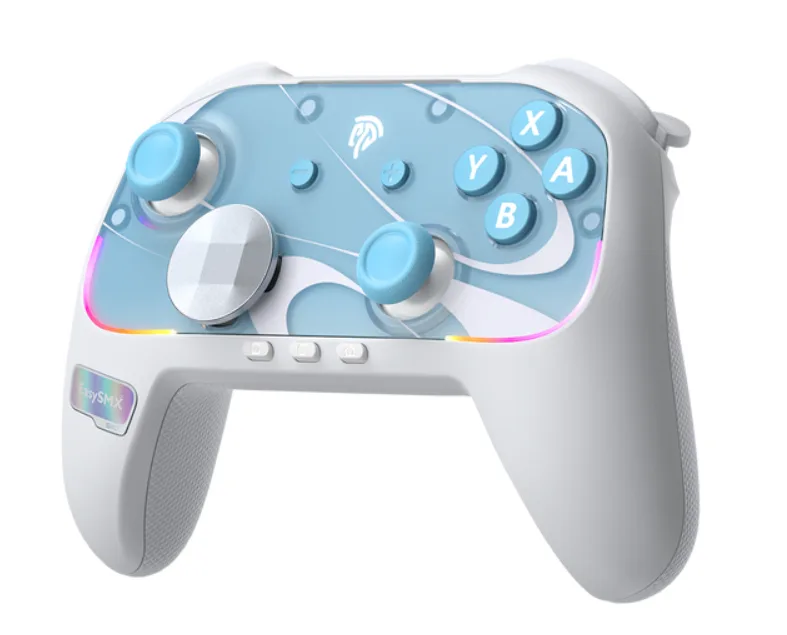

Comfort becomes especially important during longer sessions. Even casual gamers who play for an hour or two after work will notice wrist fatigue or thumb soreness if their controller’s ergonomics aren’t right. The right Switch accessories don’t just feel better—they can actually improve your reaction times and accuracy because you’re not fighting the hardware. You don’t need to spend top dollar to get a meaningful upgrade over basic Joy-Cons. The sweet spot exists where affordability meets thoughtful design, and finding that intersection is what transforms your gaming experience from adequate to genuinely enjoyable. The key is knowing which features deliver real value and which are just marketing fluff.
Essential Features to Look for in a Nintendo Switch 2 Gamepad
Not all wireless controllers are created equal, and understanding which features genuinely impact your gaming experience helps you avoid overpaying for gimmicks or underbuying and regretting it later. When evaluating any gamepad for your Switch 2, four core areas deserve your attention. These aren’t just spec-sheet details—they directly determine whether a controller feels like a natural extension of your hands or an awkward obstacle between you and your favorite games.
Connectivity and Compatibility with Nintendo Switch 2
A wireless controller is only as good as its connection. Look for models using Bluetooth 5.0 or higher, which delivers lower latency and more stable signals even in rooms with multiple wireless devices. Pairing should be straightforward—ideally a one-button sync process that remembers your console for instant reconnection. Confirm that any controller you’re considering explicitly lists Nintendo Switch 2 compatibility, since some older Switch controllers may work partially but lack full feature support for the new system’s capabilities.
Ergonomics and Design for Comfortable Gaming
Grip shape matters more than most people realize. Controllers with textured, slightly curved handles reduce hand strain during sessions lasting beyond thirty minutes. Pay attention to button placement—triggers should fall naturally under your index fingers without reaching, and face buttons need enough spacing to prevent accidental presses. Weight plays a role too: something between 200 and 260 grams typically feels substantial without causing fatigue. Matte finishes resist sweat better than glossy plastic, keeping your grip secure during intense moments.

Battery Life and Charging Solutions
Nothing kills a gaming session faster than a dead controller. Aim for models offering at least 20 hours of battery life per charge, which covers most casual gamers for a full week or more between charges. USB-C charging has become the standard and allows you to use the same cable as your Switch 2 itself. Some controllers support play-while-charging functionality, which serves as a safety net for those times you forget to plug in overnight.
Additional Features: Motion Controls and Haptic Feedback
Motion controls aren’t just for bowling games anymore—many Switch 2 titles integrate gyroscope aiming for precision that analog sticks alone can’t match. A built-in 6-axis gyroscope ensures you won’t miss out on these mechanics. Haptic feedback, meanwhile, adds tactile dimension to gameplay, letting you feel terrain changes, impacts, and environmental cues through subtle vibrations. While not essential for every player, these features meaningfully deepen immersion once you experience them in well-designed titles.

Top Wireless Controller Options for Nintendo Switch 2
With so many controllers vying for your attention, narrowing the field becomes easier when you group options by category. Each tier serves different priorities, and understanding what you gain or sacrifice at each level helps you spend wisely. The good news is that competition among manufacturers has pushed quality up across the board, meaning even budget options today outperform mid-range controllers from just a few years ago.
Official Nintendo Switch 2 Controllers
Nintendo’s first-party Pro Controller for Switch 2 remains the benchmark for seamless compatibility. It pairs instantly, receives firmware updates automatically, and supports every system feature without workarounds. Build quality is excellent, with responsive buttons and reliable wireless performance. The trade-off is cost—official controllers carry a premium because you’re paying for guaranteed integration and Nintendo’s quality control. For gamers who want zero hassle and don’t mind the higher investment, it’s the safest choice. However, it’s worth asking whether those extra dollars deliver proportionally better gameplay compared to strong third-party alternatives.

Third-Party Gaming Controllers
Brands like 8BitDo, PowerA, and GuliKit have built serious reputations by offering wireless controllers with features rivaling or exceeding first-party options. Many include programmable back buttons, adjustable trigger sensitivity, and hall-effect joysticks that resist drift—features Nintendo’s own controller lacks. These manufacturers frequently update firmware for Switch 2 compatibility, and their build quality has improved dramatically. For casual gamers seeking an enhanced experience, third-party gaming controllers often deliver the best feature-to-cost ratio, giving you premium functionality without the premium markup.

Budget-Friendly Picks for Affordable Gaming Accessories
If affordability is your primary concern, several controllers under the mid-range threshold still deliver solid performance. Look for models from brands like EasySMX or HORI that prioritize core essentials—reliable connectivity, decent battery life, and comfortable ergonomics—while trimming extras like HD rumble or NFC. These affordable gaming accessories won’t win awards for premium materials, but they handle everyday casual gaming admirably. The key is reading recent user reviews specifically mentioning Switch 2 compatibility, since budget manufacturers sometimes lag behind on firmware support for newer systems.
How to Match a Controller to Your Casual Gaming Style
Your ideal gaming controller depends entirely on how you actually play, not how marketing materials assume you play. Start by honestly assessing your habits. Do you primarily game in docked mode on your TV, or do you mostly play tabletop style with friends? Docked players benefit from full-sized controllers with wider grips, while tabletop gamers might prefer something compact and easily portable in a bag.
Consider the genres you gravitate toward most. If you spend evenings in platformers and adventure games, prioritize comfortable ergonomics and responsive face buttons over advanced features like hair triggers. Racing and action game fans should look for analog sticks with smooth travel and reliable deadzones. For anyone dabbling in shooters, gyroscope-equipped controllers offer a genuine accuracy advantage worth prioritizing. Think about session length too—if you typically play in thirty-minute bursts during commutes, battery life matters less than if you settle in for three-hour weekend marathons. Finally, consider your social gaming habits. If you regularly host local multiplayer nights, buying two mid-range controllers might serve you better than one premium option. Matching your controller to your real-world gaming patterns ensures every dollar spent translates into an improved gaming experience you’ll actually notice and appreciate.
Step-by-Step Guide to Finding Your Perfect Wireless Controller
Finding the right wireless controller doesn’t require hours of research if you approach it systematically. Start by setting a realistic budget based on your affordability needs—decide what you’re genuinely comfortable spending, then give yourself a small buffer for unexpected features that might justify a slight stretch. Next, revisit the essential features covered earlier and rank them by personal importance. Maybe battery life tops your list, or perhaps ergonomic grip matters most. Write down your three non-negotiables so you don’t get distracted by flashy extras that won’t improve your actual gaming experience.
With your priorities clear, research two or three Nintendo Switch 2 controllers within your budget that meet those criteria. Read user reviews specifically from casual gamers and Nintendo Switch 2 owners—their feedback reveals real-world performance that spec sheets can’t capture. Pay attention to recurring complaints about connectivity drops or build quality issues. If possible, visit a retail store and hold display models to test how they feel in your hands, since grip comfort is nearly impossible to judge from photos alone. Finally, make your decision by weighing which controller delivers the best balance of your must-have features against its cost. Trust your research, commit to the choice, and remember that even a modest upgrade from stock Joy-Cons will noticeably enhance your daily gaming sessions.
Choosing Your Ideal Switch 2 Controller with Confidence
Finding the perfect wireless controller for your Nintendo Switch 2 doesn’t have to be an overwhelming experience. By focusing on the features that genuinely matter—reliable connectivity, comfortable ergonomics, solid battery life, and immersion-enhancing extras like motion controls and haptic feedback—you can quickly narrow down the crowded marketplace to a handful of strong contenders. Whether you opt for Nintendo’s official controller for guaranteed compatibility, a feature-rich third-party gaming controller that punches above its weight, or a budget-friendly option that covers the essentials without unnecessary extras, the right choice depends on your personal gaming habits and what you value most during play sessions.
The step-by-step approach outlined in this guide gives you a practical framework: set your budget, identify your non-negotiable features, research real user experiences, test grip comfort when possible, and commit to the controller that best balances your priorities against cost. Remember that even a modest upgrade from standard Joy-Cons can dramatically improve your daily gaming experience. Apply these principles, trust your research, and you’ll end up with a wireless controller that feels like it was made for your hands—enhancing every session on your Switch 2 without straining your wallet.