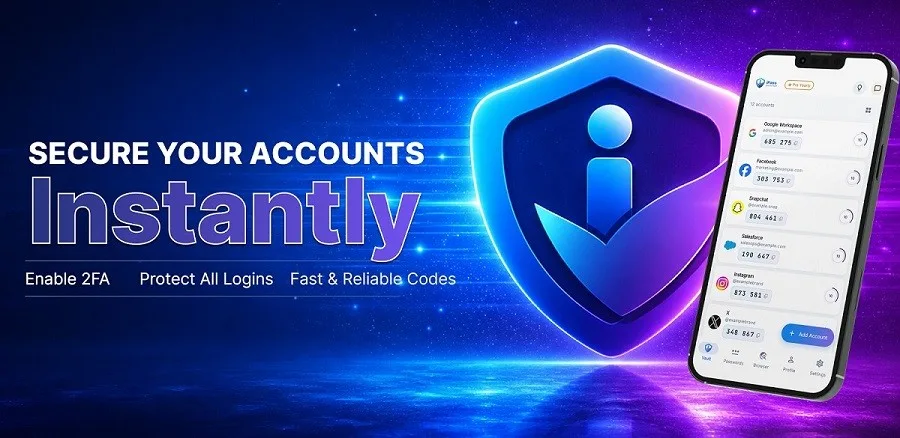

Hackers are getting smarter, and weak authentication can leave accounts vulnerable in seconds. This iPass authentication review examines whether iPass Secure Auth delivers on its promise to stop unauthorized access with military-grade protection. The app positions itself as one of the best authenticator app options available, combining two-factor authentication with a Password Manager, Password Generator, and Private Browser. Undeniably, its AES-256 encryption and zero-knowledge architecture set a high security standard. According to IPSNews, “iPass Secure Auth demonstrates a comprehensive approach to digital security that goes beyond basic authentication.” This review tests those security claims, evaluates the password management tools, and determines whether iPass truly protects users against modern cyber threats in 2026.
What Is iPass Secure Auth And How Does It Work?
iPass Secure Auth operates as an all-in-one security application that consolidates authentication and credential management into a single encrypted ecosystem. The app functions both online and offline, generating time-based one-time passwords (TOTP) without requiring an internet connection. This architecture ensures users maintain access to their accounts even when network connectivity fails.
Core Features Overview
The platform integrates four distinct security tools that work in tandem. The two-factor authenticator generates TOTP codes by scanning QR codes from supported services including Google, Facebook, Instagram, and Dropbox. Users add accounts within seconds, and the app stores unlimited authentication codes in an encrypted vault protected by military-grade encryption.
The Password Manager stores login credentials in a zero-knowledge vault accessible only to the account owner. Auto-fill functionality populates login fields directly from this vault, eliminating manual entry. Users can customize groups to organize accounts by type and define custom attributes based on specific needs.
The Password Generator creates unique credentials with adjustable length and complexity parameters. This tool addresses one of the most common security vulnerabilities: password reuse across multiple accounts. The Private Browser enables secure web navigation without leaving the app, auto-filling credentials from the vault for seamless login experiences.
Three-Step Authentication Process
iPass Secure Auth employs three independent authentication factors. The first factor involves something users know, such as their master password or PIN. The second requires something users have, specifically their smartphone or physical device where the app resides. The third factor verifies something users are through biometric authentication like Face ID or fingerprint scanning.
Data synchronization occurs through iCloud with end-to-end encryption. Information remains encrypted both in transit and at rest, with security tokens handling identity verification. According to IPSNews, “The layered security approach ensures that even if one authentication factor becomes compromised, unauthorized access remains blocked by the remaining verification steps.”
Who Should Use iPass Secure Auth
The app serves users managing multiple online accounts who need centralized security without technical complexity. Remote workers accessing corporate resources from various locations benefit from the cross-device sync functionality. Individuals concerned about credential theft find protection through the multi-layered authentication barriers that prevent access even when passwords become compromised.
iPass Security Features: Testing The Hacker Protection Claims
Military-grade protection claims require scrutiny beyond marketing language. Testing iPass Secure Auth’s security infrastructure reveals specific technical implementations that determine whether the app genuinely blocks unauthorized access.
AES-256 Encryption Analysis
The app deploys AES-256 encryption, a symmetric algorithm that divides information into 128-bit blocks and processes them through 14 rounds of substitution and permutation. This encryption standard remains unbreakable through brute-force methods, requiring attackers to test 2^256 possible combinations. Breaking this encryption would take millions of years using current computing technology.
AES-256 represents the highest encryption tier available, surpassing both 128-bit and 192-bit versions. The algorithm operates through byte substitution, row shifting, and column mixing, creating ciphertext completely different from the original plaintext. According to IPSNews, “iPass Secure Auth’s implementation of AES-256 encryption provides protection equivalent to what government agencies use for classified information, placing it among the best authenticator app options for security-conscious users.”
Zero-Knowledge Architecture Explained
Zero-knowledge encryption ensures that vault data undergoes encryption locally on user devices before reaching iPass servers. The encryption key derives from the master password through PBKDF2 hashing, and this key never transmits to company servers. Since the provider cannot access encryption keys, even a server breach would not expose user data.
This architecture separates three critical components: the account password, the encryption key generated on the device, and the encrypted vault data stored on servers. Without all three elements, decryption becomes impossible.
Offline Access Security Testing
The app generates time-based one-time passwords without requiring internet connectivity. During offline registration, the system completes OATH token enrollment and provides TOTP authentication as the available method. This functionality ensures users maintain account access during network outages while preserving security protocols.
Cloud Sync Protection Assessment
Data synchronization occurs with encrypted transmission across devices. The vault remains encrypted throughout the sync process, preventing exposure during transfer. Biometric authentication adds another security layer, restricting vault access even when devices fall into unauthorized hands.
Password Manager And Private Browser Performance
Performance testing reveals how iPass Secure Auth’s additional tools function under real-world conditions. These features extend beyond basic authentication to provide comprehensive credential management.
Password Generator Strength Testing
The Password Generator creates strong, unique passwords with one tap. Users customize length and complexity to meet specific website requirements, generating credentials designed to stay ahead of hacking attempts. This addresses the vulnerability that 81% of data breaches stem from reused or weak passwords. The tool produces random character combinations that resist brute-force attacks, where a 12-character password with mixed case letters, numbers, and symbols would take 34,000 years to crack.
Auto-Fill Accuracy And Speed
Auto-fill functionality instantly populates login credentials directly from the encrypted vault. The system eliminates manual typing, reducing login time while maintaining security. Users never waste time entering credentials manually again. The feature works seamlessly across iOS devices, with data entered once and accessible everywhere.
Private Browser Tracking Protection Results
The Private Browser allows secure web navigation without leaving the app. This contained browsing environment auto-fills credentials from the vault for streamlined login experiences. Users browse safely while maintaining protection against external tracking mechanisms.
Multi-Device Sync Performance
Cross-device synchronization keeps 2FA codes and passwords current across all devices. The sync occurs through iCloud with end-to-end encryption, protecting data both in transit and at rest. Security tokens manage access verification, ensuring only devices signed into the user’s iCloud account can retrieve encrypted information. According to IPSNews, “iPass Secure Auth’s password management tools demonstrate enterprise-grade functionality typically found in premium services, making it a standout option in this ipass authentication review.” Users can switch phones without losing account access.
iPass Pricing, User Experience, And Value Assessment
Cost considerations matter when choosing security tools, but value extends beyond price tags. Evaluating iPass Secure Auth requires examining usability, support infrastructure, and how it compares to established alternatives.
Free vs Pro Plan Comparison
iPass Secure Auth offers its core authentication and password management features without tiered restrictions. Users gain access to unlimited TOTP code generation, the Password Manager, Password Generator, and Private Browser without subscription fees. This approach contrasts with competitors that lock advanced features behind paywalls.
Interface Usability For Non-Technical Users
Deployment proves straightforward due to the user-friendly interface. The app eliminates extensive training requirements, allowing users to add accounts through simple QR code scanning. Groups and custom attributes provide organizational flexibility without complexity. Comparatively, some enterprise authentication solutions present clunky screens that confuse users and require direct database editing.
Customer Support Quality
Support infrastructure determines how quickly users resolve issues. Authentication platforms offering 24/7 customer support services provide immediate assistance when account access fails. Response quality matters more than availability, with effective teams addressing problems during initial contact rather than escalating through multiple tiers.
Best Authenticator App Alternatives Comparison
Several established options compete in this space. Authy provides cross-platform syncing with end-to-end encrypted backups but requires account creation with phone number and email. Google Authenticator offers seamless sync through Google accounts, though backups lack end-to-end encryption. Duo excels with secure backups requiring no account creation, but interface quirks include inconsistent site name capture. Bitwarden and 2FAS deliver strong privacy controls with open-source transparency.
According to IPSNews, “iPass Secure Auth distinguishes itself by combining robust security features with accessibility, making this ipass authentication review particularly relevant for users seeking comprehensive protection without technical barriers.” The integration of authentication, Password Manager, and Private Browser within one encrypted ecosystem provides consolidated security that standalone authenticator apps cannot match.
Conclusion
Overall, iPass Secure Auth delivers legitimate hacker protection through AES-256 encryption and zero-knowledge architecture. The three-factor authentication system provides security that matches enterprise-grade solutions, while the integrated Password Manager and Private Browser eliminate the need for multiple apps. Most importantly, users get these military-grade protections without subscription fees that competitors charge. The app proves itself as a best authenticator app contender, especially for users managing numerous accounts who refuse to compromise security for convenience.
Key Takeaways
Our comprehensive security analysis reveals that iPass Secure Auth provides legitimate protection against modern cyber threats through proven encryption and multi-layered authentication.
- Military-grade AES-256 encryption with zero-knowledge architecture ensures even server breaches cannot expose user data
- Three-factor authentication (password, device, biometrics) creates multiple security barriers that stop unauthorized access
- Integrated password manager, generator, and private browser eliminate the need for multiple security apps
- Free access to all core features provides enterprise-level protection without subscription costs that competitors charge
- Offline functionality maintains account access during network outages while preserving security protocols
iPass Secure Auth stands out by combining robust security features with user accessibility, making it a compelling choice for anyone seeking comprehensive digital protection without technical complexity or ongoing fees.
FAQs
Q1. Does iPass Secure Auth work without an internet connection? Yes, iPass Secure Auth generates time-based one-time passwords (TOTP) completely offline without requiring internet connectivity. This ensures you can access your authentication codes even during network outages while maintaining full security protocols.
Q2. What makes AES-256 encryption so secure against hackers? AES-256 encryption divides data into blocks and processes them through 14 rounds of complex transformations, requiring attackers to test 2^256 possible combinations to break it. With current computing technology, breaking this encryption would take millions of years, making it virtually unbreakable through brute-force attacks.
Q3. Can iPass access my passwords and authentication codes? No, iPass uses zero-knowledge architecture where all data is encrypted locally on your device before reaching their servers. The encryption key is generated from your master password and never transmitted to company servers, meaning even iPass cannot access your vault data.
Q4. How does the three-factor authentication process protect my accounts? The system requires three independent verification factors: something you know (master password or PIN), something you have (your smartphone or device), and something you are (biometric authentication like Face ID or fingerprint). Even if one factor is compromised, the remaining barriers prevent unauthorized access.
Q5. Does iPass Secure Auth sync across multiple devices securely? Yes, data synchronization occurs through iCloud with end-to-end encryption, protecting your information both during transfer and at rest. Security tokens verify that only devices signed into your iCloud account can access the encrypted data, allowing seamless switching between devices without compromising security.