Let me be direct with you: I’ve been skeptical of AI image tools for a long time.
Not because they weren’t impressive — they were. But impressive and useful are different things. DALL-E 3 could produce stunning fantasy landscapes and nothing else reliably. GPT Image 1 improved instruction-following but still fumbled text so badly you couldn’t use it for anything client-facing. Midjourney looks gorgeous but requires an entirely separate creative workflow and a manual to operate.
So when OpenAI dropped GPT Image 2 on April 21, 2026, I wasn’t expecting much. I was wrong. This one is different — not because the images look prettier, but because it fits into how real creative work actually gets done.
The Problem With AI Image Tools (Until Now)
Every creative team I’ve talked to has the same complaint about AI image generators: they’re great for inspiration, terrible for production.

You can use them to explore a visual direction. You cannot use them to generate a deliverable. The moment you need readable text in the image, accurate brand colors, or a specific layout — you’re back in Photoshop finishing the job manually. The AI gets you 60% of the way there, and the remaining 40% costs more time than doing it from scratch.
This friction has kept AI image tools in the “experiment” category for most professional teams, even as the underlying quality has improved dramatically. The gap wasn’t about artistic quality. It was about reliability and controllability.
Why Text Was the Dealbreaker
Of all the limitations, text rendering was the most damaging to professional workflows. Signs with scrambled letters. Posters where the headline is illegible. UI mockups that look almost right until you notice the buttons say nothing coherent. Product labels where the brand name is a jumble of plausible-looking characters.
These weren’t edge cases. For marketing, e-commerce, publishing, and UI design — the categories where visual content creation is highest volume — text appears in almost every asset. A tool that can’t handle text reliably isn’t a production tool. It’s a mood board generator.
What GPT Image 2 Actually Changes
It Thinks Before It Draws
This is the headline feature, and it’s worth understanding what it actually means in practice.
Previous image models worked like this: prompt in, pixels out. The model has no opportunity to verify whether what it’s about to generate is accurate. It just generates.
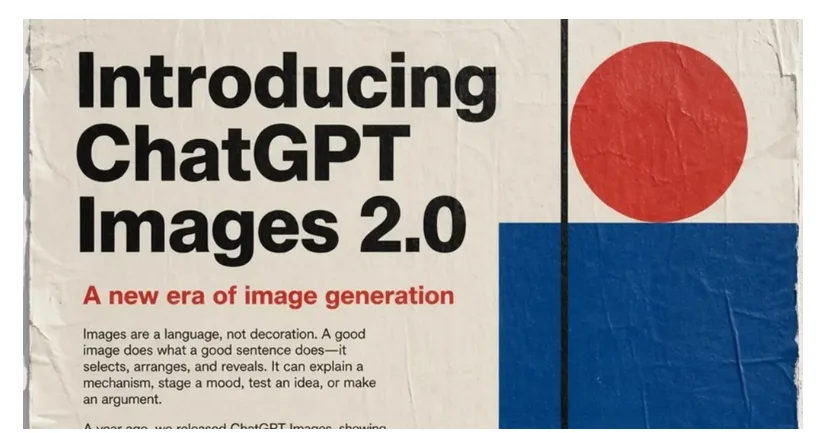

GPT Image 2 introduces a reasoning layer before generation. When you give it a complex prompt, it researches, plans, and checks information — including real-time web search — before committing to an output. Ask it to create a product launch poster for a real company, and it will look up the current logo, the correct brand colors, and relevant recent context before starting.
This sounds minor. In practice, it changes first-pass success rates dramatically. Complex scenes that previously required five or six regenerations to get right are now often usable on the first or second attempt. For teams doing high-volume content work, that time saving compounds fast.
Text Is Finally Reliable
GPT Image 2 pushes text rendering accuracy past 99% — up from the 90-95% range that made earlier models frustrating for production work. That’s not a marginal improvement. That’s the difference between “I have to check every output” and “I can trust the output.”
The improvement extends to multilingual text, which matters enormously for global marketing teams. Japanese, Korean, Hindi, Bengali — character systems that were nearly impossible to render accurately in previous models are now handled reliably.
Dense text, small lettering, complex layouts like infographics, multi-line headlines on posters — all workable now. For content teams running localized campaigns across multiple markets, this alone justifies the switch.
One Prompt, Multiple Formats
Here’s a workflow that wasn’t possible with previous models: input one creative brief and get back a coordinated set of assets in multiple aspect ratios.
GPT Image 2 can generate a 1:1 square, a 9:16 vertical, a 16:9 horizontal, and a 3:4 portrait — all visually coherent with each other — from a single prompt. That’s the kind of output that previously required a designer to manually adapt a master asset to each format. Not a huge task, but multiply it across a campaign with dozens of assets across multiple markets, and it adds up to significant hours.
Who Should Be Paying Attention
At this point in the article, I want to be specific about which teams this actually matters for — because the answer isn’t everyone.
If you’re a creative director prioritizing aesthetic originality and visual style above everything else, Midjourney is still the more expressive tool. GPT Image 2’s strength is in reliability and workflow integration, not in pushing artistic boundaries.
But if your team falls into any of these categories, GPT Image 2 is worth serious evaluation right now:
Marketing and content teams producing high volumes of visual assets across multiple channels and markets. The combination of reliable text rendering and multi-format output from single prompts changes the economics of content production.
E-commerce brands that need product photography with accurate labels, consistent logos, and platform-specific dimensions. GPT Image 2 handles this with a level of accuracy that previous models couldn’t sustain.
UI/UX designers doing early-stage concept work and mockups. Readable interface elements and coherent layouts make AI-generated mockups actually presentable to stakeholders.
Developers and agencies building content pipelines that need to scale. The token-based API pricing — rather than per-image — makes cost predictable relative to complexity, and the reasoning layer means less back-and-forth to get usable outputs.

For teams actively evaluating how AI tools fit into their creative and production workflows, resources like MyClaw offer a grounded perspective on what’s worth adopting and how to integrate these tools without disrupting what’s already working.
The Practical Limitations You Should Know About
No tool review is complete without the honest downsides.
Generation is slower. The reasoning layer takes time. GPT Image 2 is not a fast tool, and OpenAI has been upfront about this. If you’re building an application that needs near-instant image generation, this is a real constraint. For batch workflows or human-in-the-loop content production, it’s less of an issue.
Resolution caps at 2K natively. The model supports flexible dimensions, but outputs exceeding 2560×1440 pixels are flagged as experimental, with more variable results. Anything requiring true 4K needs post-processing upscaling. Not a dealbreaker, but worth knowing if your workflow depends on native high resolution.
Knowledge cutoff is December 2025. The web search capability mitigates this for factual queries, but anything referencing events or product launches from 2026 may need explicit context in the prompt rather than relying on the model’s built-in knowledge.
API access is still rolling out. As of late April 2026, ChatGPT and Codex users have direct access. Full developer API access is expected in early May 2026. Third-party platforms like fal.ai offer access in the meantime, but if you’re building production infrastructure, you may want to wait for the official endpoint.
How to Start Using It Effectively
If you’re ready to test GPT Image 2 in a real workflow, a few practical notes on getting the most out of it:
Prompt for reasoning, not just output. Because the model plans before generating, detailed context produces better results than minimal prompts. Include brand guidelines, target audience, intended use, and any factual details the model should verify. The extra upfront work pays off in fewer iterations.
Specify dimensions explicitly. Unlike previous models with fixed presets, GPT Image 2 accepts custom sizes within its constraints. State your exact dimensions in the prompt rather than letting the model choose a default.
Test text-heavy use cases first. If your current workflow involves any manual post-production to fix text in AI-generated images, that’s the fastest area to see time savings. Generate the same assets you’d normally have to touch up and compare the output.
Use the editing endpoint for iteration. GPT Image 2 supports image editing alongside generation. For brand-consistent work, establish a strong base image and iterate with edits rather than regenerating from scratch each time.
Conclusion
The thing about GPT Image 2 that I keep coming back to isn’t any single feature. It’s the shift in what the model is designed to do.
Every image model before this one was designed around generation — give it a prompt, get an image. GPT Image 2 is designed around tasks. It reasons about what you’re trying to accomplish before it starts working. That’s a fundamentally different design philosophy, and it’s why the outputs feel more usable rather than just more impressive.
Impressive AI demos are everywhere. Usable AI tools are rarer. GPT Image 2 is pushing toward the latter and for anyone doing serious visual content work, that’s the development worth paying attention to.
The full API opens in the coming weeks. Now is a good time to start building familiarity with the model before it becomes the default everyone’s using.