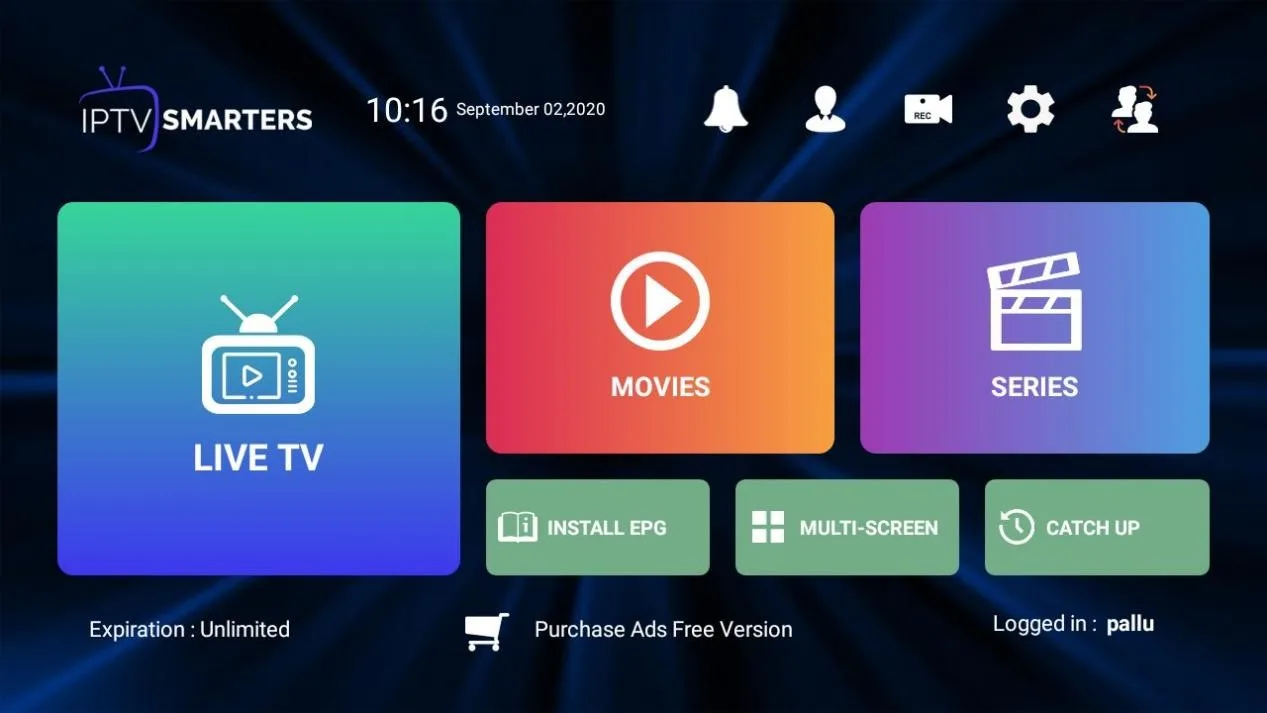

IPTV Smarters Pro has quickly become one of the most popular IPTV players in the world. Its simple interface, support for multiple devices, and compatibility with M3U and Xtream Codes make it the go-to App for many IPTV users. But like any app, IPTV Smarters Pro is not perfect. From buffering problems to login issues and EPG errors, users often experience hiccups that can interrupt their streaming experience.
If you’ve ever faced problems with IPTV Smarters Pro, don’t worry—you’re not alone. In this article, we’ll cover the most common issues, their causes, and step-by-step solutions so you can get back to smooth streaming.
Why IPTV Smarters Pro May Stop Working
Before diving into fixes, it’s essential to understand why issues happen. The problems with IPTV Smarters Pro usually fall into three categories:
- Device or App Issues – outdated app versions, cache overload, or compatibility conflicts.
- Internet or Network Issues – slow Wi-Fi, unstable connections, or ISP restrictions.
- Provider Issues – server downtime, expired accounts, or poor-quality IPTV service.
You can apply the correct fix quickly by identifying where the problem comes from.
Common IPTV Smarters Pro Issues and How to Fix Them
1. IPTV Smarters Pro Buffering or Freezing
Symptoms: Video stops frequently, channels keep loading, or streams freeze mid-play.
Causes:
- Slow internet speed
- High server load from the IPTV provider
- ISP throttling
- Outdated IPTV Smarters Pro app
Fixes:
- Test your internet speed (minimum 15–20 Mbps recommended for HD streaming).
- Use a wired Ethernet connection instead of Wi-Fi.
- Install a VPN if your ISP is throttling IPTV traffic.
- Clear the app cache or reinstall IPTV Smarters Pro.
- Contact your IPTV provider if the issue persists on all channels.
2. IPTV Smarters Pro Login Errors
Symptoms: You enter your credentials, but can’t log in. You may see messages like “Invalid details” or “Authorization failed.”
Causes:
- Mistyped username, password, or portal URL
- Expired subscription with your provider
- Provider server is temporarily offline
Fixes:
- Double-check that your login details are correct.
- Copy and paste M3U/portal URLs instead of typing manually.
- Confirm that your subscription with your provider is active.
- Wait and retry if the server is under maintenance.
3. IPTV Smarters Pro Black Screen or App Crashing
Symptoms: App opens but displays a blank screen or crashes when you try to play content.
Causes:
- Corrupted app installation
- Device compatibility issues
- Insufficient storage or RAM
Fixes:
- Uninstall and reinstall the App from the official source.
- Make sure your device firmware is updated.
- Close background apps to free up memory.
- Try a different device if the problem continues.
4. EPG (TV Guide) Not Working
Symptoms: The TV guide is missing, incomplete, or not syncing with channels.
Causes:
- Incorrect EPG URL
- Provider not offering updated EPG
- App cache issues
Fixes:
- Refresh the EPG inside the App.
- Update the EPG URL provided by your IPTV service.
- Clear the cache and restart the App.
- Ask your provider if they support EPG data.
5. IPTV Smarters Pro Audio/Video Sync Issues
Symptoms: Sound doesn’t match the video, causing an out-of-sync experience.
Causes:
- Poor internet connection
- Player setting misconfiguration
- Provider’s stream encoding issues
Fixes:
- Switch the video decoder (change between Hardware, Software, or Auto in settings).
- Restart the stream or switch channels.
- If it persists across multiple channels, report it to your provider.
6. IPTV Smarters Pro “Playlist Not Loaded” Error
Symptoms: No channels appear after uploading an M3U link or Xtream Codes.
Causes:
- Incorrect M3U/portal URL
- Subscription expired
- Provider server down
Fixes:
- Check your URL format and re-upload the playlist.
- Confirm your account is active.
- Contact your provider if the server is temporarily offline.
7. IPTV Smarters Pro Update Problems
Symptoms: The App doesn’t function well or shows compatibility issues after an update.
Fixes:
- Always download the official version from the IPTV Smarters website or app stores.
- If the new version causes trouble, uninstall and roll back to a previous version.
- Keep your device OS updated for compatibility.
Best Practices to Avoid IPTV Smarters Pro Issues
- Choose a Reliable IPTV Provider – Many issues stem from poor-quality servers. Pick a trusted IPTV service that offers stable streams and support.
- Keep the App Updated – Updates fix bugs and improve performance.
- Use a VPN – This prevents ISP blocking and improves streaming security.
- Maintain a Stable Internet – A high-speed, wired connection is always better for IPTV.
- Regularly Clear Cache – Prevents the App from becoming sluggish.
When the Problem is Your IPTV Provider
Sometimes, no matter how much troubleshooting you do, the real problem lies with your IPTV provider. It may be time to switch providers if you constantly face buffering, login errors, or missing channels despite having good internet and a working app.
At IPTV UK, we offer a reliable IPTV service with stable servers, quick support, and smooth compatibility with IPTV Smarters Pro. With high-quality streams and 24/7 uptime, you’ll spend less time troubleshooting and more time enjoying your favourite TV shows and sports.
Final Thoughts
IPTV Smarters Pro is one of the best players available today, but like any app, it’s not immune to issues. The good news is that most problems—buffering, login errors, EPG issues, or crashes—can be fixed with simple troubleshooting steps.
Ready for a Better Streaming Experience?
If you’re tired of constant buffering, missing channels, and unreliable servers, it may be time to upgrade your IPTV service. At IPTV UK, we offer premium IPTV subscriptions with:
- 21,000+ live TV channels
- 120,000+ movies & series on demand
- Stable servers for buffer-free streaming
- Full support for IPTV Smarters Pro
- Affordable plans starting from just £15/month
Don’t settle for less—Buy your IPTV subscription today and enjoy smooth, reliable entertainment!