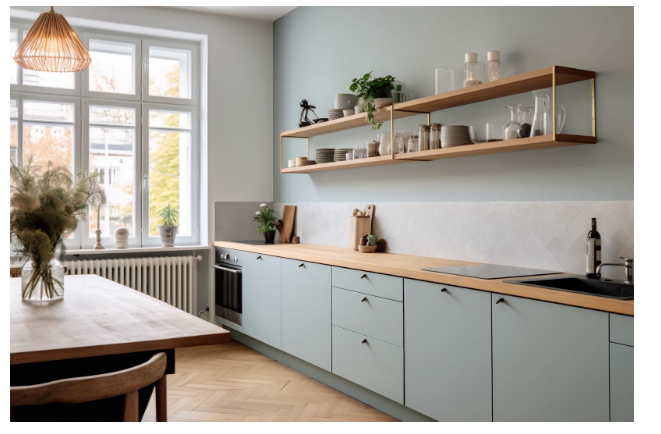

Great design starts with a clear vision. But let’s be honest, trying to picture a fully finished space in your head from a floor plan or a paint swatch isn’t always easy. You imagine it one way, then you pick out materials and furniture and somehow, it doesn’t match what you pictured. Happens to everyone.
That’s why more people are looking for tools to help them bridge the gap between idea and execution. Sure, kitchen design showrooms Denver residents swear by are useful for inspiration, but you don’t have to leave your home to get a solid visual of how your ideas might come to life.
Here are 7 ways to visualize your design plans, even if you’re just starting with a blank wall and a Pinterest board.
1. Create a Mood Board
Mood boards are more than just a collage of pretty things. They’re one of the best ways to gather your thoughts and pull together all the pieces you’re drawn to: colors, patterns, textures, even little details like drawer pulls.
You can use free digital tools like Canva or Milanote, or go old school with scissors and glue. The key is to focus on how items relate to each other. If your rug clashes with the curtains before you even buy them, your mood board just saved you a headache.
And don’t be afraid to include words, phrases, or even quotes that capture the vibe you want. A mood board isn’t just visual, it’s emotional too. If a room should feel calm, energized, or cozy, try to pin that feeling down. This helps keep you grounded when you start making detailed decisions later on, like choosing between two nearly identical tile samples.
2. Use Augmented Reality Apps
Tech has come a long way in the design world. Augmented reality (AR) lets you use your phone or tablet camera to drop virtual furniture or fixtures into your actual space. You get to see a sofa in your living room before clicking “add to cart.”
Apps like IKEA Place and Houzz’s AR tool are free, user-friendly, and surprisingly accurate. Just remember, lighting in real life is different than a screen can show, so it’s still worth ordering fabric swatches or paint samples when possible.
Some tools even let you save different layouts so you can compare side-by-side. This is helpful if you’re deciding between two major styles like modern vs rustic, for example. And since many of these apps include real products, you’ll often be able to buy the exact item you’re visualizing, which can streamline your decision-making process a lot.
3. Sketch It Out (Even If You’re Not an Artist)
There’s something satisfying about picking up a pencil and drawing the layout yourself. Even a rough sketch gives you a better understanding of flow and scale. You don’t need to be technical. Draw boxes for furniture, mark windows and doorways, and just get a feel for how the space fits together.
Some people like to use graph paper, others go with blank printer paper. Either way, sketching helps your brain work through options, especially if you’re the type who needs to “see it to believe it.”
4. Try a 3D Design Tool
If drawing by hand isn’t your thing, there are plenty of digital design tools that do the heavy lifting. Free options like SketchUp, Planner 5D, and Roomstyler let you build a to-scale room and fill it with furniture, lighting, and accessories. You can even walk through your design in 3D.
It can take a bit of time to learn the controls, but once you get the hang of it, the payoff is big. You’ll catch issues you might not notice otherwise like how that cabinet door hits the fridge every time it opens.
5. Make a Miniature Model
Yes, like a dollhouse. Building a small-scale model isn’t just for architecture students. Use cardboard, foam board, or even Lego bricks to map out your layout. It’s surprisingly helpful, especially for spatial thinkers.
Scale models let you experiment with proportions and placement in a tactile way. Some homeowners find it’s the only method that really clicks. Plus, it’s kind of fun.
6. Print a Life-Size Layout
If you’re working on a renovation or building from scratch, printing a life-size paper layout can be a game-changer. Companies like BiltPaper let you order full-scale floor plan prints that you roll out on the floor. You can “walk through” your kitchen before it’s built or see if the island leaves enough clearance for chairs.
This type of visualization helps avoid costly mistakes. According to the National Association of Home Builders (NAHB), kitchen remodels remain one of the most popular and significant projects homeowners undertake, making accurate planning essential.
7. Use Temporary Markers in Your Real Space
Don’t underestimate the power of blue painter’s tape. Outline furniture, walls, or even lighting fixture locations right on your floors and walls. This low-cost trick gives you an immediate sense of how things will feel in the space, especially how much room you’ll actually have to move around.
You can also use cardboard boxes, laundry baskets, or stools to stand in for future items. It’s not glamorous, but it works.
Design Without Surprises
Visualizing a design doesn’t have to be high-tech or high-budget. Sometimes, a mix of old-school methods and modern apps is the sweet spot. What matters most is giving yourself time to test ideas before making major decisions.
Everyone’s process is a little different, and that’s fine. Some people can picture it in their head with no problem, while others need to see every piece mapped out before they feel confident moving forward.
The goal is the same, though: design that not only looks good but lives well.
If you’re working with a partner or a contractor, visualization can also smooth out communication. Everyone interprets verbal plans a little differently, but pictures leave less room for misinterpretation. Sharing a visual concept early on can prevent changes later that cost both time and money. Plus, it builds trust. When everyone is on the same page, it’s easier to feel confident moving forward. Whether you’re planning a full home build or just updating a guest bathroom, having a clear visual plan doesn’t just make the process easier, it makes it more enjoyable.
Design should feel exciting, not overwhelming. The right tools help make that happen.