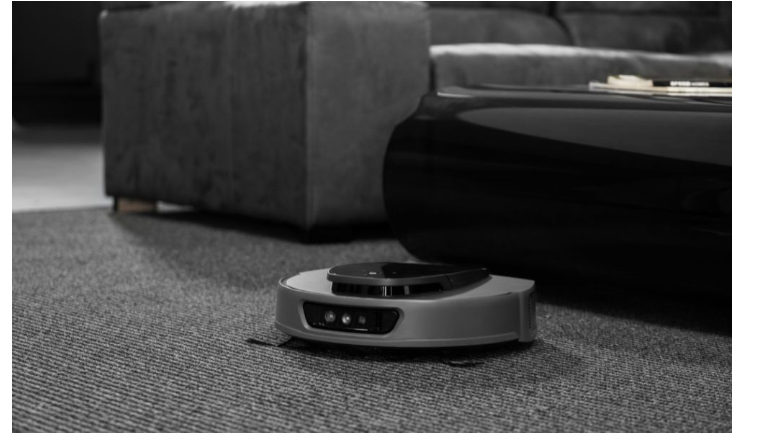

Robot vacuums are incredibly convenient, but to get the most out of them, you need to maintain and adjust them properly. By following a few simple tips, you can significantly improve the performance and efficiency of your robot vacuum.
Key Factors Affecting Robot Vacuum Performance
Maximizing your robot vacuum’s cleaning ability depends on understanding a few key factors:
- Suction Power: Stronger suction is essential for cleaning carpets effectively, but it may produce more noise. If you’re after a quiet robot vacuum, look for one with adjustable suction settings to balance power and noise levels.
- Sensors: Advanced sensors help the robot navigate obstacles and clean efficiently. The better the sensor system, the more accurate the vacuum will be in its cleaning pattern.
- Floor Type: Different floors require different settings. A vacuum and carpet cleaner with the ability to adjust to both hard floors and carpets will provide optimal performance on various surfaces.
Regular Maintenance and Cleaning of Your Robot Vacuum
Regular maintenance ensures that your vacuum continues to work efficiently:
- Empty the Dustbin: A full dustbin reduces suction power. Empty it frequently to ensure optimal cleaning performance.
- Clean the Brushes and Filters: Hair and debris often clog the brushes and filters, reducing the vacuum’s ability to clean effectively. Clean these regularly to maintain performance.
- Inspect Vacuum Cleaner Parts: Check vacuum cleaner parts, such as wheels and sensors, for debris that could hinder operation. Clean or replace any damaged parts as needed.
Optimizing Robot Vacuum Settings
Adjusting your vacuum’s settings can greatly improve cleaning performance:
- Adjust Suction Power: Increase suction for carpets and decrease it for hard floors to reduce noise and save energy. A quiet robot vacuum with adjustable suction is ideal for this.
- Select Cleaning Modes: Most robot vacuums come with modes like edge cleaning and spot cleaning. Use edge cleaning for corners and spot cleaning for targeted messes.
- Schedule Cleaning: Set your vacuum to clean at specific times, such as when you’re not home, to avoid disruptions from noise and ensure consistent cleaning.
Setting Up the Home Environment for Better Cleaning
How you set up your home can also improve cleaning efficiency:
- Declutter the Floors: A clutter-free environment allows your vacuum to navigate easily and clean more effectively. Remove obstacles like cords and toys to avoid interruptions during cleaning.
- Use Virtual Walls: Many robot vacuums have virtual walls or no-go zones, which you can set up to limit cleaning areas. This helps the vacuum focus on more important zones and prevents it from getting stuck.
- Ensure Easy Access to Charging Station: Make sure your vacuum has a clear path to its charging station. If it can’t dock properly, it will fail to recharge and won’t finish its cleaning cycle.
Upgrading Robot Vacuum Features for Enhanced Performance
If you’re looking for more efficiency, consider upgrading your robot vacuum:
- Higher Suction Power: Opt for a vacuum with stronger suction if you have carpets or need deeper cleaning. Powerful suction will remove dirt more effectively.
- Advanced Sensors: Models with advanced sensors can map out your home more efficiently and avoid obstacles, reducing the chance of missed spots.
- Self-Cleaning Brushes: Some vacuums come with self-cleaning brushes, which minimize maintenance and ensure optimal performance.
Using the Right Accessories and Attachments
Using the right accessories can enhance your vacuum’s performance:
- Specialized Brushes: If you have pets, look for a vacuum with pet hair brushes to remove fur from carpets and hard floors effectively.
- High-Performance Filters: Upgrading to high-performance filters, such as HEPA filters, will improve air quality and increase cleaning efficiency by trapping dust and allergens.
Routine Scheduling for Maximum Coverage
Set a consistent cleaning schedule to ensure your home is always clean:
- Daily or Weekly Cleaning: Scheduling regular cleaning helps keep dirt and dust from accumulating, ensuring consistent cleanliness.
- Schedule When You’re Away: To avoid disruption, schedule your robot vacuum to clean while you’re out of the house.
Troubleshooting Performance Issues
If your vacuum isn’t performing as expected, try these troubleshooting steps:
- Weak Suction: Clean the dustbin and filters to restore suction. Ensure the brushes are free from hair or debris.
- Getting Stuck: Clear obstacles from the vacuum’s path and clean the sensors to improve navigation.
- Replace Worn Parts: Regularly inspect vacuum cleaner parts for wear and tear, and replace them if necessary.
Conclusion
Improving your robot vacuum’s performance is simple with regular maintenance, smart settings, and the right features. By optimizing suction, maintaining the vacuum, and creating a clutter-free environment, your vacuum will work more efficiently. Choose the right accessories and schedule regular cleaning to enjoy the benefits of a consistently clean home.